
Direct Answer
The best virtual card for Canva Pro is one that handles international payments, supports recurring billing, and funds fast. For users in Nigeria, Ghana, Kenya, and South Africa, EverTry stands out. It offers a credit-backed virtual dollar card. You can fund it with local currency or USDT. This makes Canva Pro payments simpler than most bank cards.
Quick Answer Box
| Feature | Answer |
|---|---|
| Best Overall | EverTry |
| Best For | Canva Pro subscriptions |
| Funding Methods | Local Currency, USDT, USDC |
| Setup Time | Under 15 minutes |
| Works In | Nigeria, Ghana, Kenya, South Africa |
| Supports Recurring Billing | Yes |
| Card Type | Credit-backed Virtual Dollar Card |
Introduction
Canva has become a must-have tool. Designers use it daily. Social media managers rely on it for content calendars. Freelancers use it to build portfolios that win clients.
But paying for Canva Pro isn’t always simple. Across Africa, local bank cards fail more often than they should. A payment that should take two minutes turns into a frustrating back-and-forth with your bank.
This is why so many people search for the best virtual card for Canva Pro. A good virtual dollar card for Canva removes the guesswork. It gives you a reliable Canva payment method that just works, month after month.
This guide compares the top options, tested and reviewed, so you can pick the right one.
What Makes the Best Virtual Card for Canva Pro?
Not all virtual cards are equal. Some work well once, then fail on renewal. Others struggle with international checks. Here’s what actually matters.
Features every Canva virtual card should have
- International acceptance. The card must work outside your home country’s banking network.
- Recurring billing support. Canva charges you automatically each month or year. Your card needs to handle that without failing.
- Fast issuance. You shouldn’t wait days for a card.
- Reliable approval rate. A card that gets declined defeats the purpose.
- Easy funding. You should be able to top up quickly, in a currency you already have.
- Transparent pricing. No hidden fees that surprise you later.
Why Canva subscriptions behave differently from one-time purchases
A one-time purchase only needs your card to work once. A subscription is different. Canva charges your card every billing cycle, without you doing anything.
This means your card balance, your card status, and your issuer’s rules all need to stay consistent over time. A card that works for month one but fails in month three isn’t a good fit. This is why setup speed matters less than long-term reliability.
Why Local Bank Cards Sometimes Fail on Canva Pro
This is one of the most common frustrations for African users. Here’s why it happens.
FX restrictions and changing issuer policies
Many banks limit how much foreign currency you can spend each month. Some banks pause international payments altogether, then reactivate them later without warning. Your card might work today and fail next week, through no fault of your own.
International transaction settings
Some cards aren’t switched on for international or online use by default. If this setting is off, Canva’s payment will fail even if you have enough funds.
Anti-fraud systems and security checks
Banks use fraud detection systems to protect you. Sometimes these systems flag a legitimate Canva charge as suspicious, especially if it’s your first payment to a new merchant. This can trigger an automatic decline.
Canva retry lockouts after repeated payment failures
If a payment fails several times in a row, Canva’s own system may temporarily block further attempts. This protects against fraud, but it also means retrying the same failing card again and again won’t help. If a card fails twice, it’s best to switch methods rather than keep trying.
Recurring subscription failures on renewal day
Even a card that worked the first time can fail on renewal. Common causes include:
- Exchange rate changes that leave your balance just short of the charge
- Insufficient balance on the renewal date
- Authorization holds, where a bank temporarily reserves funds but doesn’t complete the charge
A good virtual card avoids most of these issues by giving you full control over funding and balance.
Credit-backed vs Prepaid Virtual Cards for Canva Pro
This is a distinction most guides skip, but it matters a lot for Canva payments.
A prepaid card only has the exact balance you load onto it. A credit-backed card works more like a real Visa or Mastercard, backed by a credit line instead of just a stored balance. This affects how often your payments succeed.
| Feature | Credit-backed | Prepaid |
|---|---|---|
| Recurring billing | ✓ | Sometimes |
| Authorization success | Higher | Lower |
| Funding flexibility | Higher | Lower |
| Canva compatibility | Better | Varies |
Why does this matter? Payment networks and merchants like Canva often treat credit-backed cards as more trustworthy. They’re less likely to get flagged by fraud checks, and they handle renewal charges more smoothly. If your card keeps failing on subscriptions specifically, this could be why.
Best Virtual Cards for Canva Pro Compared
Here’s how the leading options stack up.
| Provider | Best For | Funding | Recurring Billing | Setup | Countries |
|---|---|---|---|---|---|
| EverTry | Overall | Local Currency + Crypto | Excellent | Under 15 mins | Africa and the Global South at large. |
| Cardtonic | Prepaid users | NGN | Good | Fast | Nigeria |
| Buvei | Subscription users | Local | Good | Moderate | Nigeria |
| Grey | Freelancers | Bank transfer | Moderate | Moderate | Multiple |
| Chipper Cash | Existing users | Wallet | Moderate | Fast | Selected markets |
EverTry is a credit-backed virtual dollar card built for recurring subscriptions like Canva Pro. It funds with local currency or crypto, and setup takes under 15 minutes.
Cardtonic is a solid, affordable prepaid option, well known in Nigeria. It’s fast to set up and low-cost, though prepaid cards can be less consistent for renewals.
Buvei focuses specifically on subscription platforms. It gives users manual balance control, which helps avoid surprise renewal failures.
Grey appeals to freelancers who also need multi-currency accounts, not just a card. Funding is via bank transfer, which can be slower than local currency top-ups.
Chipper Cash works well for people already using its wallet for other payments, since funding happens directly from an existing balance.
Why EverTry Is the Best Virtual Card for Canva Pro
Credit-backed virtual dollar card
EverTry’s card isn’t prepaid. It’s credit-backed, which is why it holds up well for recurring Canva charges instead of just one-time payments.
Fund using local currency
You don’t need a foreign bank account. Fund your card directly with Naira, Cedis, Shillings, Rand, or any other currency, depending on your country.
Fund with USDT or USDC
If you already hold stablecoins, you can fund your card with USDT or USDC. No need to convert to cash first.
Under 15-minute setup
From signup to a working card, the whole process takes less than 15 minutes. No bank visit. No phone calls.
Reliable recurring Canva payments
Because the card is credit-backed and easy to top up, it holds up well across multiple billing cycles, not just the first payment.
Built for creators, freelancers and businesses
EverTry also offers USD, EUR, and GBP accounts, supplier payments, and stablecoin wallets. If you eventually need more than a Canva card, such as paying international suppliers or holding foreign currency, the same account can grow with you.
How to Pay for Canva Pro Using EverTry
Here’s the full process, step by step.
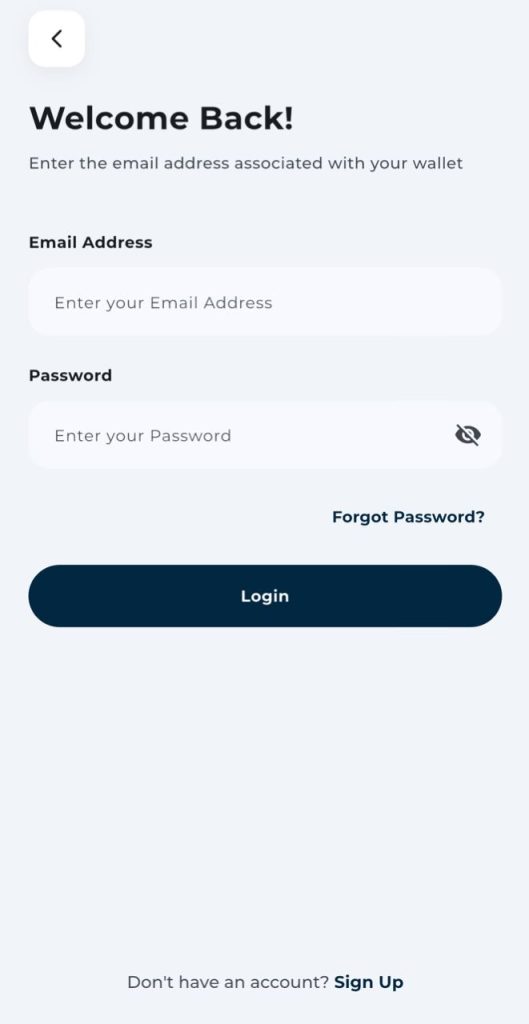
Step 1: Create your EverTry account
Sign up with your email or phone number. You’ll land on a simple dashboard once your account is created.
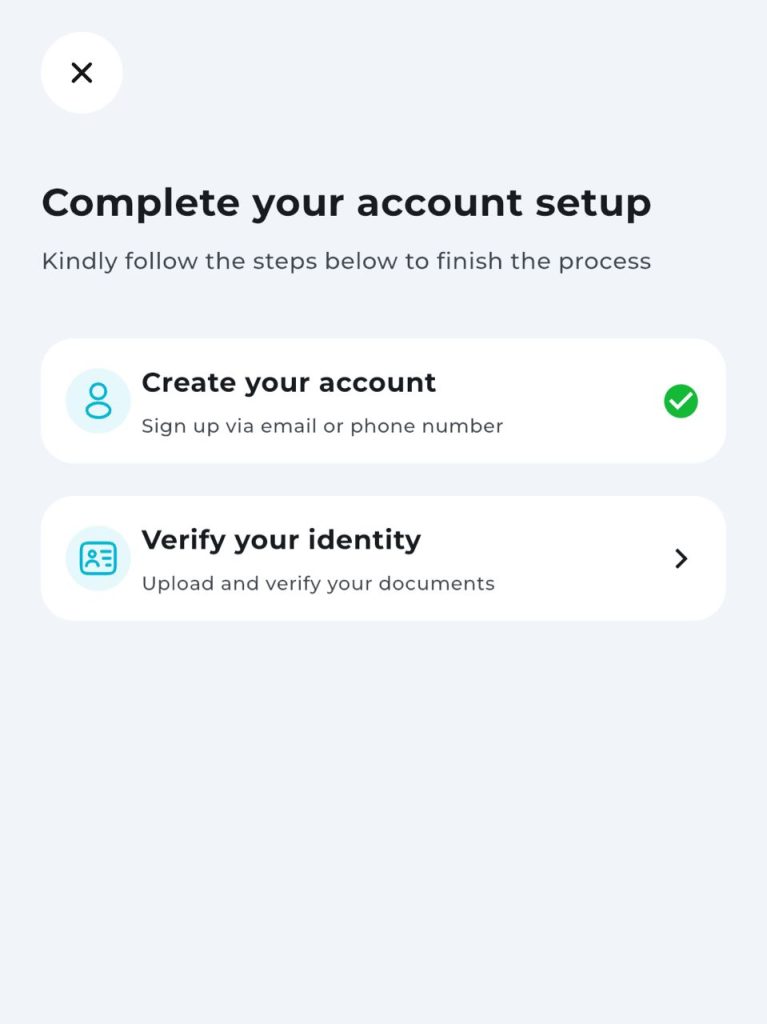
Step 2: Complete identity verification
This is a standard KYC step. You’ll upload a valid ID and confirm a few personal details. It usually takes a few minutes.
Step 3: Fund your wallet
Choose how you want to fund your account:
- Local currency (bank transfer or mobile money)
- USDT
- USDC
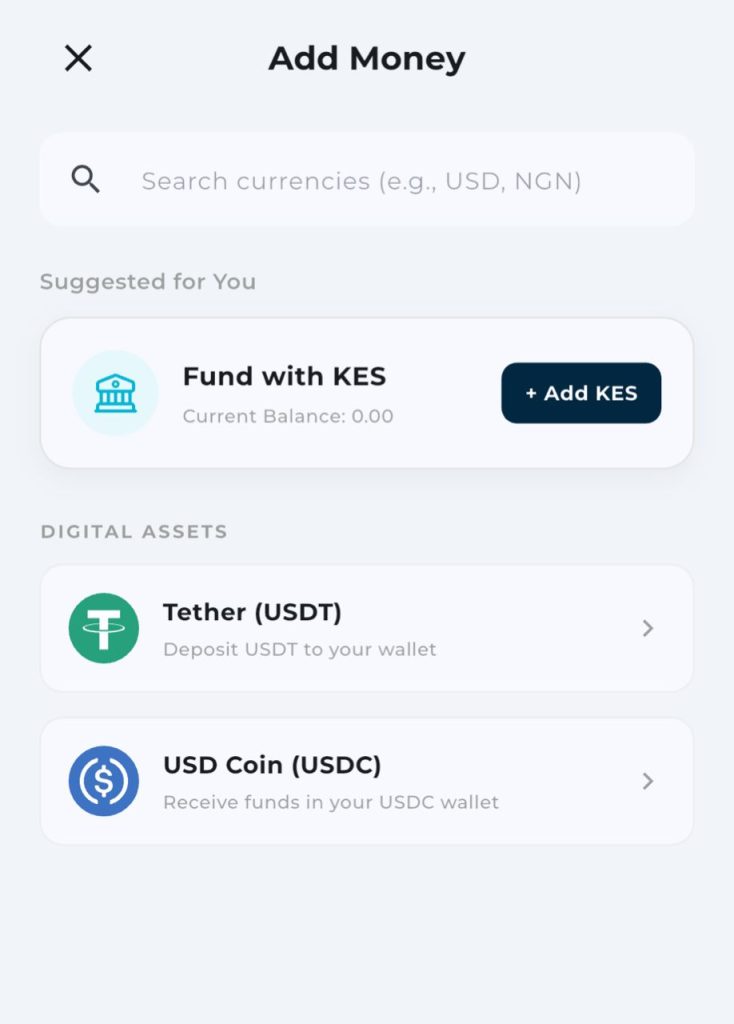
*currency listed based on location
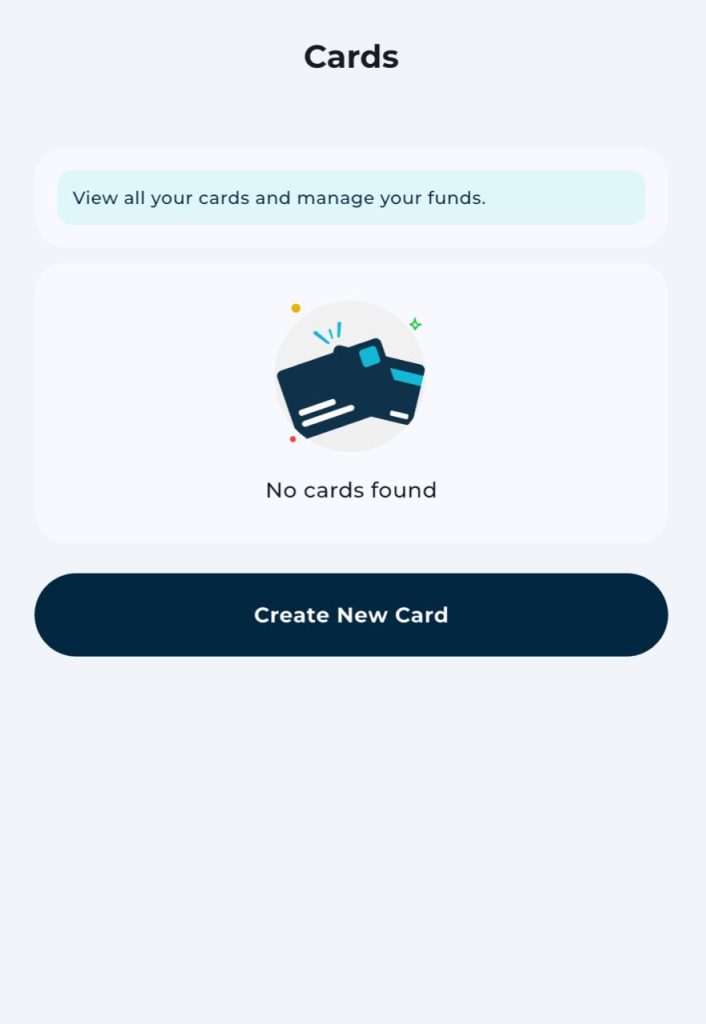
Step 4: Generate your virtual dollar card
Tap to create your card. It appears instantly, with a card number, expiry date, and CVV ready to use.
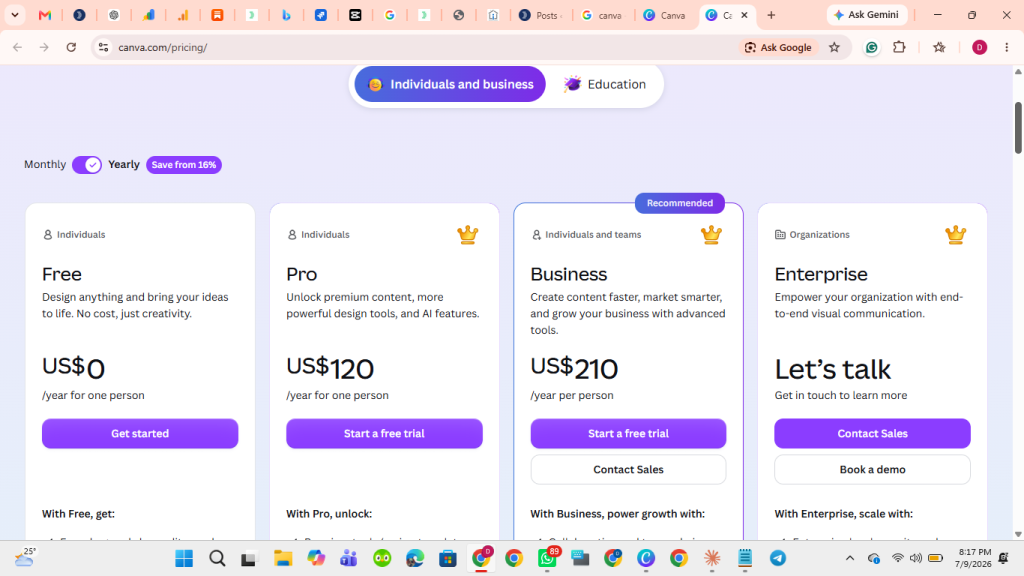
Step 5: Open Canva Billing
Go to Canva and navigate to:
Settings → Billing & Plans → Payment Method
Step 6: Complete payment
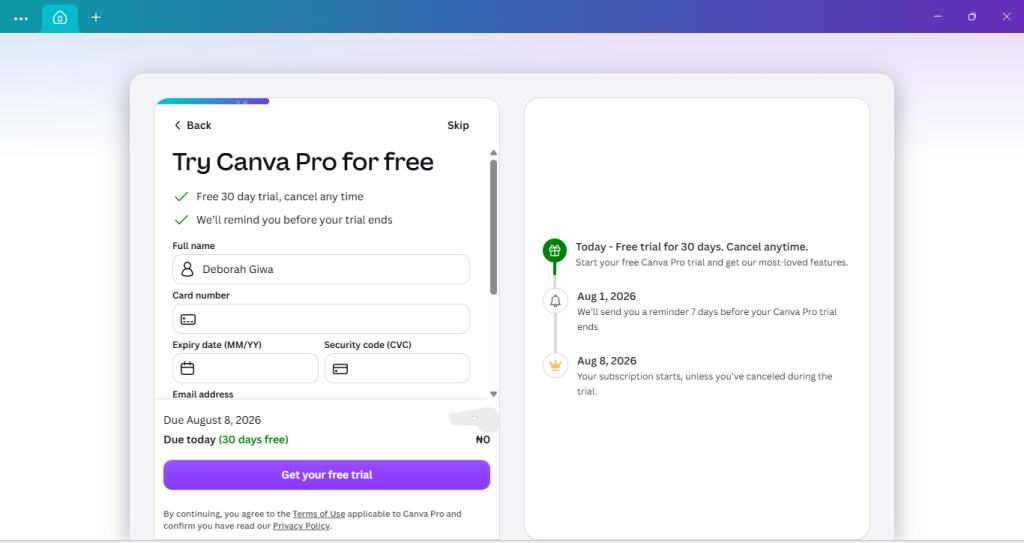
Enter your EverTry card details and confirm. You’ll get an instant confirmation once the payment clears, and your Canva Pro plan activates right away.
Common Canva Payment Problems and How to Fix Them
Card declined.
Check that your card is funded and enabled for international payments. If using a bank card, confirm this setting with your bank.
Payment keeps failing.
Don’t keep retrying the same card. Switch to a virtual dollar card with a confirmed balance instead.
Subscription renewal failed.
Check your balance a day or two before renewal. Keep a small buffer above the subscription cost to cover exchange rate shifts.
Insufficient balance.
Top up your card before your renewal date, not after.
Bank blocked transaction.
Contact your bank to confirm international payments are enabled, or switch to a virtual card that isn’t affected by local restrictions.
Too many failed payment attempts.
Wait before retrying, or switch payment methods entirely. Repeated failed attempts can trigger a temporary lockout on Canva’s end.
Is a Virtual Card Better Than Asking Someone Abroad to Pay?
Many people ask a friend or family member abroad to pay for their Canva subscription. It works, but it comes with real downsides.
- Control. You depend on someone else’s schedule and memory.
- Security. You’re sharing your login or asking someone to enter payment details on your behalf.
- Recurring subscriptions. This gets harder to manage every month, not easier.
- Independence. A virtual card means you’re never waiting on anyone.
- Refunds. If something goes wrong, it’s simpler to resolve issues on a card that’s actually yours.
A virtual card puts you back in control of your own subscription.
Best Virtual Card for Canva Pro by Country
Nigeria
Naira bank cards face the most inconsistent international payment support. A virtual dollar card funded in Naira or USDT is currently the most dependable option.
Ghana
Cedi cards often face similar restrictions. Local-currency funded virtual cards solve this cleanly.
Kenya
Some Canva plans support mobile money directly. When that’s unavailable, a virtual dollar card funded in Shillings is a reliable backup.
South Africa
Rand cards can work for some banks, but limits and fraud checks are common. A virtual dollar card avoids this friction entirely.
Frequently Asked Questions
1. What is the best virtual card for Canva Pro?
EverTry is the top overall choice. It’s credit-backed, funds easily with local currency or USDT, and sets up in under 15 minutes.
2. Can I pay for Canva Pro with a virtual card?
Yes. Canva accepts Visa and Mastercard, and most virtual dollar cards issue on one of these networks.
Why is my Canva payment declined?
Common reasons include FX restrictions, international payments being disabled on your card, insufficient balance, or your bank’s fraud system flagging the charge.
Can I pay for Canva Pro with USDT?
Yes, indirectly. You fund your EverTry card with USDT, then use the card itself to pay Canva directly.
Which virtual card works best for Canva subscriptions?
Credit-backed cards tend to perform better for recurring billing than prepaid cards, since they handle renewal charges more reliably.
What happens if my Canva renewal fails?
Canva will retry the charge over the following days. If it keeps failing, your account may be downgraded until payment succeeds.
Is EverTry’s virtual card prepaid or credit-backed?
It’s credit-backed, not prepaid. This is a key reason it performs well for recurring Canva payments.
In Conclusion
Choosing the right virtual card for Canva Pro isn’t just about getting one payment through. It’s about making sure every renewal goes smoothly, month after month.
Local bank cards can work, but they’re often inconsistent. Understanding why payments fail, whether it’s FX restrictions, fraud checks, or low balances, helps you avoid repeat problems.
EverTry solves this with a credit-backed virtual dollar card you can fund with local currency or USDT, set up in under 15 minutes, with no bank visit required.
The information in this article is provided for educational and informational purposes only. Payment methods, card acceptance, pricing, fees, and platform policies may change over time. While we strive to keep this content accurate and up to date, we recommend verifying the latest information with Canva and your payment provider before making any financial decisions. References to third-party products or services are for comparison purposes only and do not constitute endorsements unless explicitly stated.
Deborah Giwa is a Marketing Associate at EverTry, where she works on content and growth initiatives focused on helping users navigate international payments. She is passionate about simplifying access to global financial tools for people in emerging markets through clear, practical, and user-focused content.