The easiest way to pay for Canva Pro in Ghana is with a virtual dollar card. Canva bills in US dollars. Most Ghanaian bank cards and mobile money wallets are not built for that. So the payment fails, even when your balance is fine.
This guide shows you why that happens. It also shows you how to fix it. You’ll get real pricing, a full step-by-step guide, common mistakes to avoid, and answers to the questions Ghanaians ask most.
Quick Answer
| Item | Answer |
|---|---|
| Best payment method | EverTry virtual dollar card |
| Setup time | Under 15 minutes |
| Fund with | MTN MoMo, Telecel Cash, AirtelTigo Money, bank transfer, USDT, or USDC |
| Canva Pro pricing | $12.99/month or $119.99/year (about GH₵147/month or GH₵1,362/year at today’s rate; check canva.com for the live price) |
| Why it works | It’s a real USD Visa/Mastercard. Canva accepts it like any other international card. |
Why Does Canva Pro Payment Fail in Ghana?
Most Canva Pro payments fail in Ghana for one of three reasons. Your currency doesn’t match. Your card blocks international payments. Or Canva’s processor flags the card. None of these mean you did something wrong.
Canva Bills in US Dollars
Canva charges $12.99 a month, or $119.99 a year, in US dollars. Your cedi card has to convert that charge on the spot. Many Ghanaian banks don’t support this for online subscriptions. Others cap it at a low monthly limit.
Your Card May Not Support International Payments
Many local debit and credit cards are switched off for international or online use by default. Banks do this to prevent fraud. It’s not a fault with your card. If your bank hasn’t turned this on, Canva’s charge gets rejected before it reaches your bank at all.
Canva’s Own Reasons for Declined Payments
Canva lists a few common causes for failed payments. A card not enabled for international purchases. A currency mismatch. A processor flag on certain card ranges. You can’t fix these from Canva’s side. You fix them by using a card that avoids these problems from the start.
Canva Gives You Time Before Downgrading Your Subscription
If a renewal payment fails, Canva doesn’t cancel your plan right away. It retries the charge for up to 16 days. Your Pro features stay active during that time. This gives you a window to fix your payment method. Still, it’s easier to fix it once and stop thinking about it every month.
How to Pay for Canva Pro in Ghana Successfully
The fix is simple. Use a card that’s already in US dollars. Then there’s no conversion for Canva to reject, and no international-payment switch to worry about.
Why EverTry Works
An EverTry card is a real USD Visa or Mastercard. Canva treats it the same way it treats a card from the US or UK. It works on your first payment. It works on every renewal too, because the card is reloadable, not a one-time card.
Funding Your EverTry Card in Ghana
You can fund your EverTry wallet with:
Use whichever one you already have. The money lands in your wallet. You turn it into a USD card balance in seconds.
Why This Is Better Than Asking Someone Abroad
Asking a friend or relative overseas to pay for you can work once. It gets awkward every month after that. You lose control of your own renewal date. You can’t easily change your plan yourself. And you have to share your card details or account with someone else. A virtual dollar card keeps the subscription in your own hands.
Step-by-Step Guide to Paying for Canva Pro in Ghana
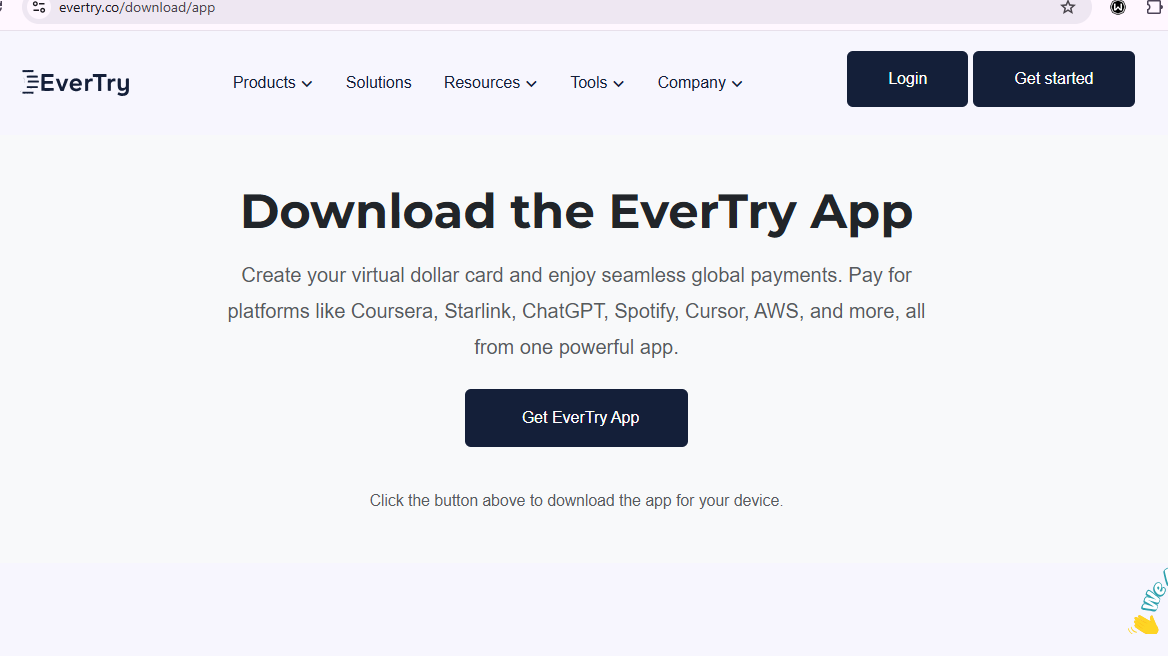
Step 1: Create an EverTry Account
Sign up with your email and phone number. This takes about a minute.
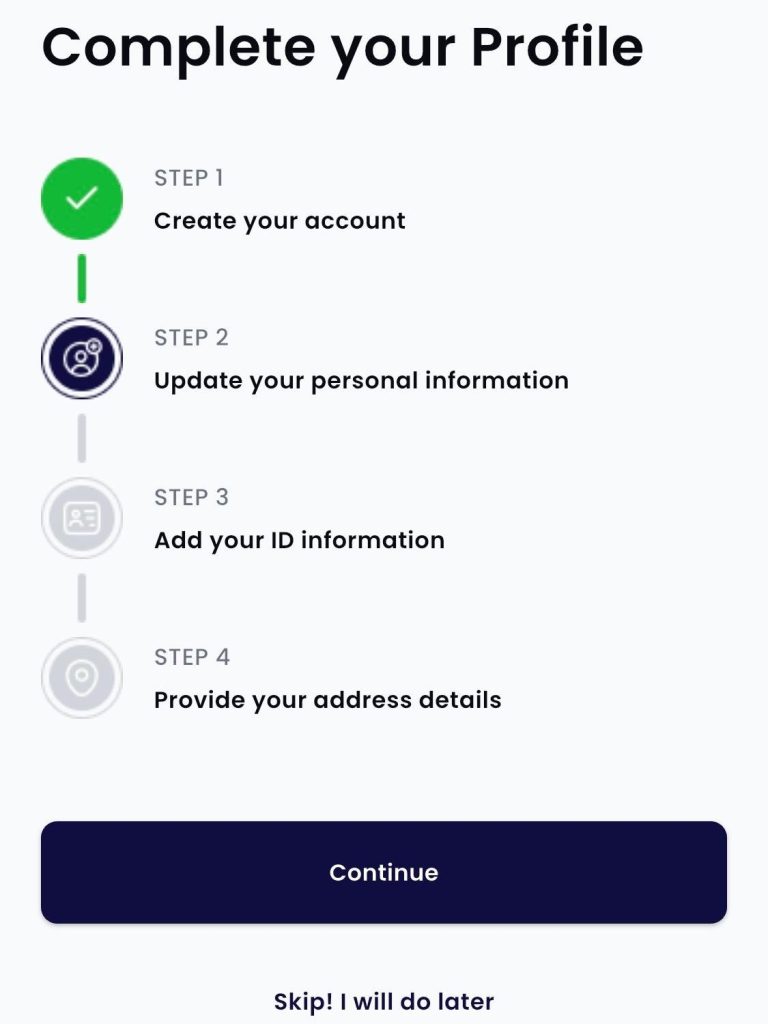
Step 2: Complete Identity Verification (KYC)
You’ll need a valid ID and a quick selfie. This step exists so your card is a real, reloadable USD card, not a throwaway one. Approval is usually fast, often within minutes.
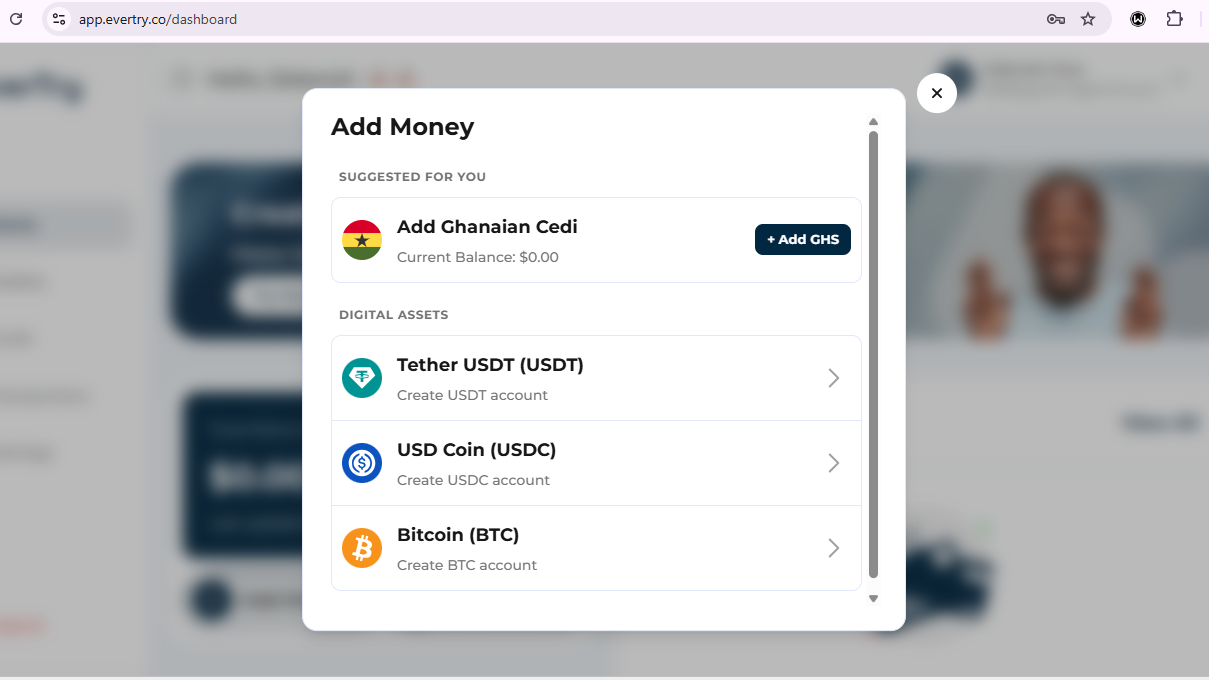
Step 3: Fund Your Wallet
Top up with MTN MoMo, Telecel Cash, AirtelTigo Money, bank transfer, USDT, or USDC. Add a little more than the subscription price. This covers any small rate change.
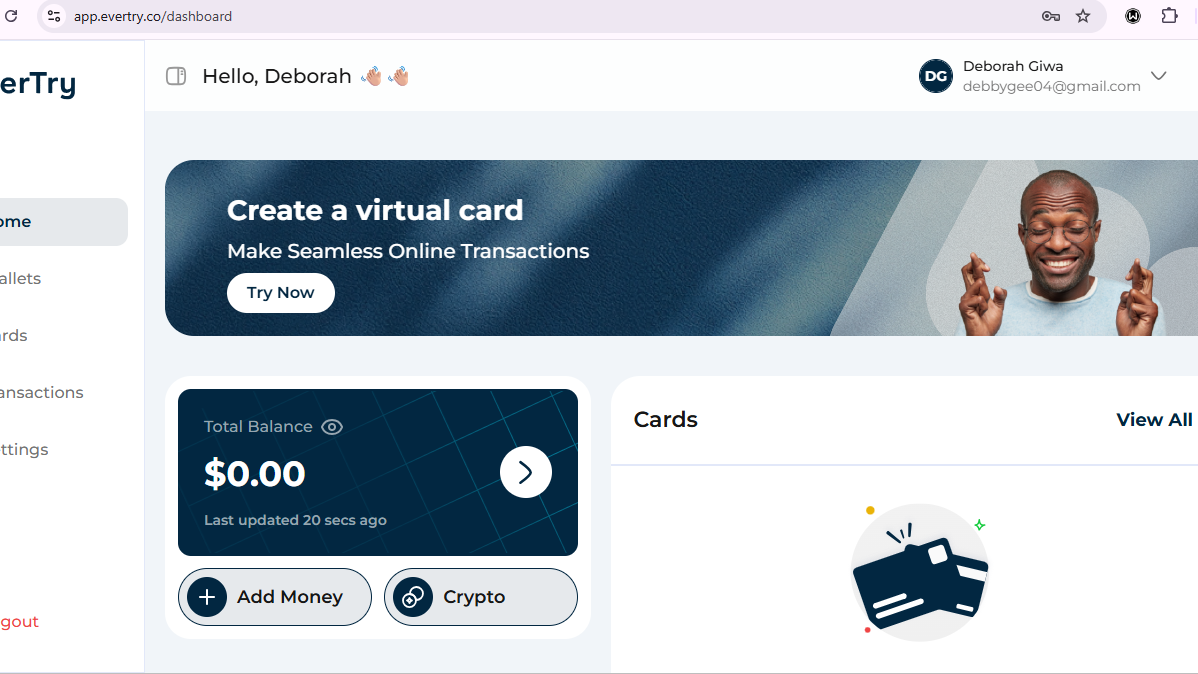
Step 4: Generate Your Virtual Dollar Card
Create your USD card from the dashboard. You’ll get a card number, expiry date, and CVV, just like any other card. Keep these details private.
Step 5: Add the Card to Canva
Go to Canva. Open Settings, then Billing & Plans, then Add a payment method. Choose Credit/Debit card. Enter your EverTry card details.
Step 6: Complete Your Subscription
Confirm the payment. You should see a success screen. Canva will also send a confirmation email right away.
Pro tip: Keep a small extra amount in your EverTry wallet, above your subscription price. This protects you if a renewal date lands on a bad exchange rate.
What Most People Try First (and Why It Isn’t the Best Long-Term Fix)
Most Ghanaians try a few other things before landing on a virtual dollar card. Here’s an honest look at each one.
Asking Someone Abroad to Pay
Pros: It works for one payment. Cons: You depend on that person every month. You often have to pay them back. And you lose control over your own plan and billing details.
Buying Canva Pro Lifetime Accounts
You may have seen “Canva Pro lifetime access” listings on Jiji or in Facebook groups. These are usually shared or invited-in accounts. They’re not your own subscription. They can be shut off without warning. They also break Canva’s terms of service. There’s no one to call when they stop working, and no refund if they do.
Paying Through Local Resellers
Sites like Selar let you pay in cedis and get added to a Canva Pro team. This can work. But renewal is usually manual. You also depend on the reseller’s exchange rate every single month.
Why EverTry Is a Better Long-Term Payment Solution
The value here isn’t just Canva. EverTry gives you a real USD Visa or Mastercard. It’s reloadable and built for recurring billing. That means it also works for other subscriptions you’re probably already stuck on, like Spotify, ChatGPT Plus, Midjourney, Adobe, or Figma. Set it up once for Canva, and you’ve solved the same problem for every other USD subscription you run.
Canva Pro Pricing in Ghana (2026)
| Plan | USD Price | Approximate GH₵ Equivalent* |
|---|---|---|
| Monthly | $12.99 | ~GH₵147 |
| Annual | $119.99 | ~GH₵1,362 |
*Based on a rate of about GH₵11.35 to $1, as of July 2026. Rates move daily. Always check canva.com/pricing for the live USD price, and check your EverTry wallet for the live conversion, before you pay.
What the Payment Process Actually Looks Like
Here’s what to expect, from account creation to an active Canva Pro subscription.
Setup: Signing up and completing KYC is the slowest part. It’s still usually done in a few minutes if your ID photo is clear.
Funding: MoMo transfers usually land in your wallet almost right away. Bank transfers can take a bit longer, so leave extra time if you’re in a hurry.
Payment: Canva’s checkout looks the same no matter who issued your card. You’ll enter your card number, expiry date, and CVV. Canva may also ask for a one-time code, depending on your bank’s security settings.
Renewals: As long as your card stays funded, renewals happen on their own. You don’t need to make a new card each month.
Your exact timing will depend on your ID check and your funding method. But the whole process rarely takes more than 15 minutes, start to finish.
Common Canva Pro Payment Mistakes in Ghana
Insufficient USD balance: Your wallet needs to cover the full charge, plus a little extra for rate changes.
Wrong billing country: If your Canva billing country doesn’t match where you live, some payments get flagged. Keep it set to Ghana.
Disabled international transactions: This mostly affects local bank cards, not virtual dollar cards. Still worth checking if you’re using a bank card as backup.
Expired card: Virtual cards do expire. Check yours before your next renewal date, not after.
Too small a buffer: A balance that matches your subscription price exactly can fail if the rate shifts overnight. Leave a small cushion of extra funds.
Troubleshooting Canva Pro Payment Problems
Payment declined right away: Check your card details again. Confirm your wallet balance covers the full USD amount.
Card accepted but subscription still shows inactive: Wait a few minutes. Canva sometimes takes a short while to update. If nothing changes after 30 minutes, contact Canva support with your payment confirmation.
Payment pending: This is usually your bank or card issuer running a security check. It normally clears within minutes.
Renewal failed: Fund your wallet and try again. Or wait for Canva’s automatic retry, which runs for up to 16 days.
Mobile Money funding delay: MoMo transfers can take a few extra minutes during busy periods. Wait 5 to 10 minutes before assuming it failed.
Frequently Asked Questions
1. How do I pay for Canva Pro in Ghana?
Use a virtual dollar card like EverTry. Fund it with cedis, MoMo, or stablecoins. Then add the card details to Canva’s billing page.
2. Why is my Canva Pro payment failing in Ghana?
Usually your local card isn’t set up for international payments. Or there’s a currency mismatch with Canva’s USD billing. A USD virtual card avoids both problems.
3. Can I pay for Canva Pro using MTN MoMo?
Not directly on Canva. You fund your EverTry wallet with MoMo first. Then you pay Canva using your EverTry USD card.
4. Can I pay for Canva Pro without a credit card in Ghana?
Yes. A virtual dollar card like EverTry works the same way at checkout. You don’t need a physical or bank-issued credit card.
5. Can I use PayPal in Ghana?
As a means to pay for Canva Pro in Ghana, no. Especially not as a Ghana-based account. PayPal has never opened Ghana as a supported country. You can’t fully use a Ghanaian PayPal account for this kind of payment.
6. How much does Canva Pro cost in Ghana?
$12.99 a month, or $119.99 a year, billed in USD. The cedi amount shifts slightly with the exchange rate on the day you pay.
7. Does EverTry work for Canva renewals?
Yes. The card is reloadable. As long as it stays funded, your renewal goes through on its own each month or year.
8. Can I buy Canva Pro lifetime access?
You’ll find listings for this, but it’s not a good idea. These are usually shared accounts that can be shut off without warning, with no support if something breaks.
9. Is a virtual dollar card safe?
Yes. It works the same way any Visa or Mastercard does, with the same checkout protections. You control the funding, the balance, and the card details.
10. Can I use the same EverTry card for other subscriptions?
Yes. The same card works for any USD subscription, including Spotify, ChatGPT Plus, Adobe, and Figma.
In Conclusion
Canva Pro payments fail in Ghana because local cards aren’t built for USD billing. A virtual dollar card fixes that for good. Fund it with cedis, MoMo, or stablecoins. Add it to Canva. You’re done in under 15 minutes. Keep it funded, and every renewal takes care of itself.
Want a simple, reliable way to pay for Canva Pro and every other international subscription you use? Create your EverTry account and get your card ready in minutes.
This article is for informational purposes only and does not constitute financial, legal, or tax advice. Product features, pricing, exchange rates, payment methods, and Canva subscription fees may change over time. Always verify the latest information with Canva and EverTry before making any payment or financial decision. Mention of third-party products or services is for informational purposes only and does not imply endorsement or affiliation unless explicitly stated.
Deborah Giwa is a Marketing Associate at EverTry, where she works on content and growth initiatives focused on helping users navigate international payments. She is passionate about simplifying access to global financial tools for people in emerging markets through clear, practical, and user-focused content.