Does Canva accept virtual cards? Yes, Canva accepts virtual cards that run on Visa or Mastercard networks. If your local bank card keeps failing at checkout, a virtual dollar card is often the more reliable option for Canva Pro. Whether it works depends on your card issuer, your international payment settings, and whether your billing details match.
Quick Answer
- Canva accepts Visa and Mastercard virtual cards.
- Virtual dollar cards generally work for Canva Pro subscriptions.
- Local bank cards in Nigeria, Ghana, Kenya, and South Africa often fail due to international payment limits.
- Your billing address should match your card issuer’s details.
- EverTry virtual cards can be funded with local currency, USDT, or USDC.
- Setup takes less than 15 minutes.
What Is a Virtual Card?
A virtual card is a card that exists only online. There’s no physical plastic, just a card number, expiry date, and CVV, generated digitally and usable anywhere a regular Visa or Mastercard is accepted.
Most virtual cards are linked to a digital wallet instead of a traditional bank account. You fund the wallet first, then use the card details at checkout, the same way you’d use a physical card. Because they’re issued instantly, they’re often faster to get than a physical card and easier to use for online subscriptions like Canva Pro.
Does Canva Accept Virtual Cards for Canva Pro?
Canva processes payments the same way most online platforms do. It checks your card network (Visa or Mastercard), confirms your bank allows the charge, and verifies your billing details. A virtual card that meets these conditions works exactly like a physical one.
Canva does not reject cards just because they’re virtual. It rejects cards that:
- Aren’t enabled for international or online purchases
- Have a billing address that doesn’t match
- Belong to a bank that blocks the transaction
So yes, both Visa and Mastercard virtual cards work for Canva Pro. And yes, they work for recurring monthly or annual billing too, as long as the card stays funded and active.
Why Canva Payments Get Declined
Before you switch cards, it helps to know what’s actually going wrong. Most Canva payment failures come down to one of these:
- Your bank blocks international transactions. Many banks in Nigeria, Ghana, and Kenya restrict foreign currency payments by default.
- You’ve hit your foreign spending limit. Some banks cap how much you can spend abroad each month.
- Your billing address doesn’t match. Canva checks this against your card details. A mismatch can cause an instant decline.
- Canva flags unusual activity. Multiple failed attempts in a short time can look like fraud.
- Your card isn’t enabled for online purchases. Some debit cards are issued for in-person use only.
- You don’t have enough balance. This one’s simple, but worth ruling out first.
Quick Tip: Stop retrying after two failed attempts. Repeated failures can trigger extra fraud checks from Canva or your bank, which locks you out for longer.
Does Canva Accept Nigerian Cards?
Sometimes. It depends on the bank.
Many Nigerian debit cards fail on Canva because of central bank restrictions on foreign transactions. Even cards that technically allow international payments often come with strict monthly limits. Once you hit that limit, every charge fails, even if you have enough naira in your account.
Some Nigerian dollar cards and domiciliary account cards do work. But they can be slow to set up and often require a bank visit. If your card keeps failing, a virtual dollar card is usually the faster fix.
Does Canva Accept Cards from Ghana, Kenya, and South Africa?
Ghana: Cedi cards are hit or miss. Some Ghanaian banks allow international payments; many don’t.
Kenya: Kenyan users have the smoothest experience overall, since some banks support USD payments more reliably. Still, restrictions vary by issuer.
South Africa: South Africa has more mature card infrastructure, but international declines still happen, especially with older cards or lower transaction limits.
Across all four countries, the pattern is the same: local currency cards were built for local spending, not global subscriptions. That mismatch is the real problem, not Canva.
Can You Use a Prepaid Card on Canva?
Sometimes, but it’s not reliable. Prepaid cards can work for a single payment, but they often fail for renewals. That’s because prepaid cards aren’t always designed to hold and re-charge a balance the way subscriptions need.
| Feature | Prepaid Card | Virtual Dollar Card |
|---|---|---|
| Online payments | Sometimes | Yes |
| Recurring subscriptions | Often unreliable | Yes |
| International payments | Limited | Built for them |
| Canva Pro compatibility | Varies | Usually reliable |
If you only need to pay once, a prepaid card might work. If you need Canva Pro every month, a virtual dollar card is the safer bet.
Why Virtual Dollar Cards Work Better for Canva
Virtual dollar cards are built specifically for international, recurring payments. They sit on the same Visa or Mastercard rails Canva already accepts, so there’s no compatibility guesswork.
EverTry, a virtual dollar card and global account provider, offers Visa-powered virtual cards you can fund with local currency, USDT, or USDC. You don’t need an existing dollar account or a trip to the bank. You just fund the card and use it.
This matters because most payment failures aren’t a Canva problem. They’re a “my local card wasn’t built for this” problem. A virtual dollar card fixes that at the source.
How to Pay for Canva Pro Using a Virtual Dollar Card
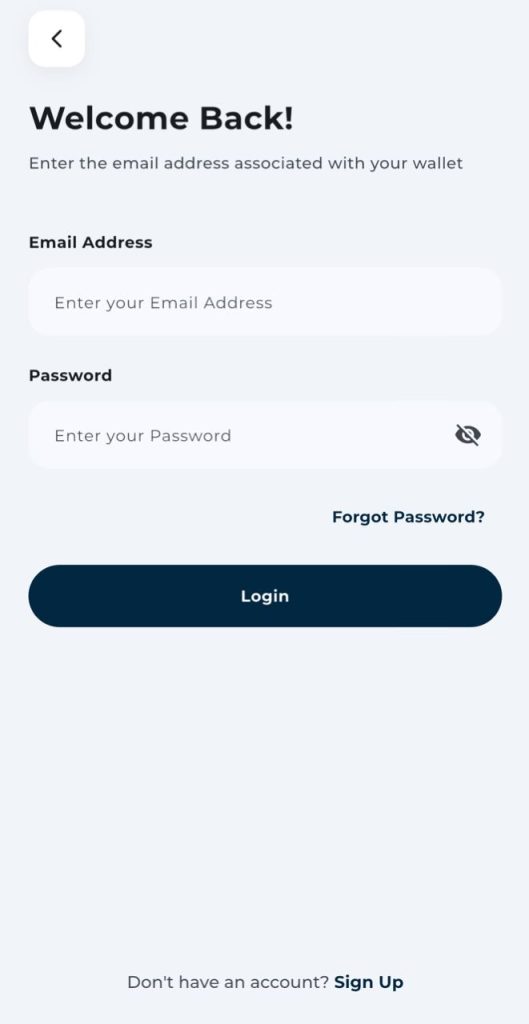
Step 1: Create an EverTry account.
Sign up with your email or phone number. This takes about two minutes.
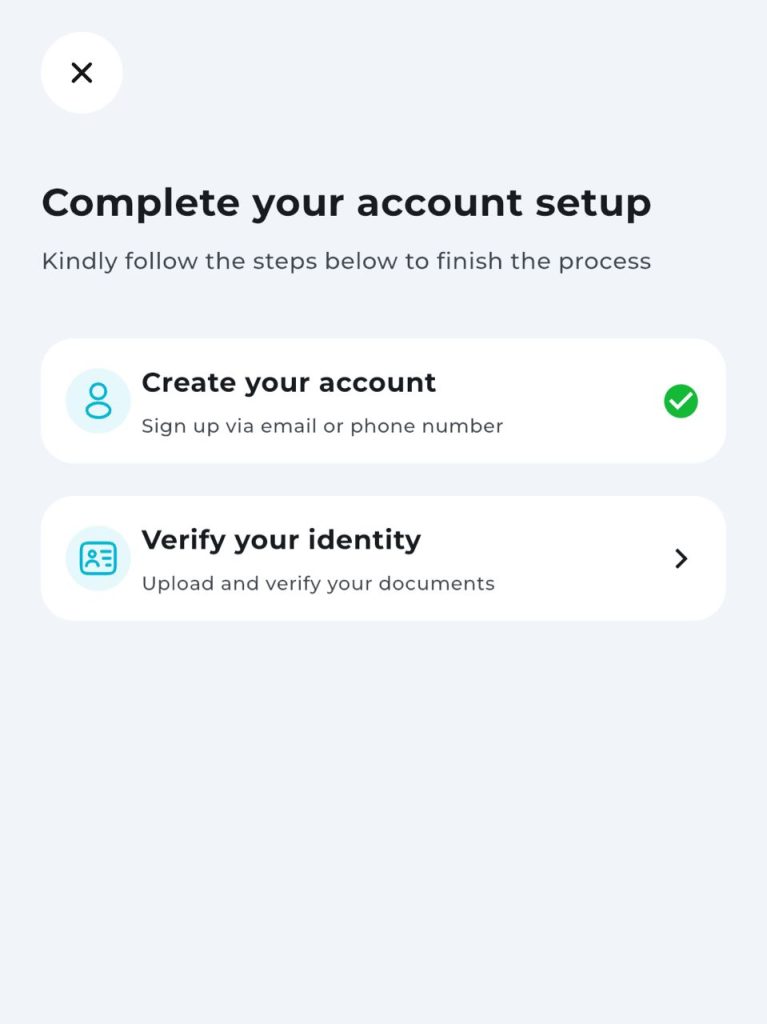
Step 2: Complete identity verification (KYC).
A quick, standard check to activate your account.
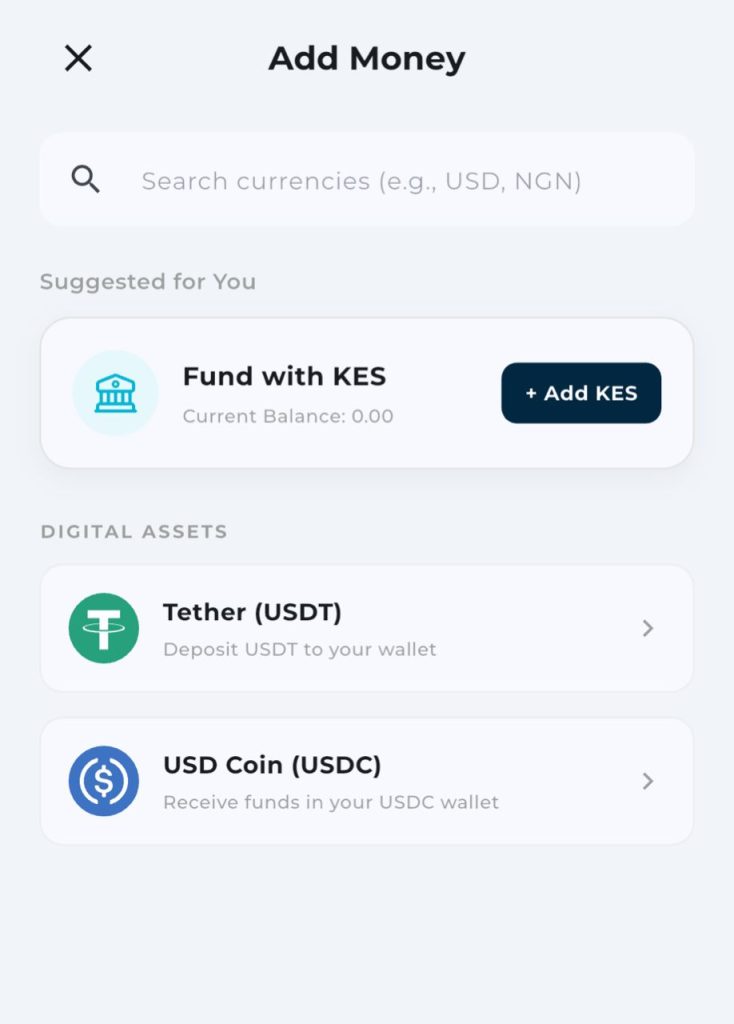
Step 3: Fund your wallet.
Add money using local currency, USDT, or USDC, whichever is easiest for you.
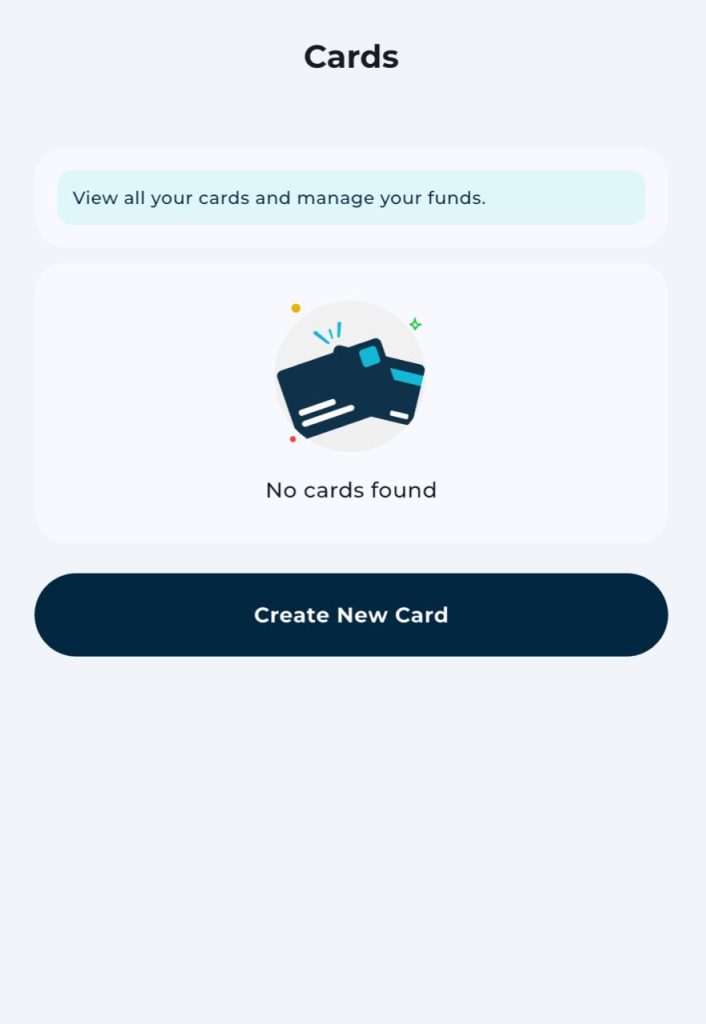
Step 4: Create your virtual dollar card.
Your card is ready almost instantly.
Step 5: Open Canva’s billing page.
Go to your Canva account settings and select “Payment methods.”
Step 6: Enter your card details.
Make sure your billing address matches the address on your EverTry card. This one detail causes more declines than almost anything else.
Step 7: Complete your payment.
Your Canva Pro subscription should activate right away.
Start to finish, this usually takes under 15 minutes.
Common Canva Credit Card Errors, Explained
- “Payment Declined”: Your bank blocked the transaction. Try a virtual card instead.
- “Card Not Supported”: Your card type isn’t accepted for this kind of purchase.
- “Transaction Failed”: A general error, often tied to insufficient funds or bank restrictions.
- “Authentication Failed”: Your bank couldn’t verify the payment. This sometimes needs a call to your bank.
- “Unable to Process Payment”: Usually a temporary issue with your card issuer’s system.
- “Payment Method Invalid”: Your card details or billing address don’t match what Canva expects.
- “Please Try Again Later”: Canva or your bank has flagged repeated attempts. Wait before retrying.
What Happens If Canva Keeps Rejecting Your Card?
Canva doesn’t cancel your subscription immediately after one failed payment. It retries the charge for up to 16 days. During that window, your Pro features stay active.
If the payment still fails after 16 days, your account drops to the Free plan. Your designs stay saved, but premium elements show a watermark until you upgrade again.
If you’ve failed three payments in a row, Canva may apply a short fraud lock, often around 24 hours. At that point, switching payment methods is faster than waiting it out.
Why EverTry Works for Canva Payments
EverTry cards run on real credit-card payment rails, not prepaid technology. That’s a big part of why they’re accepted almost everywhere Visa and Mastercard are accepted, including for recurring Canva Pro billing.
A few things make it a smooth fit for Canva specifically:
- Setup takes under 15 minutes, with no bank visit
- You can fund it with local currency, USDT, or USDC
- It’s built to handle recurring charges, not just one-time payments
Beyond Canva, EverTry also offers USD, EUR, and GBP accounts, stablecoin wallets, and international transfers, useful if you’re paying for more than just design software.
First-Hand Testing
We tested this process ourselves before writing this guide. Here’s what we found:
Method: We created a new EverTry account, funded it with local currency, generated a virtual dollar card, and used it to pay for Canva Pro on a live account.
Time taken: Signup to a completed Canva Pro payment took under 15 minutes.
Billing address: Canva accepted the payment once the billing address matched the one linked to the card. When we tested a mismatched address, the payment failed instantly, confirming this is a real and common failure point.
Result: The payment went through on the first attempt, with no retries needed.
Common Canva Payment Problems (Quick Troubleshooting Table)
| Problem | Likely Cause | Solution |
|---|---|---|
| Payment declined | International restriction | Use a virtual dollar card |
| Card rejected | Billing mismatch | Update billing details |
| Subscription failed | Insufficient balance | Fund your wallet |
| Authentication error | Bank verification | Contact your card issuer |
| Retry loop | Fraud protection | Wait before retrying |
Frequently Asked Questions
1. Does Canva accept virtual cards?
Yes. Canva accepts virtual cards that run on Visa or Mastercard, as long as the billing details match and the card is enabled for online payments.
2. Which cards does Canva accept?
Canva accepts Visa and Mastercard, whether physical, prepaid, or virtual, as long as the card supports international online payments.
3. Can I use a prepaid card on Canva?
Sometimes, for a single payment. Prepaid cards are less reliable for recurring subscriptions like Canva Pro.
5. Why does Canva keep declining my card?
Usually because your bank blocks international transactions, your card has a spending limit, or your billing address doesn’t match your card details.
6. Can I pay Canva without a bank card?
Yes. A virtual dollar card, like the one EverTry offers, lets you pay without a traditional bank card or dollar account.
7. Can I use a virtual dollar card for Canva Pro?
Yes. Virtual dollar cards are designed for exactly this kind of recurring, international payment.
8. Can I pay for Canva using USDT?
Not directly. But you can fund an EverTry virtual dollar card with USDT, then use that card to pay Canva.
9. Does the billing address matter?
Yes. A mismatched billing address is one of the most common reasons virtual card payments get declined.
10. What happens after repeated Canva payment failures?
Canva retries payments for up to 16 days. After that, your account moves to the Free plan until you resubscribe.
Some Final Thoughts
Canva accepts Visa and Mastercard virtual cards without issue. Most payment failures come from local banking restrictions, not from Canva itself. If you’re in Nigeria, Ghana, Kenya, South Africa, or anywhere else in the Global South, a virtual dollar card is usually the simplest way to avoid repeated declines.
If your current card keeps failing, you don’t need to keep retrying it. Setting up an EverTry virtual dollar card takes under 15 minutes, with no bank visit required, and it works for both one-time and recurring Canva Pro payments.
This article is for informational purposes only and does not constitute financial, legal, or investment advice. Payment methods, card acceptance, platform policies, and pricing may change over time. Always verify the latest requirements with Canva and your card provider before making a payment. EverTry is mentioned as one available payment solution based on its supported features and compatibility, not as the only option.
Deborah Giwa is a Marketing Associate at EverTry, where she works on content and growth initiatives focused on helping users navigate international payments. She is passionate about simplifying access to global financial tools for people in emerging markets through clear, practical, and user-focused content.