Canva payment failed? You are not locked out. The “Your last payment failed” message means Canva could not collect your payment. It does not say why. Most causes are simple. It could be wrong card details, a bank block or a currency mismatch. You can often fix them in minutes.
This guide is for you if you pay for Canva from Nigeria, Kenya, Ghana or any country where cards get declined. Start with the quick checks below. A backup option comes near the end.
Quick Answer
Canva payment failed usually means your bank, card or billing details blocked the charge. Check your card details, balance, billing country and currency first. Next, ask your bank to allow online, international and recurring payments. If you subscribed through Apple or Google Play, fix the payment method there. For a failed renewal, Canva retries for 16 days, and Pro stays active meanwhile.
Canva Payment Failed: 5 Quick Fixes
- Check if this is a new purchase or a renewal.
- Confirm your balance, card details and checkout currency.
- Ask your bank to approve the charge.
- If Canva charged you, check your subscription before you pay again.
- Still stuck? Try another payment method your country supports.
Let’s go through each one.
What Does “Your Last Payment Failed” Mean on Canva?
The message means Canva tried to collect a payment and the charge did not complete. It is not a verdict on your account. The cause could sit with your card, your bank or your billing settings.
Is This a Failed Renewal or a New Payment?
A new payment fails at checkout. A renewal fails in the background, and Canva emails you. The fix differs. With a renewal, you have time. With a new purchase, you need a working method now.
What If Canva Charged Me but Pro Is Still Inactive?
Check your bank app first. Then check your Canva billing page and your inbox for a receipt. Don’t pay twice.
If the charge cleared but Pro is still off, contact Canva support. Give them the date, time, amount and currency.
How to Fix a Canva Payment Failed Error
Check Your Balance and the Full Amount
Your balance must cover the price plus any bank charges. A balance that is close can still fail. Add a little extra and try again.
Check Your Card Details and Expiry Date
One wrong digit causes a decline. Re-enter the card number, expiry date, CVV, name and billing address. Then remove any old saved card.
Ask Your Bank to Allow the Charge
Banks can block online, international or recurring payments. Ask your bank why your charge failed. Then ask it to allow foreign online payments and recurring charges.
Check Your Billing Country and Currency
Canva sets your price currency from your location. Make sure your card supports that currency. A naira card may struggle with a dollar charge.
Check If You Subscribed Through Apple or Google Play
If you subscribed on your phone, Apple or Google handles the payment. Fix the method in your Apple ID or Google Play settings. Changing it on Canva’s website won’t help.
Why Did My Canva Payment Fail When I Have Money?
Having money is not the same as having approval. Your bank must approve every charge. Funds are one check. Permission is another.
Local cards often fail at this step. Many are built for domestic use. Some banks limit foreign payments by default. Others set low spending limits. You may never see the reason.
Use this table to narrow it down.
| What you see | Possible cause | What to check |
|---|---|---|
| Instant decline, balance is fine | Bank blocks foreign online payments | Ask your bank to turn them on |
| Works once, then fails | Spending limit or security hold | Ask about daily and monthly limits |
| Fails on renewal only | Recurring payments not allowed | Ask about recurring charges |
| Price shows in an odd currency | Billing country mismatch | Check country and currency |
| Fails inside the phone app | Apple or Google handles payment | Update the method there |
We can’t tell you which cause applies to you. Only your bank can. Ask about your specific transaction.
What Happens After a Canva Subscription Payment Fails?
How Long Does Canva Retry a Failed Payment?
Canva says it retries a failed subscription payment several times over 16 days. Premium features stay active during that time. Use the window to fix your card or add a new one.
Will I Lose My Designs If My Canva Pro Payment Fails?
No. If every retry fails, Canva moves you to the Free plan. Your designs stay saved. Some premium elements may show a watermark until you resubscribe. This rule covers failed renewals. A failed one-time purchase works differently.
Canva Payment Methods in Nigeria, Kenya and Elsewhere
Canva offers local options in some countries. They change, so check your own checkout.
- Nigeria: Canva lists bank transfer for daily and weekly plans. It is a one-time payment that does not renew itself.
- Kenya: Canva lists M-Pesa for daily and weekly plans. It may not be available for recurring payments.
So neither option suits a monthly Pro plan on autopilot. Check Canva’s payment options page for your country. You can also read our guide to other ways to pay for Canva Pro in Africa.
Payment Failed Again? What to Do Next
Contact your bank first. Ask about the failed transaction, its approval status and its currency. Contact Canva if your bank says it approved the charge.
Have this ready:
- The exact error message
- The date and time
- The amount and currency
- Your subscription status
Never share your full card number or CVV with anyone. For wider card problems, see why Canva keeps declining your card.
A Backup Option: Pay for Canva With a Virtual Dollar Card
Sometimes your bank can’t fix the problem. In that case, a different card may help.
A virtual dollar card is a card number you create in an app. You fund it first, then pay online. It is built for international payments. It can’t fix every decline.
EverTry offers virtual dollar cards that run on Visa and Mastercard. You can fund your wallet with local currency, USDT or USDC. That helps when your local card limits foreign payments. Fees, limits and payment rules apply as with most other cards.
Other providers exist, including M-Pesa GlobalPay, Myaza, Cardtonic and Spendfigo. Compare fees, supported countries and funding options before you choose.
| Option | Speed | Best for | Watch out for |
|---|---|---|---|
| Fix your local card with your bank | Varies | Banks that respond fast | May still block recurring payments |
| Canva local methods | Fast | Short daily or weekly plans | Not recurring |
| Ask someone abroad to pay | Slow | One-time emergencies | Doesn’t solve next month |
| Virtual dollar card | Minutes after KYC approval | Monthly Pro renewals | Fees, limits, no guarantee |
| USD account card | Depends on provider | People with a USD account | Setup time and bank rules |
How to Pay for Canva With a Virtual Dollar Card in 5 Steps
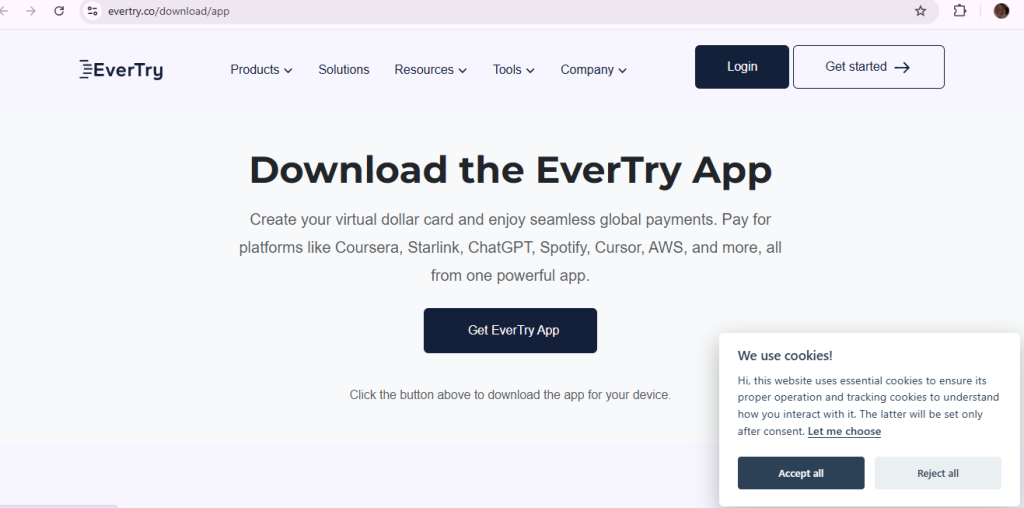
Step 1: Download the app or sign up on web.
Download the EverTry app or signup on the website. Use your email or phone number. It takes a couple of minutes.
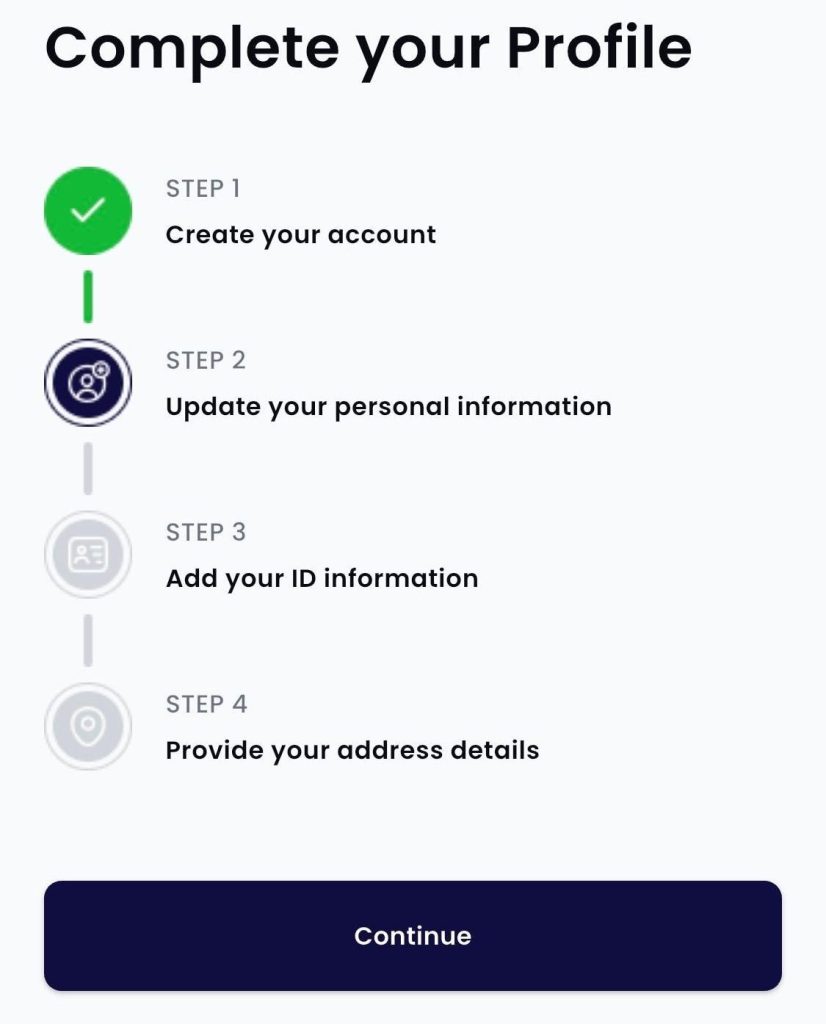
Step 2: Complete KYC.
Verify your identity so your account and card stay secure. Keep a valid ID ready
Step 3: Fund your wallet.
Add money with local currency, USDT or USDC. Use whichever you already hold
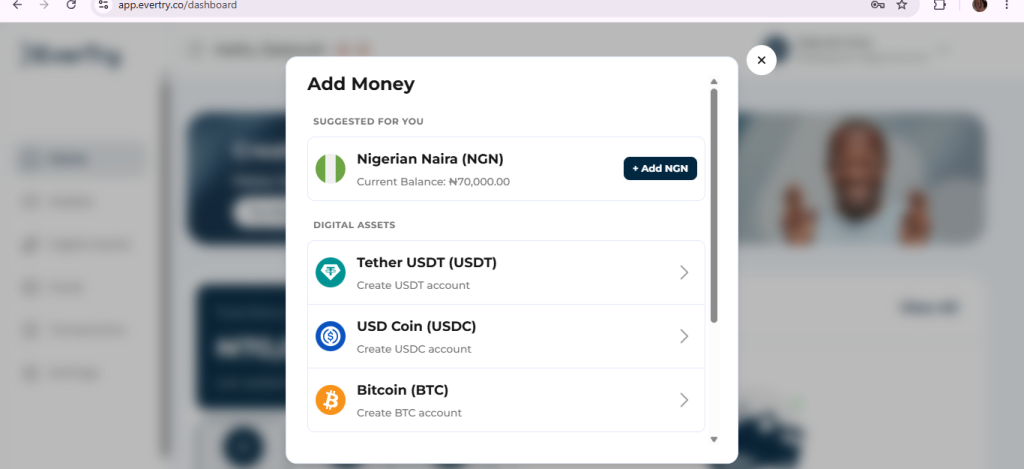
NB: funding options and fees may differ by country, fees, exchange rate
Step 4: Create your card.
Create your virtual dollar card inside the app. Your card details appear on screen
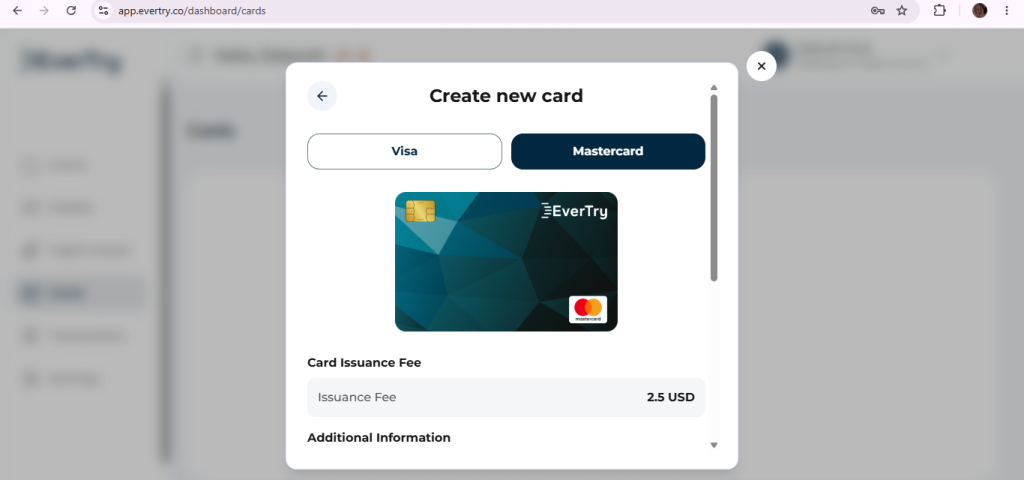
Step 5: Fund your card and add the details on Canva’s billing page.
Move money from your wallet onto the card. Cover the Canva price plus any fees. Then open your Canva billing settings and replace the old card.
Enter the card number, expiry date, CVV and billing address. Save, then retry the payment. Check your confirmation email.
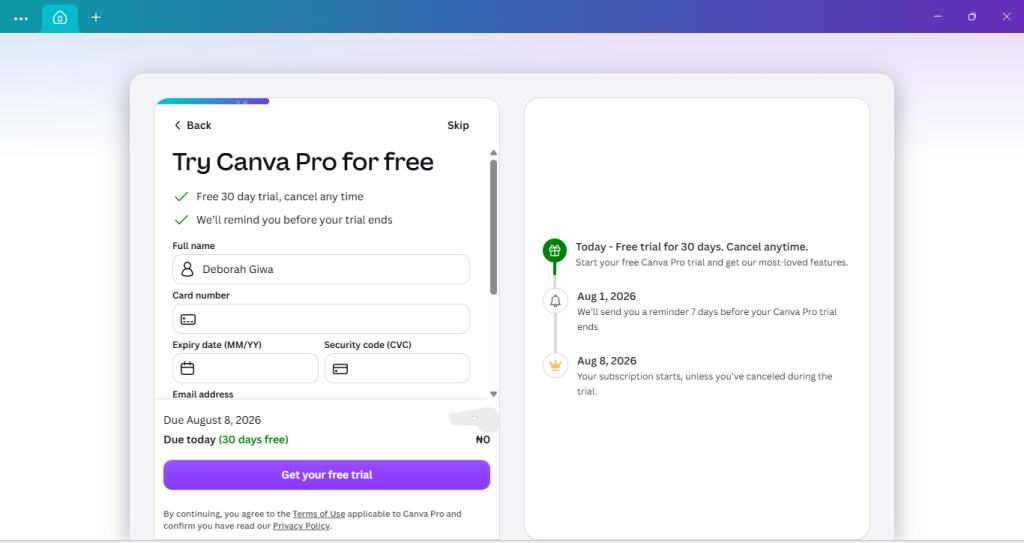
If the new card fails too, ask your card provider why. Don’t keep retrying. Our guide on how to change your Canva billing method shows the screens.
Frequently Asked Questions
Why does Canva say “Your last payment failed”?
Canva tried to collect a payment and the charge did not complete. The cause may be wrong details, a bank block, low funds or a currency mismatch. The message doesn’t name the reason. Check your card, then ask your bank about that transaction.
Why did Canva reject my payment even though I have money?
Funds are only one check. Your bank must also approve the charge. Many banks block foreign, online or recurring payments by default, or set low limits. Ask your bank for the reason, and ask it to allow international online payments.
Will Canva cancel Pro right after a failed payment?
No. Canva says it retries a failed renewal several times over 16 days. Premium features stay active meanwhile. If every retry fails, you move to the Free plan and your designs stay saved.
What if Canva charged me but Pro is still inactive?
Don’t pay again. Check your bank record, your Canva billing page and your email receipt. If the charge cleared but access didn’t update, contact Canva support. Give them the date, time, amount and currency.
Why is Canva not accepting my card?
Your card may not allow online, foreign or recurring payments. Your details may be wrong, or your billing currency may not match your card. Check these, then ask your bank. If it can’t help, try another payment method your country supports.
Can I use a virtual dollar card to pay for Canva?
Yes, if the card supports online international payments and Canva accepts it at checkout. Acceptance is never guaranteed. Check your card’s fees and limits first. Then fund it before your renewal date.
In Conclusion
A Canva payment failed message feels stressful, but it is usually fixable. Start with your card details, billing currency and bank approval. Check how you bought your plan. Remember that a failed renewal gives you time. If your bank can’t fix it, a virtual dollar card gives you another way to pay. You can create an EverTry virtual dollar card, fund it and add it on Canva’s billing page. Check current fees and limits first. Then retry before your renewal window closes.
Explore EverTry’s virtual dollar card →
This article is for informational purposes only and does not constitute financial, banking, or legal advice. Payment methods, Canva’s billing policies, card acceptance, fees, and banking regulations may change over time and vary by country or financial institution. Always verify the latest information with Canva, your bank, or your payment provider before making financial decisions. Any references to EverTry or other payment solutions are based on information available at the time of writing and should not be considered guarantees of service availability or payment success.
Deborah Giwa is a Marketing Associate at EverTry, where she works on content and growth initiatives focused on helping users navigate international payments. She is passionate about simplifying access to global financial tools for people in emerging markets through clear, practical, and user-focused content.