Canva Pro costs about ZAR 900 a year on Canva’s South African pricing page. In the Apple App Store, you pay R109.99 a month or R899.99 a year. Those are two different routes. So check where you subscribe before you pay. This guide shows the Canva Pro price in South Africa in rand. It also covers the payment methods you can use and what to do when a payment fails. It is for students, freelancers, creators and small business owners who want one clear answer.
Quick Answer
Canva Pro costs about ZAR 900 a year on Canva’s South African pricing page. Apple’s South African App Store lists R109.99 a month and R899.99 a year. The monthly Canva pro price in South Africa on Canva’s website is about R139.00 per month. You can pay with a supported bank card or Capitec Pay. If those fail, a virtual dollar card such as EverTry is a great back-up option. Always confirm the amount at checkout.
How We Checked This Guide
We checked Canva’s South African pricing page, Apple’s South African App Store listing and Canva’s Help Center pages on payments. We have not tested every bank or card. So we do not promise that any payment will go through.
Canva Pro Price in South Africa: What You Pay in Rand
Canva’s pricing page shows ZAR 900 a year for Canva Pro for one person. Apple’s App Store lists two in-app options: R109.99 a month or R899.99 a year.
| Where you buy | Monthly | Yearly | What to know |
|---|---|---|---|
| Canva website (South Africa) | ~R139.00 | ZAR 900 | Confirm the monthly price and terms at checkout |
| Apple App Store (South Africa) | R109.99 | R899.99 | In-app prices, managed through Apple |
The yearly Canva pro price in South Africa is almost the same on both routes. Check the amount on your checkout screen before you pay, because prices can change. Also confirm whether tax is included.
Canva has introduced local-currency pricing in South Africa. So you no longer need to convert a US dollar price. Older guides, including earlier versions of this page, quoted dollar prices. Ignore those.
Want to compare other countries? See Canva Pro prices across African currencies.
Is Canva Pro Cheaper Monthly or Yearly?
Yearly billing is cheaper on the App Store. The website comparison needs one more number.
What you pay for a monthly subscription
On the App Store, monthly billing is R109.99 every month. Over 12 months, that adds up to R1,319.88.
On Canva’s website, the monthly price is [VERIFY]. Add it here after you confirm it at checkout.
What you pay for a yearly subscription
Yearly billing charges the full amount upfront. Canva’s website shows ZAR 900. The App Store shows R899.99.
Divided by 12, that is about R75 a month. This is a calculation, not a monthly plan price.
Which option makes more sense for you?
On the App Store, paying yearly saves about R419.89 over 12 months. That is roughly 32% less than paying monthly.
Choose yearly if you will design all year. Choose monthly if you only need Canva Pro for a short project. Then cancel before the next renewal.
Next, you need a way to pay.
How to Pay for Canva Pro in South Africa: Your Payment Options
Your options depend on where you subscribe. Think of them as Plan A and Plan B. Plan A is a method you already have. Plan B is a back-up for when Plan A fails.
| Method | Best for | Renewals | What to know |
|---|---|---|---|
| Capitec Pay Recurring | Capitec customers | Automatic after you authorise the first payment in the Capitec app | Available in South Africa only, per Canva |
| Local bank card | Anyone with an active card authorised for online payments | Depends on your card issuer | Check funds, currency and international settings |
| Apple App Store | iPhone and iPad users | Managed through Apple | In-app prices apply; cancel through Apple |
| Virtual dollar card | Readers whose other methods keep failing | [VERIFY: recurring-payment support] | The merchant can still decline; check fees first |
Capitec Pay and Capitec Pay Recurring
Canva supports Capitec Pay in South Africa for one-time purchases. Capitec Pay Recurring covers subscriptions.
Here is how it works:
- Choose Capitec Pay at checkout.
- Authorise the first payment in the Capitec app.
- Canva then processes your renewals automatically.
Follow Canva’s Capitec Pay guide for the exact screens.
Paying with a local South African bank card
A local card can work. But Canva asks you to check a few things first. Your card must be active and have enough funds. It must support the payment currency. It must also be authorised for online or international payments.
Banks set their own rules. So if you are unsure, ask your bank.
Paying through the Apple App Store
If you subscribe in the iOS app, Apple handles the payment. You see the in-app prices from the table above. You also manage renewals and cancellation through Apple.
Do you need a virtual dollar card?
That depends entirely on your sistuatuon. A virtual card is a back-up, not a requirement. If you already pay Canva without trouble, you can keep doing that.
How to Subscribe to Canva Pro in South Africa
Step 1: Open Canva’s pricing page
Go to Canva’s South African pricing page and select Canva Pro. Check the plan name and the amount shown.
Step 2: Choose monthly or yearly billing
Pick the billing period shown for your account. Note the amount you will be charged today.
Step 3: Select your payment method
Choose a supported bank card or Capitec Pay, depending on what checkout shows. See Canva’s payment options for the current list.
Step 4: Authorise and confirm payment
Approve the payment in your banking app if asked. Then check that Canva shows Canva Pro as active.
Step 5: Save your billing details
Keep the receipt email. Write down your next renewal date.
What to Do When Your Canva Pro Payment Fails
Do not keep retrying the same card. Work through these checks first. They follow Canva’s failed-payment guide.
Check your card and balance
Is the card valid and not expired? Does it have enough funds? Is it a card type Canva supports? Start here, because these are the simplest fixes.
Confirm online or international payments are switched on
Open your banking app and look for online or international payment settings. If you cannot find them, call your bank. Banks differ, so the steps differ too.
Check the currency and your billing details
Make sure your card supports the currency Canva is charging. Then check your billing name and address. Canva lists billing details among the things to check.
Check whether you were already charged
Before you pay again, look in three places: your bank transaction list, Canva’s billing page and your confirmation email. A charge without an active plan needs support, not a second payment.
Contact Canva or your bank
Send them the payment date, the amount, the currency and the exact error message.
Still stuck? That is when Plan B helps.
Plan B: When Can EverTry Help You Pay for Canva Pro?
Sometimes the options above do not work. Your card keeps declining, or you do not bank with Capitec. A virtual dollar card gives you another route.
The EverTry virtual dollar card is a reloadable USD virtual card. You can fund it with local currency, USDT, USDC or BTC.
It is not an official Canva product. It is an alternative payment method. Canva or the card issuer can still decline a payment, so we cannot promise approval.
How to pay for Canva Pro with a virtual dollar card
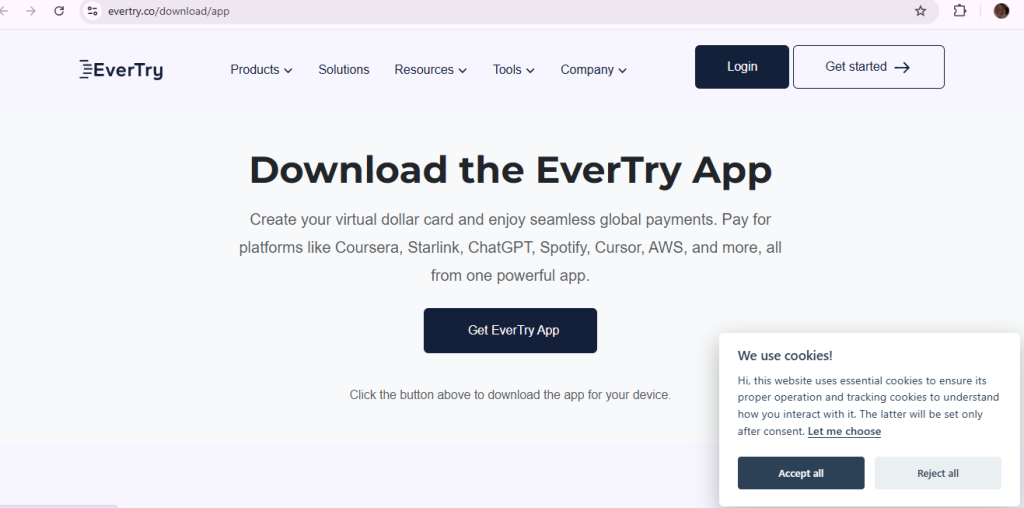
- Sign up. Download the EverTry app or sign up on the web.
- Complete KYC. Verify your identity in the app.
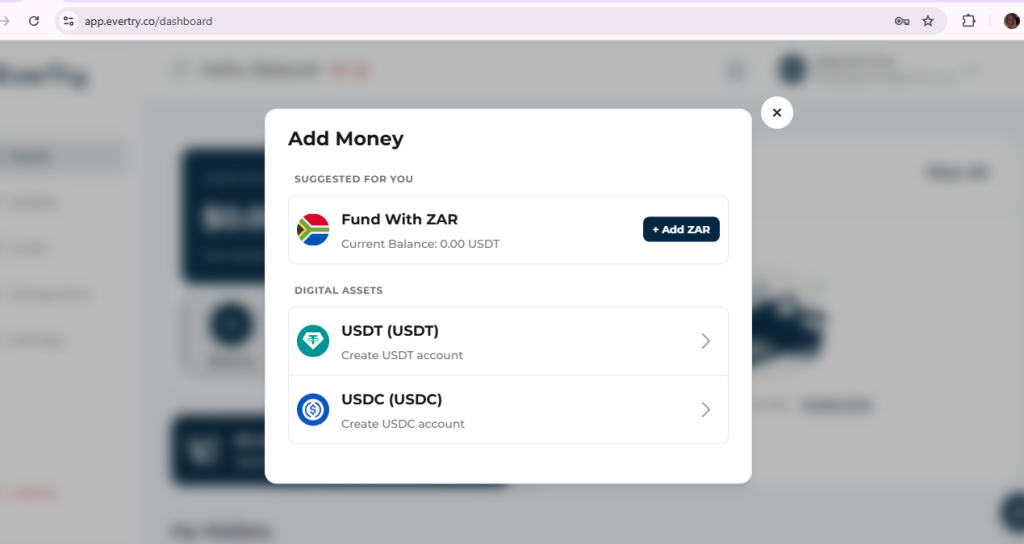
- Fund your wallet. Use a funding method available to you.
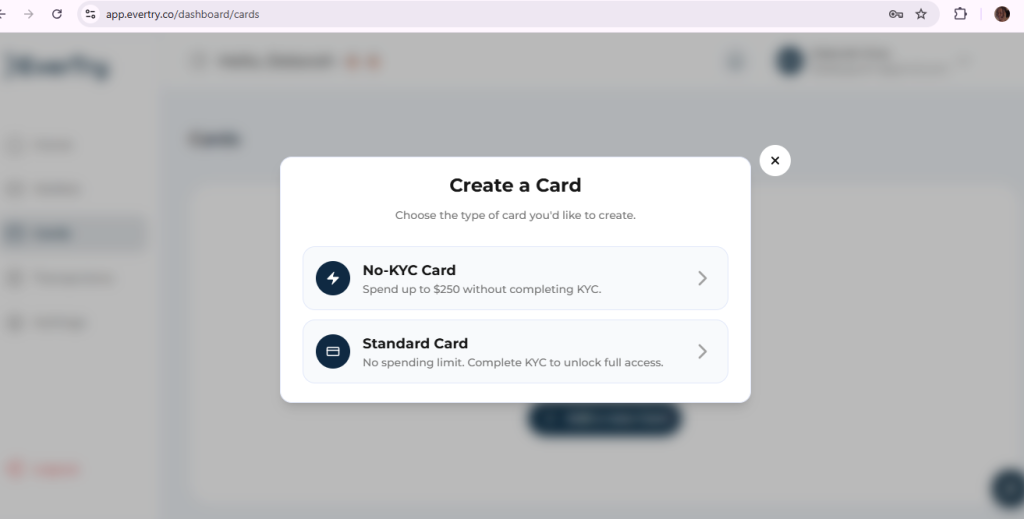
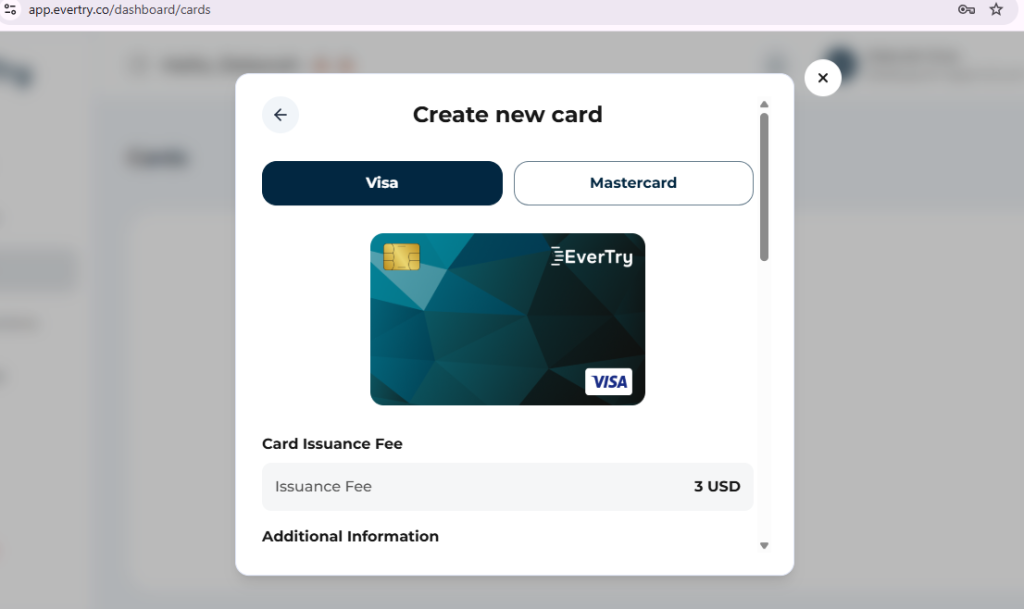
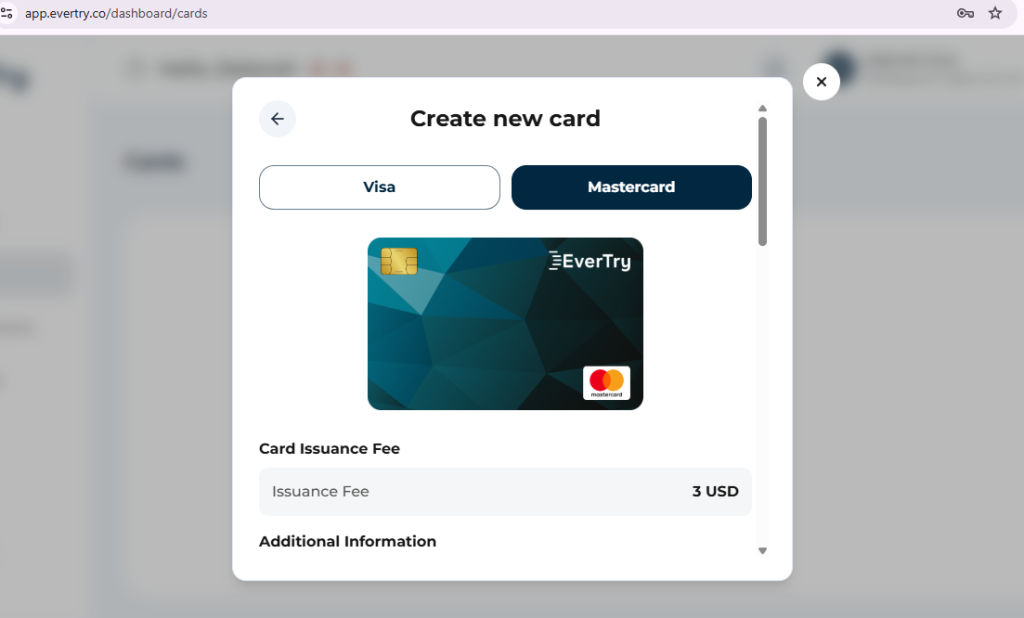
- Create your virtual dollar card. Choose a USD card.
- Fund the card and pay. Add the card details on Canva’s billing page. Then confirm Canva shows Canva Pro as active.
What to check before you use any virtual card
Ask these questions first:
- Is the card available to South African users?
- What does it cost to create the card?
- What are the funding and conversion fees?
- Does it support recurring payments?
- What happens if Canva declines it?
Compare fees, funding and renewal support before you choose.
Canva Pro Billing, Renewals and Unexpected Charges
Why is Canva charging me $30?
A charge that is higher than you expected can have several causes. We cannot tell which one applies without your invoice. Check these five things:
- The plan. Canva’s pricing page lists Pro, Business and Enterprise.
- The billing period, monthly or yearly.
- The account linked to the payment.
- Where you bought it: Canva, Apple or Google Play.
- The invoice on your Canva billing page.
If the charge still does not match, contact Canva support with the invoice.
How Canva Pro renewals work
Canva documents automatic monthly and yearly renewals. Its billing follows GMT. So check your renewal date in your billing settings.
How to cancel Canva Pro
Where you cancel depends on where you subscribed: Canva directly, Apple or Google Play. Follow this cancellation guide for your route.
Frequently Asked Questions
How much is Canva Pro in South Africa?
Canva’s South African pricing page shows ZAR 900 a year for Canva Pro. Apple’s South African App Store lists R109.99 a month and R899.99 a year for in-app purchases. The monthly price on Canva’s website is ~R139.00. Prices can change, so confirm the amount at checkout.
How much is Canva Pro per month in rand?
On the Apple App Store in South Africa, Canva Pro costs R109.99 a month. The monthly price on Canva’s own website is ~R139.00. A yearly plan divided by 12 gives about R75, but that is a calculation. It is not the price of a monthly plan, so do not compare the two directly.
How much is Canva Pro for one year?
Canva’s South African pricing page shows ZAR 900 for one year of Canva Pro. The App Store lists R899.99 for its yearly option. You pay the full amount upfront, and the plan renews each year unless you cancel. Check your checkout screen for the exact amount and any taxes.
Can I pay for Canva Pro with Capitec Pay?
Yes. Canva supports Capitec Pay in South Africa. Capitec Pay covers one-time purchases. Capitec Pay Recurring covers subscriptions. You authorise the first payment in the Capitec app, and Canva then takes later renewals automatically. Follow Canva’s Capitec Pay guide for the exact steps.
Can I use a South African debit card for Canva Pro?
It can work, but nothing is guaranteed. Canva asks that your card is active, has enough funds, supports the payment currency and is authorised for online or international payments. Banks set their own rules. If a payment fails, contact your card issuer first, then Canva support.
What should I do if my Canva Pro payment is declined?
Do not keep retrying. First, check whether you were already charged. Then confirm your card is active, funded and authorised for online or international payments, and that your billing details are correct. If the charge appears but Canva Pro is inactive, contact Canva and your bank with the date, amount and error message.
How do I cancel Canva Pro or question an unexpected charge?
Where you cancel depends on where you subscribed: Canva, Apple or Google Play. For an unexpected charge, check your plan, billing period, account and invoice. Then follow Canva’s cancellation and billing guides. Contact support if the charge still does not match what you expected.
Pick the Right Way to Pay for Canva Pro
Plan A is simple. Check the Canva Pro price in South Africa. Choose monthly or yearly billing. Then pay with a method that works for you, such as a supported card or Capitec Pay.
Plan B is a virtual dollar card. EverTry is built for readers who get stuck at checkout. If your local options keep failing, Download EverTry today.
This article is for informational purposes only. Canva Pro pricing, payment methods, bank policies, exchange rates, and EverTry features may change over time. Always verify the latest pricing and requirements with Canva, your bank, and EverTry before making a payment. Any references to third-party brands are for comparison and informational purposes only and do not imply endorsement or affiliation.
Deborah Giwa is a Marketing Associate at EverTry, where she works on content and growth initiatives focused on helping users navigate international payments. She is passionate about simplifying access to global financial tools for people in emerging markets through clear, practical, and user-focused content.