You can pay for Canva Pro in Kenya in three main ways. You can use M-Pesa for a daily or weekly pass, or you can use a Visa or Mastercard or a virtual dollar card.
Here is the catch. Canva says M-Pesa does not work for payments that repeat. So for a monthly plan, you need a card that can handle auto-renewal.
This guide shows you how to pay for Canva Pro in Kenya. You will see what each method costs, where it can fail, and what to do next. Let’s start.
Quick Answer
| What you need | What to use |
|---|---|
| Pro for a day or a week | M-Pesa |
| A monthly or yearly plan | A card that allows auto-renewal |
| A card that keeps failing | A virtual dollar card |
| Pro for free | Canva’s Education or Nonprofit programs |
Canva Pro Payment Options in Kenya at a Glance
Here is how the main options compare.
| Method | Best for | One-off payment | Auto-renewal | Main limit |
|---|---|---|---|---|
| Direct M-Pesa | Short projects | Yes | No | You pay again by hand |
| Kenyan Visa or Mastercard | A card that allows online use abroad | Yes | Maybe | Your bank may block it |
| M-Pesa GlobalPay | M-Pesa users who shop abroad | Check first | Check first | Confirm Canva accepts it |
| Virtual dollar card | Monthly plans | Yes | Built for it | Card and funding fees |
The rule is simple. If your need is short, use M-Pesa. If your need is long, use a card.
How Much Does Canva Pro Cost in Kenya?
Canva sets the price. The amount you see at checkout is the final one. Prices can change over time, and they can differ between accounts. So always check before you pay.
Here is what some Kenyan users have seen:
| Plan | Price in Kenya | How you pay | Renews? |
|---|---|---|---|
| Daily | KES 130 | M-Pesa or card | No |
| Weekly | KES 340 | M-Pesa or card | No |
| Monthly | KES price not found | Card | Yes |
| Yearly | KES price not found | Card | Yes |
One thing trips people up. A plan is how long you get Pro. A payment method is how you pay for it. “Monthly” is a plan. “M-Pesa” is a method. Not every method works with every plan.
Canva Pro Daily and Weekly Plans in Kenya
Daily and weekly passes are one-time payments. Nothing renews by itself. When your time is up, you go back to the free plan.
These passes suit you if you:
- Need to finish one flyer or one school project
- Have a short job for a client
- Want to try Pro before you commit
Do some quick math before you choose. If you only need Pro a few days a month, passes may cost less. If you open Canva most days, add up the passes and compare them with the monthly price. The monthly plan may win. Don’t guess. Do the sum.
Can You Pay for Canva Pro in Kenya With M-Pesa?
Yes, for daily and weekly plans. Canva’s help page says M-Pesa is for its short plans. Here is how it works:
- Open Canva and tap your profile picture.
- Go to Plans and pricing.
- Pick Canva Pro.
- Choose a daily or weekly plan.
- At checkout, pick M-Pesa.
- Confirm your purchase.
- Enter your M-Pesa PIN when the prompt shows on your phone.
That’s all. You don’t need a card or a bank account.
Canva may change its screens or labels. If yours look different, follow the on-screen steps.
Can You Pay for Canva Pro Monthly With M-Pesa?
Not directly. Canva says M-Pesa is not available for payments that repeat. So you can’t set M-Pesa to renew a monthly plan for you.
This is what it means for you:
- Daily or weekly pass? M-Pesa is fine.
- Monthly or yearly plan? You need another way to pay.
If you want Pro to stay on without thinking about it, use a card. M-Pesa can still help you here. You can use it to fund a card. We cover that below.
What About M-Pesa GlobalPay for Canva Pro?
M-Pesa GlobalPay is not the same as the M-Pesa button at Canva checkout. It is a virtual Visa card from Safaricom and it links to your M-Pesa wallet. It is made for online shopping abroad. Safaricom reported about 316,500 active users in March 2026, so many Kenyans use it.
Here is how the two differ:
- M-Pesa at Canva checkout: A Canva option. It works for short plans only.
- M-Pesa GlobalPay: A card. You type its details into Canva like any other Visa.
Will it work for a monthly Canva plan? Don’t assume. Check Canva’s payment help and Safaricom’s GlobalPay page for the latest. Also check the fees and limits on Safaricom’s page. If you try it, make a small payment first and see if it goes through.
Can You Pay for Canva Pro in Kenya With a Bank Card?
Maybe. A Kenyan Visa or Mastercard can work if your bank allows it. Here is what to check:
- Online payments abroad are switched on
- You have enough money on the card
- The card has not expired
- You can pass your bank’s extra check, like an OTP or app approval
- You have not hit your monthly limit for spending abroad
Many people tell the same story. The first payment goes through. A month later, the renewal fails. Banks sometimes flag repeat charges from abroad as odd.
Call your bank and ask one clear question. “Is my card turned on for online payments abroad, and for repeat charges?” The answer will save you a lot of stress.
Why Local Cards Fail When You Pay for Canva Pro in Kenya
If your payment failed, it is probably not your fault. Here are the usual causes and fixes.
Your bank blocks the charge. Many local cards are set up for shopping in Kenya. Ask your bank to allow online use abroad.
The extra check fails. Your bank may send a code or an app prompt. Approve it fast, then try again.
The renewal gets blocked. The first payment worked, but the next one did not. Ask your bank to allow repeat charges. Or use a different card.
There is not enough money. Exchange rates move. A charge can be a bit higher than you expected. Keep a small buffer on your card.
The card has expired. Add your new card on Canva’s billing page as soon as you get it.
You hit a spending limit abroad. Some banks cap how much you can spend in dollars each month.
When a payment fails, Canva may try again later. Check Canva’s billing help to see how long it waits. Don’t assume Pro stays on while you sort it out.
Still stuck after talking to your bank? Then a virtual dollar card may be your next step. More on that soon.
Can You Get Canva Pro for Free in Kenya?
Maybe. Check this before you pay anything.
- Canva for Education: Some teachers and some students and schools can get Pro tools for free. Not every university student qualifies. Read Canva’s rules to see if you do.
- For Nonprofits: Verified nonprofits can apply for free access.
- Canva Free: The free plan still gives you many templates. It may be enough for simple designs.
If you qualify for a free plan, use it. That is the cheapest way to pay for Canva Pro in Kenya. It costs nothing.
Which Way to Pay for Canva Pro in Kenya Is Right for You?
There is no single best option. It depends on how you use Canva.
| Your situation | What to try |
|---|---|
| You need Pro for one day | Direct M-Pesa |
| You need Pro for one week | Direct M-Pesa |
| Your card allows repeat charges abroad | Use your own card |
| You want a card linked to M-Pesa | M-Pesa GlobalPay (test it first) |
| Your card keeps failing | A virtual dollar card |
| You are a teacher or a nonprofit | Check the free programs first |
Start with the simplest option that fits. Move to the next one only if it fails.
How a Virtual Dollar Card Can Help
A virtual dollar card is a card you get in an app. There is no plastic. You get a card number, an expiry date, and a security code. You fund it with local money and spend in dollars.
This can help with Canva in a few cases:
- You want a monthly or yearly plan
- Your bank card keeps getting declined
- You don’t have a card that works abroad
One rule applies to every card. You need money on it when the renewal date comes. If the balance is too low, the payment fails.
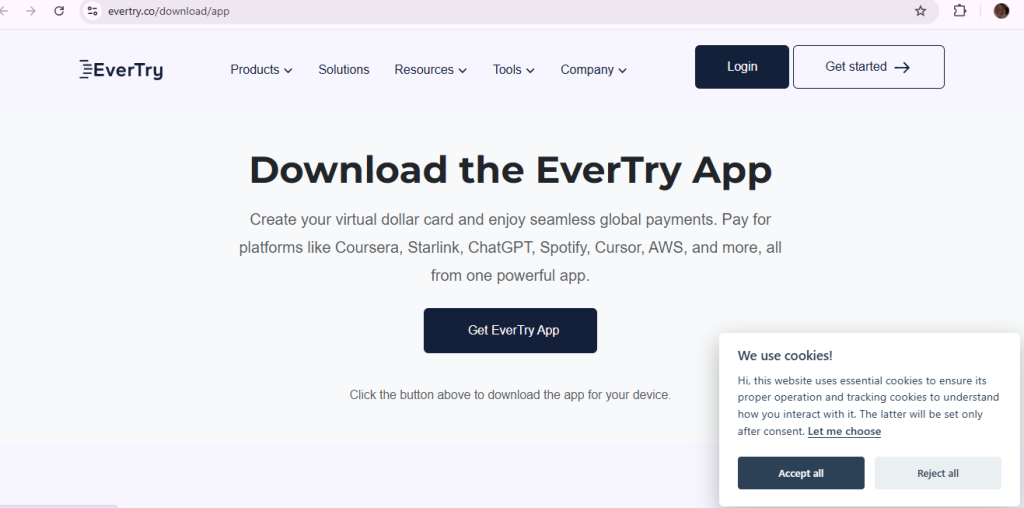
How to Pay for Canva Pro in Kenya With EverTry
If your own card keeps failing, EverTry is a great option. Here is how it works in five steps.
Step 1: Create your account
Sign up with your email and phone number. It takes a few minutes. You don’t need to visit an office.
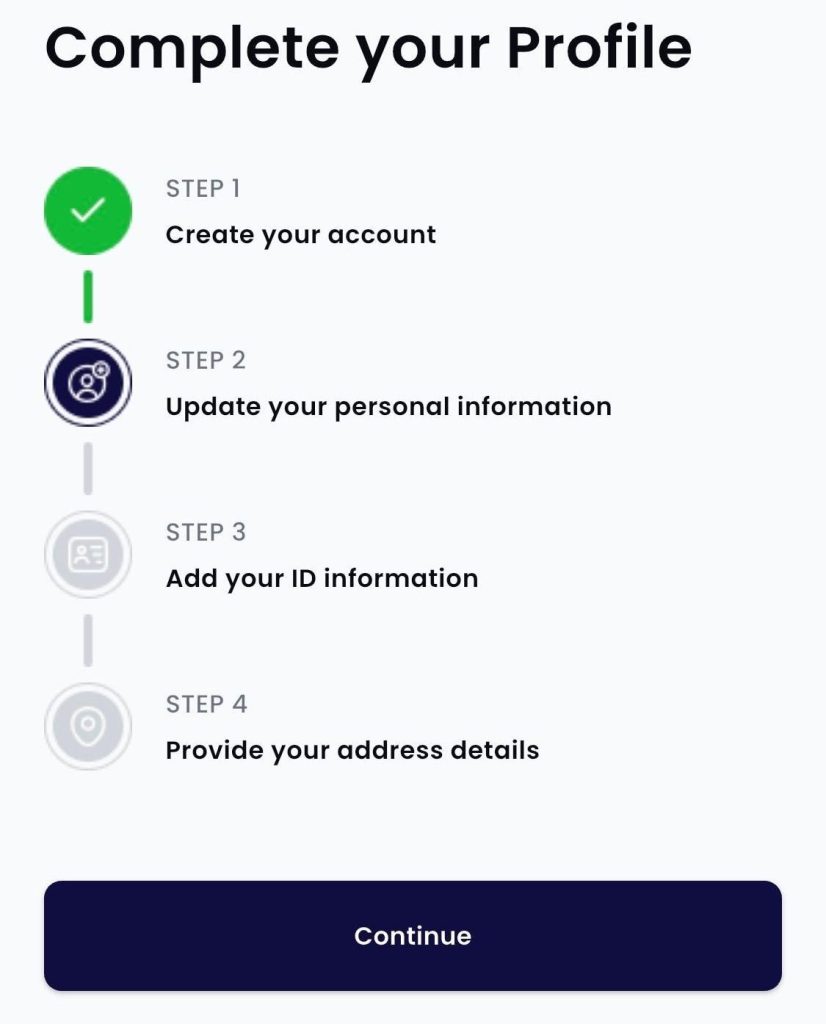
Step 2: Confirm who you are
Upload a valid ID, like your national ID or passport. Many people get approved the same day.
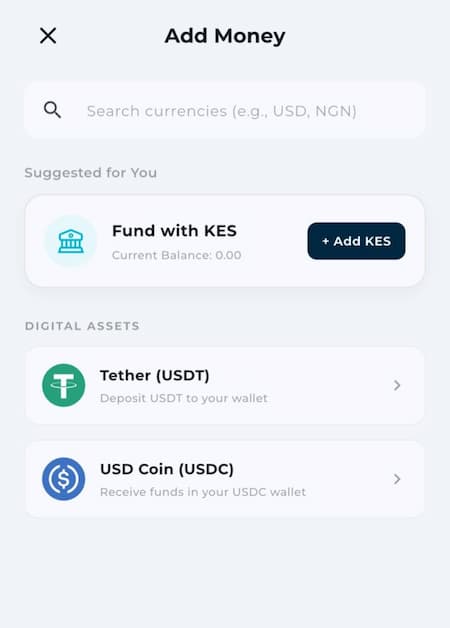
Step 3: Fund your wallet
Add money with the method that suits you. EverTry offers options like M-Pesa, bank transfer, and stablecoins (USDT or USDC). Check the app to see which ones are open to you.
Step 4: Create your virtual dollar card
Generate a USD card in the app. There is a creation fee. Check the fee screen in the app before you confirm.
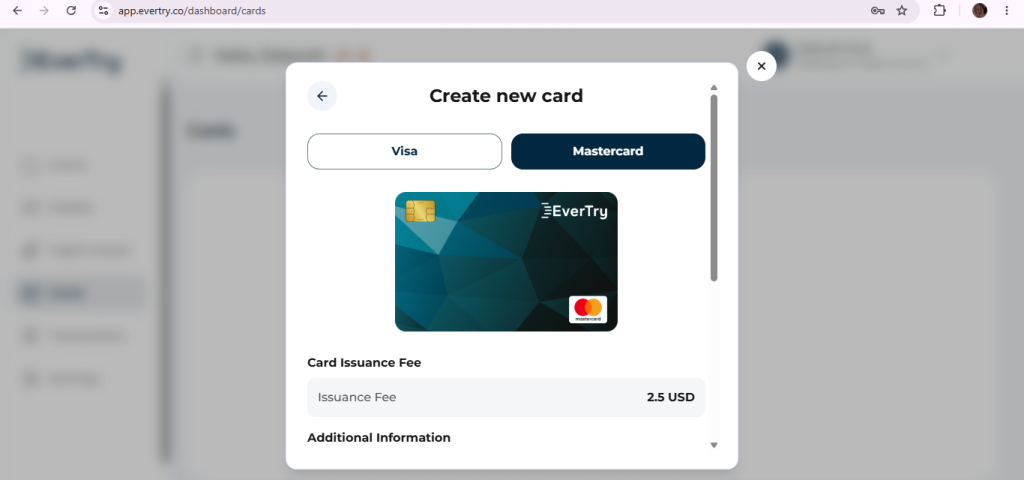
Step 5: Add the card to Canva
Log in to Canva. Go to Settings, then Billing & Plans, then Payment methods. Enter your card number, expiry date, and security code. Then save.
Tip: Keep a small buffer in your wallet a few days before renewal. If your wallet is short on the day, the payment fails. That is true for any card.
What Does It Cost to Use a Virtual Card for Canva Pro?
The card is not the only cost. Look at the whole picture before you fund it:
- Card creation fee: [add current fee]. You usually pay it once.
- Monthly card fee: Check the app for the current rule.
- Funding fee: This depends on how you add money.
- Exchange rate: Your local money is converted to dollars. Check the rate you get.
- The Canva price: This is the same as for any other card. You pay what Canva shows at checkout.
Compare these costs with your other options, like M-Pesa GlobalPay. Pick the one that costs less for how you use Canva.
Frequently Asked Questions
How much is Canva Pro in Kenya?
Users have seen KES 130 for a day and KES 340 for a week. For monthly and yearly plans, check the amount at your Canva checkout. It is the final price.
Can I pay for Canva Pro with M-Pesa?
Yes, for daily and weekly plans. Pick M-Pesa at checkout and approve the prompt on your phone.
Can I pay for Canva Pro monthly with M-Pesa?
Not directly. Canva says M-Pesa is not available for payments that repeat. For a monthly plan, use a card.
Can I use M-Pesa GlobalPay for Canva Pro?
It may work, but check first. Read Canva’s and Safaricom’s latest help pages. Make a small payment before you rely on it.
Can I use my Kenyan bank card?
Maybe. It depends on your bank. Ask them to turn on online payments abroad and repeat charges.
Why was my Canva payment declined?
The usual causes are bank limits, a failed extra check, low funds, or an expired card. Check the fixes in the section above.
Can I pay for Canva Pro without a credit card?
Yes. You can use M-Pesa for a short pass. You can use a debit card if your bank allows it. Or you can use a virtual dollar card.
Does Canva Pro renew by itself?
Monthly and yearly plans do. Daily and weekly passes don’t.
Is the yearly plan cheaper than the monthly plan?
Usually, yes, when you compare the cost per month. Check both prices at checkout. Only pick yearly if you will use Canva all year.
Final Word
Now you know how to pay for Canva Pro in Kenya. Use M-Pesa for a day or a week. Use a card that allows repeat charges for a monthly plan. Check the free programs if you are a teacher or a nonprofit.
If your card keeps failing, a virtual dollar card is the way to go. Download EverTry today, and get back to designing.
Prices, plans, and payment methods can change. Always check the amount and options at your Canva checkout before you pay. EverTry is an independent payment platform. It is not affiliated with or endorsed by Canva.
Deborah Giwa is a Marketing Associate at EverTry, where she works on content and growth initiatives focused on helping users navigate international payments. She is passionate about simplifying access to global financial tools for people in emerging markets through clear, practical, and user-focused content.