If you’ve been trying to find an answer to that internal debate of “Canva Free vs Canva Pro?” that’s been plaguing you, you’re in the right place. If you’ve ever clicked a template in Canva and hit a little crown icon, you already know the feeling. That’s Canva Pro, saying “not so fast.” So is it worth paying for, or is Canva Free good enough?
Short answer: Canva Free covers casual, occasional design. Canva Pro is built for people who design often and want AI tools, premium assets, and brand consistency. And if you decide Pro is worth it but your local card gets declined at checkout, a virtual dollar card like EverTry can get your payment through in minutes.
Let’s break down exactly what you get with each plan, who should upgrade, and how to actually pay for Pro if your bank keeps saying no.
Quick Answer
Canva Free is great for students, hobbyists, and anyone who designs once in a while. You get thousands of templates, basic editing, and 5GB of storage.
Canva Pro is built for freelancers, creators, small businesses, and teams. It unlocks 140M+ premium photos, videos, and graphics, a Background Remover, Brand Kit, Magic Resize, more AI tools, and 100GB (Pro tiers go up to 1TB depending on plan) of storage.
Price: Canva Pro costs around $15/month, or $120/year if you pay annually (about $10/month). Prices vary slightly by region and currency. (Verify current pricing on Canva’s official pricing page before you subscribe as prices are subject to change.)
If you design content regularly, Pro usually pays for itself in saved time alone.
Canva Free vs Canva Pro: At a Glance
| Feature | Canva Free | Canva Pro |
|---|---|---|
| Templates | Large library | Full library, no watermarked crowns |
| Photos, videos, graphics | Limited, mostly free stock | 140M+ premium assets |
| Brand Kit | Basic, 3 colors only | Full brand colors, fonts, logos |
| Background Remover | Not included | One click, unlimited |
| Magic Resize | Not included | Instant, one click |
| Magic Studio AI tools | Very limited credits | Full access, much higher limits |
| Cloud storage | 5GB | 100GB+ |
| Content Planner | Not included | Included |
| Export formats | Standard, no transparent PNG | Transparent PNG, SVG, print-ready PDF |
| Best for | Occasional use | Regular, professional use |
Feature Comparison: What You Actually Get
Here’s what changes when you move from Free to Pro.
Templates and design assets. Free gives you a solid template library, but many of the best ones carry a small crown icon. Click one, and Canva asks you to upgrade. Pro removes that wall completely.
Photos, videos, and audio. Free includes a decent stock library. Pro adds access to over 140 million premium photos, videos, audio tracks, and graphics. No more searching for a free option that’s “close enough.”
Brand Kit. This is one of Pro’s biggest wins for businesses. Free limits you to three brand colors. Pro lets you save your exact brand colors, upload your logo, and store custom fonts, so every design stays consistent without you rebuilding it each time.
Background Remover. On Free, removing a background means downloading a separate app or doing it manually. Pro does it in one click, on photos and video.
Magic Resize. Made a flyer and now need it as an Instagram post, a Facebook cover, and a printable poster? Free means redoing the whole layout each time. Pro resizes it instantly.
Magic Studio AI tools. Both plans include some AI features, but Free gives you a small number of credits that run out fast. Pro gives you a much bigger allowance across Magic Write, Magic Design, Magic Edit, and Magic Eraser.
Storage and export. Free caps you at 5GB and blocks transparent PNG or SVG downloads. Pro expands storage significantly and unlocks every export format, including print-ready PDFs.
Current Canva Pricing
Canva Pro currently runs about $15/month, or $120/year if you pay annually. That works out to roughly $10/month, a solid discount. Canva also usually offers a 30-day free trial, so you can test Pro before committing.
If you’re managing a team, Canva Business (formerly Canva Teams) starts around $20/user/month, with a minimum of a few users.
Students and verified teachers can often get Canva for Education free, which includes most Pro features. Registered nonprofits may also qualify for free or discounted access through Canva for Nonprofits.
One thing worth knowing: Canva prices can shift by region and currency, and they’ve changed more than once in the past two years. Always check the current price on Canva’s own pricing page right before you subscribe.
Canva Free vs Canva Pro: AI Features
Canva’s AI tools live inside “Magic Studio,” and this is one of the sharpest lines between the two plans.
| AI Tool | Free | Pro |
|---|---|---|
| Magic Write (AI text) | Limited credits | Much higher limit |
| The Magic Design (auto-layouts) | Basic | Full access |
| Magic Edit | Very limited | Full access |
| Magic Eraser | Limited | Unlimited-feeling usage |
| Text-to-image | Small credit pool | Larger credit pool |
| AI presentations & video | Basic | Expanded |
If you plan to lean on AI heavily; generating drafts, editing images, or building presentations fast, Free’s credit limits will frustrate you within a few sessions.
Which Plan Fits You?
| You are a… | Recommendation | Why |
|---|---|---|
| Freelancer | Pro | Brand Kit and premium assets make client work faster and more professional |
| Small business owner | Pro | Consistent branding across every post, flyer, and ad |
| Student | Free (or Canva for Education) | Occasional use rarely needs premium assets |
| Teacher | Canva for Education (free) | Most Pro features included at no cost, if verified |
| Social media manager | Pro | Content Planner, Magic Resize, and AI tools save real hours weekly |
| Marketing team | Canva Business | Shared brand controls, approvals, and multi-user permissions |
| Content creator | Pro | Video tools, templates, and background removal in one place |
| Hobbyist | Free | Free’s library is genuinely generous for casual use |
Is Canva Pro Worth It?
Ask yourself these questions.
Upgrade to Pro:
- If you design something at least once a week
- You manage a brand and need consistent colors, fonts, or a logo
- You use AI tools often and keep running out of credits
- If you work with clients and need a polished, professional output
- You create content at scale; multiple posts, formats, or campaigns
Stick with Free if:
- You design occasionally, a few times a month
- You’re a student with simple, one-off projects
- You rarely need premium templates or stock assets
- You don’t collaborate with a team
There’s no wrong answer here. Canva Free is one of the most generous free tiers in the design world. Pro just removes the friction once your design work becomes regular.
Pros and Cons: Canva Free vs Canva Pro
Canva Free
- Genuinely usable, no credit card required
- Large template library
- Good for one-off, casual projects
- Premium content is locked and often marked with a crown
- AI credits run out quickly
- No Brand Kit, no background remover, no transparent exports
Canva Pro
- Full access to premium assets and AI tools
- Consistent branding through Brand Kit
- Saves real time through Magic Resize and Background Remover
- Costs money… not worth it if you design rarely
- Per-user pricing adds up fast for teams (consider Business instead)
Hidden Pro Features Worth Knowing About
A few Pro features don’t get talked about enough:
- Bulk Create: generate dozens of design variations from one template using a spreadsheet
- Magic Switch: turn a design into a document, presentation, or different format automatically
- Brand Templates: lock certain elements so team members can’t break your brand guidelines
- Folder permissions: control who can view or edit specific project folders
- Content Planner scheduling: plan and publish social posts straight from Canva
Canva Alternatives Worth Knowing
Canva isn’t the only option, and it’s fair to mention a few others:
- Adobe Express: closest direct competitor, tightly integrated with Adobe’s Creative Cloud
- Figma: better suited for prototyping and product design work
- Kittl: strong choice if your work leans heavily on typography
- Visme: solid for interactive or HTML5-based output
For most everyday design work like social posts, flyers, presentations, Canva still wins on ease of use and template depth.
How to Upgrade From Canva Free to Canva Pro
- Sign in to your Canva account
- Click “Try Canva Pro” or go to your account settings and select Canva Pro
- Choose monthly or annual billing
- Enter your payment details
- Confirm your subscription
Simple enough… unless step 4 doesn’t go through. Which brings us to the part a lot of comparison articles skip entirely.
Why Your Canva Payment May Fail
If you’ve tried to upgrade and your card got declined, you’re not alone; and it’s usually not your fault. A few common causes:
- Your card isn’t enabled for international or online payments. Many local bank cards, especially in Africa, are built for domestic use only.
- Bank-imposed spending limits. Some banks cap how much you can spend abroad each month or quarter, and one large charge can eat that whole limit.
- Fraud checks. A first-time charge from an unfamiliar merchant can trigger a temporary block, even with enough funds available.
- Expired card or wrong billing details. A mismatched CVV or old expiry date causes an instant decline.
For a full breakdown of every decline code and fix, see our complete guide on fixing Canva card declined errors.
How EverTry Helps You Pay for Canva Pro
If your local card keeps getting rejected, a virtual dollar card solves it directly. EverTry is one option built for exactly this situation.
Here’s why it works when a regular local card doesn’t:
- It runs on a credit rail, not a prepaid one. Global platforms like Canva sometimes flag prepaid cards automatically. A credit-rail card gets treated like a normal international card.
- You can create one in under 15 minutes. Right after KYC; no bank branch, no paperwork, no waiting days for approval.
- You fund it however works for you. Local currency (naira, cedis, shillings, rand, etc) or directly from USDT/USDC if you hold stablecoins.
- It works for recurring billing. The same card details stay valid month to month, so your Canva Pro subscription renews without you doing anything extra.
- You don’t need to borrow anyone’s card. No more asking a friend abroad to help you pay and pay them back later.
Step-by-Step: Paying for Canva Pro With EverTry
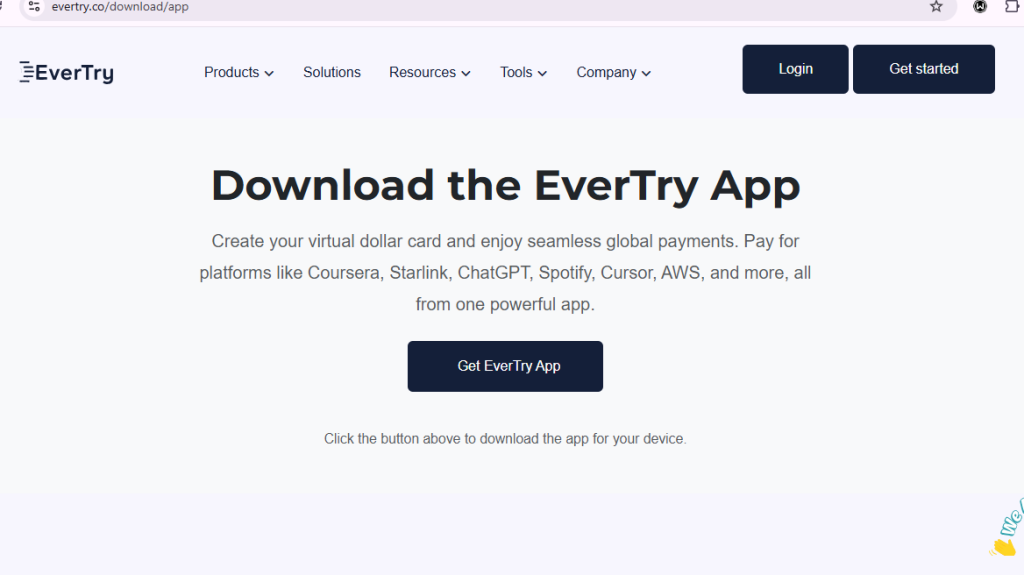
Create an EverTry account.
Sign up with your email or phone number.
Complete KYC.
A quick identity check keeps your account secure and unlocks card creation.
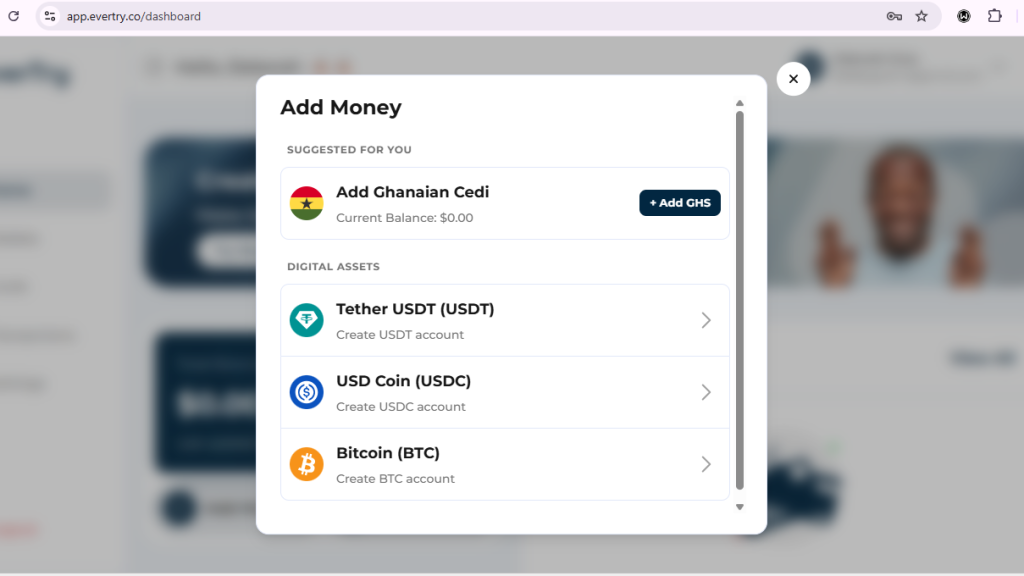
Fund your wallet.
Use local currency or USDT/USDC; your choice.
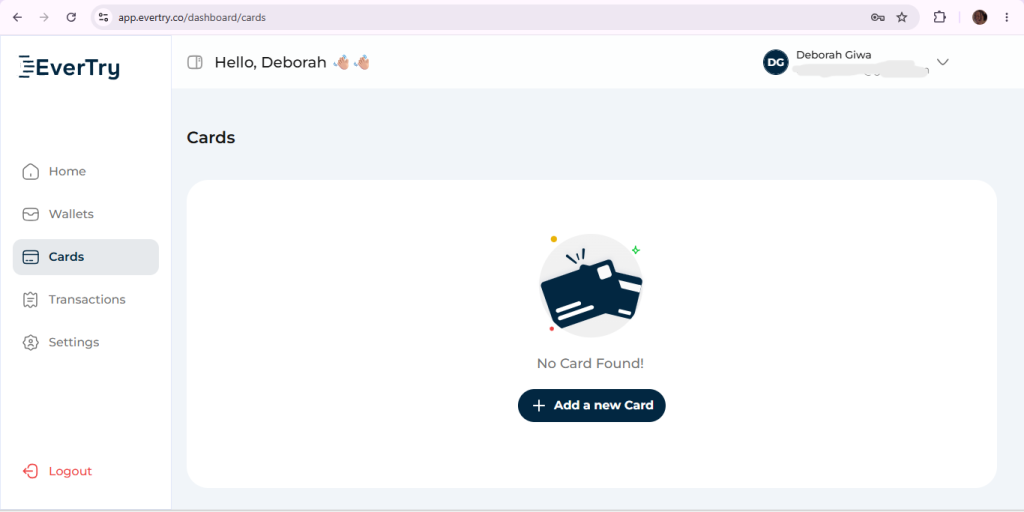
Create a virtual dollar card.
It’s ready in your dashboard almost instantly.
Add the card to Canva’s billing page.
Paste in your card details at checkout, confirm your billing country, and you’re done.
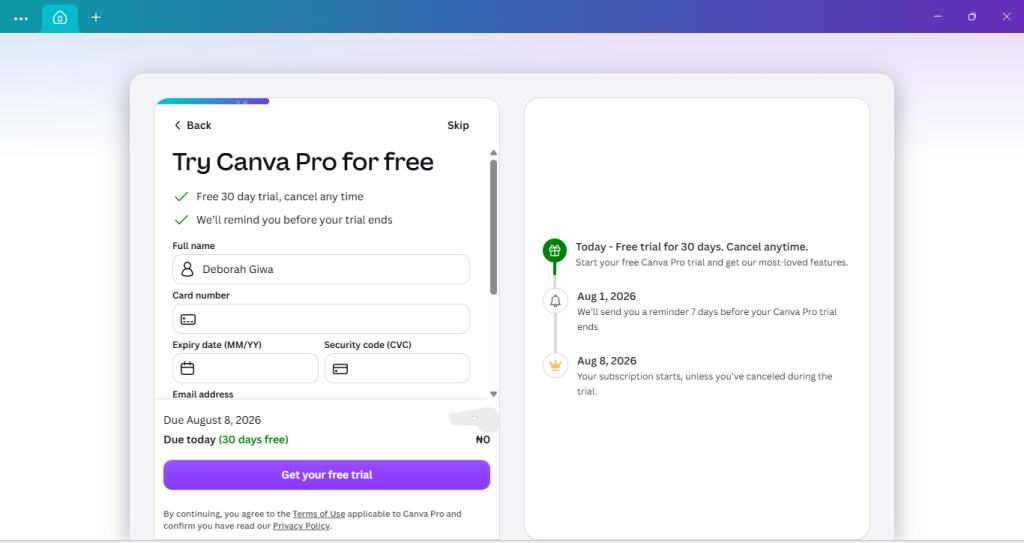
One tip: keep a small buffer (an extra $2–3 above your subscription cost) in your wallet before renewal day. It avoids a decline caused by minor exchange rate movement.
First-Hand Testing
We didn’t just compare feature lists for this guide. For this, we created the same set of designs; a social post, a presentation, and a flyer, using both Canva Free and Canva Pro, and timed the difference. We also tested the upgrade flow twice: once with a standard local debit card, and once with an EverTry virtual dollar card, which went through on the first try. The whole process, from card creation to successful payment, took well under 15 minutes.
Frequently Asked Questions
What’s the actual difference between Canva Free and Canva Pro?
Canva Free gives you a strong base library of templates and basic editing tools. Canva Pro adds premium assets, AI tools, Brand Kit, Background Remover, Magic Resize, and more storage.
Is Canva Pro worth it?
If you design regularly, manage a brand, or rely on AI tools, yes. Most people recover the cost in time saved. If you design occasionally, Free is usually enough.
How much does Canva Pro cost?
Around $15/month, or $120/year if billed annually. Always check Canva’s official pricing page for the current rate in your currency.
Can students get Canva Pro for free?
Yes, if verified through Canva for Education, which includes most Pro features at no cost.
Does Canva Pro include AI tools?
Yes. Canva Pro includes much higher usage limits for Magic Write, Magic Design, Magic Edit, and Magic Eraser than the Free plan.
Can I cancel Canva Pro anytime?
Yes. Go to Account Settings → Billing → Cancel. You’ll keep Pro access until your current billing period ends.
Is Canva Free enough for a small business?
For very light, occasional use, maybe. But most small businesses find the lack of Brand Kit and premium assets limiting once they post regularly.
Does Canva Free have watermarks?
No, but premium elements you can’t unlock will show a small crown icon rather than letting you download them.
Can I upgrade from Free to Pro later?
Yes, anytime. Your existing designs carry over, so nothing is lost when you upgrade.
Which plan is best for freelancers?
Canva Pro. Brand Kit and premium assets make client deliverables faster and more consistent.
Is Canva Pro better than Adobe Express?
They’re close competitors. Canva generally wins on ease of use and template variety; Adobe Express wins if you’re already in the Adobe ecosystem.
Why is my Canva payment failing?
Most often, it’s your bank blocking an international or online charge, not a problem with Canva or your balance. See the payment section above for common causes.
Can I pay for Canva Pro with a virtual card?
Yes. A virtual dollar card like EverTry works reliably where local cards often don’t, and can be created in under 15 minutes.
Does Canva accept Nigerian bank cards?
Sometimes, but inconsistently. Some Nigerian banks have partially restored international card payments, but limits and success rates still vary by bank. A virtual dollar card is the more reliable option.
Final Verdict: Which Plan Should You Choose?
If Canva Free already covers what you need, there’s no pressure to upgrade. But if you’re designing regularly, managing a brand, or leaning on AI tools, Canva Pro is worth the cost for most people. And if your local card gets declined when you try to subscribe, that’s not a dead end; a virtual dollar card like EverTry can get you through checkout in about 15 minutes.
This article is for informational purposes only and is based on publicly available information and our editorial research at the time of publication. Canva’s features, pricing, subscription plans, free trial availability, and payment options may change without notice. Always verify the latest details on Canva’s official website before making a purchase. Any references to EverTry are provided as one of several available payment solutions and should not be interpreted as financial, legal, or professional advice.
Deborah Giwa is a Marketing Associate at EverTry, where she works on content and growth initiatives focused on helping users navigate international payments. She is passionate about simplifying access to global financial tools for people in emerging markets through clear, practical, and user-focused content.