The best Claude Code alternative depends on where you work and how much control you want. For a terminal-native workflow with full autonomy, Aider or OpenCode are the closest matches. For a visual IDE with inline completions, Cursor is the top pick. For a free, human-approval-first workflow, Cline wins. If budget is the deciding factor, Gemini CLI and OpenCode both offer strong free tiers.
There’s no single winner, only the right tool for your workflow, budget, and preferred model. This guide compares 12 tools across pricing, autonomy, model flexibility, Git integration, and real-world limitations, so you can pick without guessing.
Why developers look beyond Claude Code
Claude Code is one of the most capable coding agents available in 2026. It’s also not free, not model-flexible, and not built for every workflow. Three things consistently push developers to look elsewhere:
- Cost at scale. The $20/month Pro plan covers light use. Heavy agentic sessions, multi-file refactors, long-running tasks, push usage into the Max tiers ($100–$200/month) or into pay-per-token API billing, where a single busy afternoon can run well past what a flat subscription would cost.
- Vendor lock-in. Claude Code only runs Anthropic’s models. Developers who want to route tasks to GPT, Gemini, DeepSeek, or a local model for cost or privacy reasons need a different tool entirely.
- Terminal-only workflow. Claude Code has no visual IDE, no inline autocomplete, and no GUI. Developers who want to see diffs, click through changes, or work inside a familiar editor often prefer Cursor or a similar AI-native IDE.
There’s a fourth, more recent reason worth flagging directly: in early 2026, Anthropic closed off a workaround developers had been using. Third-party tools like OpenCode and Cline could previously authenticate with a Claude Pro or Max subscription login to run Claude models for free. That path is gone. Running Claude models through any third-party harness now requires a pay-per-token Anthropic API key, which changes the real cost of “free” open-source tools if you specifically want Claude’s models inside them.
Here’s a quick summary before we dive deeper.
What are the best alternatives to Claude Code?
| Tool | Best For | Open Source | IDE / CLI | Pricing | Overall Rating |
|---|---|---|---|---|---|
| Cursor | Visual IDE, inline completions | No | IDE | $20–$200/mo (credit-based) | 4.6/5 |
| Cline | Human-approval-first agent work in VS Code | Yes | IDE extension | Free + BYOK API cost | 4.2/5 |
| Aider | Git-native terminal pair programming | Yes | CLI | Free + BYOK API cost | 4.1/5 |
| OpenCode | Closest open-source match to Claude Code | Yes | CLI / TUI / IDE plugin | Free + BYOK API cost | 4.4/5 |
| Devin Desktop (formerly Windsurf) | Budget-friendly agentic IDE | No | IDE | $20–$200/mo | 4.3/5 |
| OpenAI Codex | Claude Code’s top-paid rival | No | Desktop app + CLI | Included in ChatGPT plans | 4.7/5 |
| Gemini CLI | Best free tier, largest context window | No | CLI | Free tier + paid | 4.0/5 |
| OpenHands | Fully autonomous sandboxed agent | Yes | Self-hosted / Docker | Free + BYOK API cost | 3.9/5 |
How we evaluated these tools
Every tool below is assessed against the same criteria, so the comparisons are apples-to-apples rather than marketing-page-to-marketing-page:
- Coding accuracy and multi-file editing
- Repository-level understanding
- Level of autonomy vs. human-approval checkpoints
- Git integration
- Local model / self-hosted support
- Supported LLMs and model flexibility
- MCP (Model Context Protocol) support
- Ease of setup
- Pricing model and real-world cost
- Community size and active development
- Documentation quality
- Enterprise readiness
The best Claude Code alternatives, one by one
Cursor
Cursor is the best pick for developers who want a full AI-native IDE with inline completions, visual diffs, and agent mode, rather than a terminal-only workflow.
Cursor is a standalone editor forked from VS Code, with AI built into every layer: autocomplete, chat, and an agent mode (built around its Composer model) that plans multi-file changes and shows a diff for approval. It’s the most widely adopted AI coding tool in 2026, with over a million paying users.
Key features: Composer agent mode, Background Agents for async tasks, multi-model support (Claude, GPT, Gemini, DeepSeek), visual diff review, parallel agent sessions via git worktrees.
Strengths: Best-in-class inline completions; polished visual workflow; strong multi-model flexibility; large community and extension ecosystem.
Weaknesses: Credit-based billing makes monthly cost harder to predict than a flat subscription; performance can slow down on very large codebases; no headless or CLI mode; and it requires cloud processing (privacy tradeoff for regulated industries).
Pricing: Pro ~$20/month, Pro+ ~$60/month, Ultra ~$200/month (all credit-metered). Team pricing was restructured in June 2026 into Standard and Premium seat tiers. Check current rates before buying, since Cursor has re-priced more than once in the last year.
Ideal users: Developers who want a familiar editor experience with AI woven in, rather than a separate terminal tool.
Pros & Cons
| Pros | Cons |
|---|---|
| Polished visual diffs and inline completions | Credit billing can be unpredictable |
| Multi-model support | No terminal/headless mode |
| Large ecosystem, frequent updates | Cloud-dependent, privacy tradeoff |
Cline
Cline is the best free, open-source option for developers who want agentic help inside VS Code but with a human approving every action.
Cline runs as a VS Code extension. It reads and edits files, runs commands, and handles multi-step tasks, but it asks for confirmation before executing anything that touches your system. That approval-first design makes it the safer, more controllable choice among open-source agents.
Key features: Diff-view approvals, checkpoints for tracking changes, works in any VS Code fork (including Cursor and Windsurf/Devin Desktop), model-agnostic across 10+ providers, including local models via Ollama.
Strengths: Free and open-source; strong safety model with human-in-the-loop approvals; works across multiple editors, not just stock VS Code.
Weaknesses: Less autonomous than Claude Code or OpenCode you’re guiding it more actively; it depends heavily on the IDE, and can slow down on large projects or remote setups.
Pricing: The extension is free. You pay only for the LLM API usage you connect, typically $8–$12/month with routing to cheaper models for routine tasks, more if you run premium models constantly.
Ideal users: Developers who want agent capabilities but aren’t comfortable letting an AI act unsupervised on their codebase.
Pros & Cons
| Pros | Cons |
|---|---|
| Free, open-source, human-approval-first | Less autonomous than terminal agents |
| Model-agnostic, including local models | Performance tied to IDE can lag on big repos |
| Works inside the Cursor/Devin Desktop too | Requires more manual guidance |
OpenCode
OpenCode is the open-source tool that comes closest to replicating Claude Code’s end-to-end autonomy, because it’s built as an agent server rather than a simple CLI or IDE extension.
OpenCode runs as a local agent server with a terminal interface on top, and everything else, IDE integrations, scripting, plugs into that core. That architecture lets it chain read, edit, and run actions together without breaking context, which is what makes it feel closer to Claude Code than most alternatives.
Key features: Terminal UI plus IDE plugin support, LSP integration for fast symbol navigation, support for 75+ model providers, scriptable via its own API.
Strengths: Broadest model flexibility of any tool on this list; strong architecture for chained, multi-step autonomous tasks; large and fast-growing open-source community.
Weaknesses: Setup is more involved than Claude Code’s install-and-go experience, especially for local models; as of early 2026, it can no longer authenticate with a Claude Pro/Max subscription, and Claude models require a separate, pay-per-token Anthropic API key.
Pricing: Free and open-source. Cost comes entirely from whichever model provider’s API you connect, including $0 if you run a fully local model via Ollama.
Ideal users: Developers who want Claude Code’s autonomous, multi-step workflow without being locked into Anthropic’s models.
Pros & Cons
| Pros | Cons |
|---|---|
| Closest open-source match to Claude Code’s autonomy | More setup than Claude Code |
| 75+ supported model providers | Claude models need a separate paid API key |
| Fast-growing, active development | Local-model speed can lag hosted models |
Aider
Aider is the best pick for developers who want a transparent, Git-native audit trail; every AI change lands as its own commit.
Aider is a lightweight, terminal-first tool that works directly on your filesystem, no Docker, no sandbox. Every edit is committed automatically with an AI-written message, so your Git history stays readable, and every change is easy to review or revert.
Key features: Automatic, atomic commits per change; repo-map indexing for full-codebase awareness regardless of size; supports 75+ providers via LiteLLM; mid-session model switching (e.g., a cheaper model for tests, a stronger one for architecture).
Strengths: Full transparency and reproducibility; no vendor lock-in; works with virtually any model, including local ones; zero platform cost.
Weaknesses: No sandbox, you’re responsible for reviewing what it runs; less autonomous by design than agent-first tools like OpenCode or Claude Code; no visual interface.
Pricing: 100% free and open-source, no paid tiers. Costs come entirely from API usage, roughly $10–$30/month for moderate use with a mid-tier model, $50–$200+/month for heavy use with a frontier model.
Ideal users: Developers who prioritize auditability and Git hygiene over maximum autonomy.
Pros & Cons
| Pros | Cons |
|---|---|
| Clean, atomic Git history for every change | No sandbox, full responsibility on the user |
| Model-agnostic, no lock-in | Less autonomous than agent-first tools |
| Zero platform cost | No GUI |
Devin Desktop (formerly Windsurf)
Devin Desktop, the rebrand of Windsurf under Cognition AI, is the budget-friendly agentic IDE, built around the Cascade agent and now integrated with Cognition’s Devin cloud agent.
Windsurf was acquired by Cognition AI (maker of Devin) in mid-2025 and officially rebranded to Devin Desktop on June 2, 2026. Existing settings and plans carried over automatically. Its Cascade workflow blends copilot-style autocomplete with agentic multi-file edits, and it now supports the open Agent Client Protocol, meaning other agents (including Codex and OpenCode) can run inside it.
Key features: Cascade agent with persistent “Flows” context, parallel agents via Git worktrees, Agent Command Center, Devin Cloud agent for delegated PR work, Devin Local for on-device sessions.
Strengths: Historically, the lowest entry price among major commercial tools; strong enterprise security posture (SOC2 Type II, zero data retention by default); clean, less cluttered UI than some competitors.
Weaknesses: Brand transition has caused some confusion; search both “Windsurf” and “Devin Desktop” if you’re comparing plans; Cascade’s local agent is being phased out in favor of Devin Local, so workflows built around the old system need migrating.
Pricing: Pro tier moved from roughly $15 to $20/month in 2026; a Max tier runs around $200/month; Enterprise pricing is custom, historically around $60/user/month.
Ideal users: Budget-conscious teams and regulated industries that need explicit compliance documentation.
Pros & Cons
| Pros | Cons |
|---|---|
| Strong enterprise compliance story | Recent rebrand adds naming confusion |
| Competitive pricing vs. CursorThe | Legacy Cascade local agent being retired |
| Now supports third-party agents via ACP | Roadmap increasingly tied to Cognition’s Devin strategy |
OpenAI Codex
If Claude Code has one direct paid rival in 2026, it’s Codex, OpenAI’s rebuilt coding agent, now shipped as a desktop app and CLI.
Codex was rebuilt from its 2021 predecessor into a genuinely competitive agent, reportedly reaching 3 million weekly active users by April 2026. Multiple independent comparisons put it ahead of Claude’s models on several coding benchmarks, and it’s the only major tool bundled directly into existing ChatGPT subscriptions rather than sold separately.
Key features: Desktop command center for multi-agent work across projects (macOS and Windows), CLI for terminal use, deep GPT-5.5/GPT-5-Codex integration.
Strengths: Strong benchmark performance; already included in ChatGPT Free, Go, Plus, Pro, Business, Edu, and Enterprise plans, no separate subscription needed if you already pay for ChatGPT; fast iteration cadence from OpenAI.
Weaknesses: Locked to OpenAI’s models, the same lock-in tradeoff as Claude Code; no standalone free tier with generous limits, usage is governed by your underlying ChatGPT plan’s rules, which vary and can be confusing to budget around.
Pricing: No separate subscription, included across ChatGPT plans, or pay-per-token via the API.
Ideal users: Developers already inside the ChatGPT ecosystem, or anyone choosing purely on benchmark performance.
Pros & Cons
| Pros | Cons |
|---|---|
| Strong benchmark results | Locked to OpenAI’s models |
| Bundled into existing ChatGPT plans | Usage limits vary by plan, making it hard to budget precisely |
| Desktop + CLI coverage | Newer to the agentic space than Claude Code |
Gemini CLI
Gemini CLI is the best free option if context window size and zero-cost usage matter most to you.
Google’s terminal tool pairs Gemini 3.1 Pro with a very large context window, reported at 1M+ tokens, and a genuinely usable free tier, making it well-suited to ingesting large monorepos in a single pass without paying anything.
Key features: Free tier with a daily request allowance, auto model routing, very large context window for whole-repository reasoning.
Strengths: Best free tier on this list by usage volume; large context window is a real advantage for huge codebases; backed by Google’s model roadmap.
Weaknesses: Less mature agentic tooling than Claude Code, Cursor, or OpenCode; smaller third-party ecosystem and fewer integrations so far.
Pricing: Free tier (reported around 1,000 requests/day), paid tiers for higher volume.
Ideal users: Developers working with very large repositories who want to stay on a free or near-free budget.
Pros & Cons
| Pros | Cons |
|---|---|
| Best free-tier usage volume | Less mature agent tooling than rivals |
| Very large context window | Smaller ecosystem, fewer integrations |
| Backed by Google’s model cadence | Newer to agentic coding specifically |
OpenHands (formerly OpenDevin)
Direct answer: OpenHands is the most fully autonomous open-source option; it runs in a sandboxed Docker container and can browse docs, run shell commands, execute tests, and debug failures on its own.
Rather than a simple pair-programming tool, OpenHands uses a planning-execution loop: it breaks a task down, acts, observes the result, and adjusts, closer to a fully autonomous software engineer than a code-completion assistant.
Key features: Sandboxed Docker execution, autonomous planning loop, browser access for documentation lookup, test execution, and self-debugging.
Strengths: Highest autonomy ceiling among open-source options; sandboxing adds a real safety layer versus tools that run directly on your filesystem; strong, active GitHub community (70K+ stars).
Weaknesses: More setup overhead (Docker required); rougher edges in day-to-day polish compared to Claude Code or Cursor; best suited to developers comfortable configuring infrastructure.
Pricing: Free and open-source, self-hosted. Cost comes from whichever model API you connect.
Ideal users: Developers who want maximum autonomy and are comfortable running and configuring a sandboxed agent themselves.
Pros & Cons
| Pros | Cons |
|---|---|
| Sandboxed, safer than filesystem-direct tools | Docker setup adds friction |
| Highest autonomy ceiling in this list | Less polished than commercial tools |
| Active open-source community | Steeper learning curve |
Four more worth knowing
- RooCode and KiloCode; both forks in the Cline family, offering similar VS Code-native, human-approval-first workflows with slightly different feature sets and community focuses. Worth a look if Cline’s approach fits, but you want a different extension ecosystem.
- Crush is an open-source terminal tool from Charmbracelet, the team behind the popular Bubble Tea TUI framework. It’s one of the fastest-growing terminal-based CLI contenders in 2026, in the same lane as OpenCode.
- GitHub Copilot is still the cheapest entry point in this space and tightly integrated with GitHub’s ecosystem, but generally considered less agentic and less autonomous than Claude Code, Cursor, or OpenCode. A solid choice if you mainly want completions and light chat, not multi-file autonomous editing.
Full feature comparison
| Tool | Type | Open Source | IDE | CLI | Git-Native | Local Models | MCP Support | Pricing Model | Ease of Use |
|---|---|---|---|---|---|---|---|---|---|
| Claude Code | Agent | No | No | Yes | Partial | No | Yes | Subscription / API | Easy |
| Cursor | IDE | No | Yes | No | Partial | No | Yes | Credit-based | Easy |
| Cline | Extension | Yes | Yes | No | Partial | Yes | Yes | Free + BYOK | Moderate |
| Aider | Agent | Yes | No | Yes | Yes (atomic commits) | Yes | Partial | Free + BYOK | Moderate |
| OpenCode | Agent | Yes | Yes (plugin) | Yes | Partial | Yes | Yes | Free + BYOK | Moderate |
| Devin Desktop | IDE | No | Yes | No | Partial | No | Yes (via ACP) | Subscription | Easy |
| Codex | Agent | No | No (desktop app) | Yes | Partial | No | Yes | Bundled/API | Easy |
| Gemini CLI | Agent | No | No | Yes | Partial | No | Partial | Free + paid | Moderate |
| OpenHands | Agent | Yes | No | No (Docker) | Partial | Yes | Partial | Free + BYOK | Advanced |
Terminal & CLI alternatives
Terminal-native tools fit developers who don’t want to leave the shell; they favor scriptability, Git transparency, and lower resource overhead over a visual interface.
Best terminal picks: Aider (Git transparency), OpenCode (closest to Claude Code’s autonomy), Gemini CLI (best free tier and context window), Cline (works from the command palette inside VS Code, but is extension-based rather than pure terminal).
| Tool | Terminal-native | Autonomy Level | Best Trait |
|---|---|---|---|
| Aider | Yes | Moderate | Git-native transparency |
| OpenCode | Yes | High | Closest match to Claude Code |
| Gemini CLI | Yes | Moderate | Free tier + huge context |
| Cline | Extension, not pure CLI | Low (approval-gated) | Safety and control |
IDE-native alternatives
IDE-native tools fit developers who want inline completions, visual diffs, and agent actions inside a familiar editor rather than a terminal.
Best IDE picks: Cursor (most polished, largest ecosystem), Devin Desktop (best value, strongest compliance story), Codex Desktop (best if you’re already paying for ChatGPT).
All three offer inline completion, chat, agent-driven multi-file editing, and some form of background or parallel task execution. The differences come down to model access, pricing structure, and how much of the workflow happens in the cloud versus locally.
Open-source Claude Code alternatives
Cline, Aider, OpenCode, and OpenHands are all free to install and use; your only cost is the model API usage you connect to, which can drop to zero with a local model via Ollama.
| Tool | GitHub Community | Self-Hosting | Local LLM Support |
|---|---|---|---|
| OpenCode | 150K+ stars, large and fast-growing | Yes | Yes |
| OpenHands | 70K+ stars | Yes (Docker required) | Yes |
| Aider | 42K+ stars | Yes | Yes |
| Cline | Large, active VS Code marketplace presence | Runs as an extension | Yes |
None of the open-source options fully match Claude Code’s polish and context handling yet, but OpenCode consistently narrows that gap the furthest because of its agent-server architecture.
Free Claude Code alternatives
Not all “free” tools are free in the same way. There are three real categories:
- Completely free, no API needed: Gemini CLI’s free tier (bounded by daily request limits) and any tool running a fully local model via Ollama.
- Free extension/app, pay for the model (BYOK): Cline, Aider, OpenCode, OpenHands. The software is free; you bring your own API key and pay the model provider directly.
- Free trial or limited tier, then paid: Cursor’s Hobby tier, Codex’s ChatGPT Free-plan access, usable for evaluation, not for sustained daily work.
The trade-off: BYOK tools shift cost from a predictable subscription to variable, usage-based API billing. That’s often cheaper for light use and more expensive for heavy use. Track it, don’t assume.
Claude Code vs. the alternatives, head-to-head
Claude Code vs. Cursor
Claude Code wins on raw reasoning depth and terminal-native autonomy for large refactors. Cursor wins on visual workflow, inline completions, and day-to-day editing speed. Most developers who use both report running Cursor for daily work and Claude Code for deep, complex tasks.
| Feature | Claude Code | Cursor |
|---|---|---|
| Interface | Terminal | IDE |
| Model access | Anthropic only | Multi-model |
| Best for | Deep refactors, long autonomous sessions | Daily editing, visual review |
| Pricing | Subscription or API | Credit-based |
Claude Code vs. Devin Desktop (Windsurf)
Claude Code offers deeper reasoning and a larger effective context window for whole-codebase tasks. Devin Desktop is the lower-cost, IDE-native option with a stronger out-of-the-box compliance story for regulated teams.
Claude Code vs. Cline
Claude Code is far more autonomous by default. Cline is safer by design; every action needs approval, which makes it the better choice if you don’t fully trust an AI agent unsupervised on your codebase yet.
Claude Code vs. Aider
Both are terminal-first and Git-aware. Claude Code manages sessions and context for you at a cost; Aider is free, fully transparent (every change is its own commit), and requires you to bring your own model.
Claude Code vs. OpenCode
The closest match on this list. OpenCode replicates much of Claude Code’s autonomous, chained-action workflow, but with 75+ model options instead of one vendor, at the cost of a more involved setup and, since early 2026, a separate paid API key if you specifically want Claude’s models.
Claude Code vs. Codex
The real 2026 rivalry. Codex edges ahead on some benchmarks and comes bundled into ChatGPT plans that many developers already pay for. Claude Code still leads on long-running, complex, multi-file reasoning tasks for many users. The right pick often comes down to which model family you already trust and pay for.
Pricing models explained
Sticker price tells you almost nothing in 2026. What matters is the pricing model underneath it:
- Flat subscription: A fixed monthly fee for a bounded (but not unlimited) amount of usage. Claude Code and Devin Desktop both work this way. Predictable, but you can hit a wall on heavy days.
- Credit-metered: A monthly credit pool that different actions burn at different rates. The cursor works this way. Predictable in headline price, unpredictable in real monthly spend.
- Quota-based: Automatic daily/weekly usage refreshes rather than a spendable credit balance. Some tools moved to this model in 2026, specifically to reduce billing confusion.
- BYOK (bring your own API key): The software is free; you pay the model provider directly, token by token. Cline, Aider, OpenCode, and OpenHands all work this way. Cheapest for light, occasional use, potentially the most expensive option for sustained heavy use, since there’s no ceiling unless you set one.
The fact most comparisons miss: as of early 2026, you can no longer point a third-party tool at your existing Claude Pro or Max subscription to use Claude’s models for free. Anthropic closed that authentication path. If you want Claude’s models inside OpenCode, Cline, or a similar tool, budget for a separate, pay-per-token Anthropic API key on top of whatever else you’re paying.
| Tool | Free Option | Paid Tiers | API Required for Claude Models | Typical Monthly Cost |
|---|---|---|---|---|
| Claude Code | No | $20 / ~$100 / ~$200 | N/A (native) | $20–$200+ |
| Cursor | Limited hobby tier | $20 / $60 / $200 | No (multi-model included) | $20–$200 |
| Devin Desktop | Limited free tier | $20 / $200 | No | $20–$200 |
| Cline | Yes (BYOK) | N/A | Yes, if using Claude | $8–$50+ |
| Aider | Yes (BYOK) | N/A | Yes, if using Claude | $10–$200+ |
| OpenCode | Yes (BYOK) | N/A | Yes, if using Claude | $0–$100+ |
| Codex | Included in ChatGPT plans | Plan-dependent | N/A (OpenAI native) | $0–$200 (plan-dependent) |
| Gemini CLI | Yes, generous | Paid tiers available | N/A (Google native) | $0–$50+ |
Hidden costs to watch for: add-on credit purchases, per-seat enterprise pricing, and the reality that a single intensive agentic session on a frontier model can cost more than a full month of a flat subscription. Calculate against your actual workflow, not the headline number.
Which AI models does each tool support?
| Tool | Claude | GPT | Gemini | DeepSeek | Local / Ollama |
|---|---|---|---|---|---|
| Claude Code | Yes (only) | No | No | No | No |
| Cursor | Yes | Yes | Yes | Yes | No |
| Cline | Yes (API) | Yes | Yes | Yes | Yes |
| Aider | Yes (API) | Yes | Yes | Yes | Yes |
| OpenCode | Yes (API) | Yes | Yes | Yes | Yes |
| Devin Desktop | Via ACP | Via ACP | Yes | Partial | No |
| Codex | No | Yes (only) | No | No | No |
| Gemini CLI | No | No | Yes (only) | No | No |
| OpenHands | Yes (API) | Yes | Yes | Yes | Yes |
If model flexibility is your top priority, OpenCode, Aider, and Cline are the strongest options; all support dozens of providers through model-routing layers like LiteLLM.
Which Claude Code alternative should you choose?
Beginners: Start with Cursor or GitHub Copilot. Visual feedback and inline suggestions are easier to learn from than a terminal-only workflow.
Solo developers: Aider or OpenCode. Both are free to install, transparent, and scale down to a single developer’s budget easily.
Startups: Cursor for daily work, paired with Claude Code or Codex for deep, occasional refactors, the combination most 2026 teams settle on.
Agencies: Cline or OpenCode, for the model flexibility to match different clients’ requirements and budgets, project by project.
Enterprise teams: Devin Desktop or Cursor Business/Teams tiers, both have explicit compliance documentation (SOC2, data residency, admin controls) that procurement teams ask for.
Privacy-first developers: OpenCode, Aider, or OpenHands all support fully local models via Ollama, keeping code off any third-party cloud entirely.
Open-source enthusiasts: OpenCode, for the combination of a large, active community and the architecture closest to Claude Code’s autonomy.
Students: Gemini CLI or Cursor’s free/hobby tier, the best balance of zero cost and a gentle learning curve.
When Claude Code is still the better choice
Switching tools isn’t automatically the right call. Claude Code still leads in a few specific situations:
- Very large, complex refactors across a massive codebase, where its context handling and long-running session stability are hard to match.
- Sustained autonomous sessions, some users report productive runs lasting 30+ hours on a single complex task without losing coherence.
- Enterprises already standardized on Anthropic models for other tools, where consistency across the stack outweighs the cost of a second subscription.
- Developers who value an install-and-go experience over configuring model routing, local inference, or a sandboxed environment.
If none of those describe your situation, if cost, model flexibility, or a visual workflow matter more, one of the alternatives above is very likely the better fit.
Paying for these tools from outside the US
Every tool on this list, whichever pricing model it uses, ultimately settles in USD a flat subscription, a credit top-up, or a pay-per-token API bill from Anthropic, OpenAI, or Google.
That’s a bigger problem than it sounds like if your bank isn’t in the US. Many banks outside the US restrict or flag recurring international charges, apply steep currency-conversion markups, or cap how much you can leave the country each month, all of which show up as a silent “card declined” on a $20 SaaS subscription. And the shift toward BYOK tools makes this worse, not better: instead of one Anthropic subscription, a developer using OpenCode or Aider with multiple model providers may now be managing three or four separate recurring USD charges instead of one.
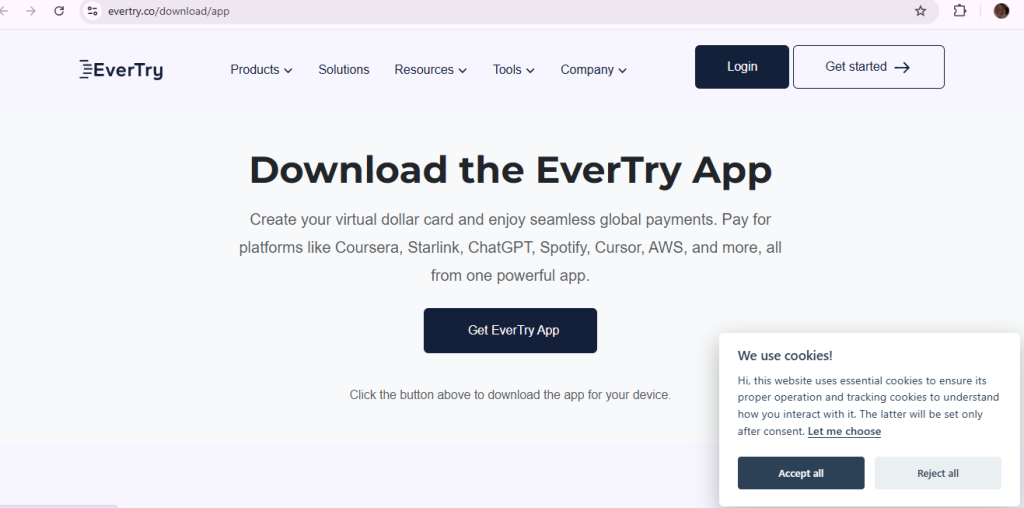
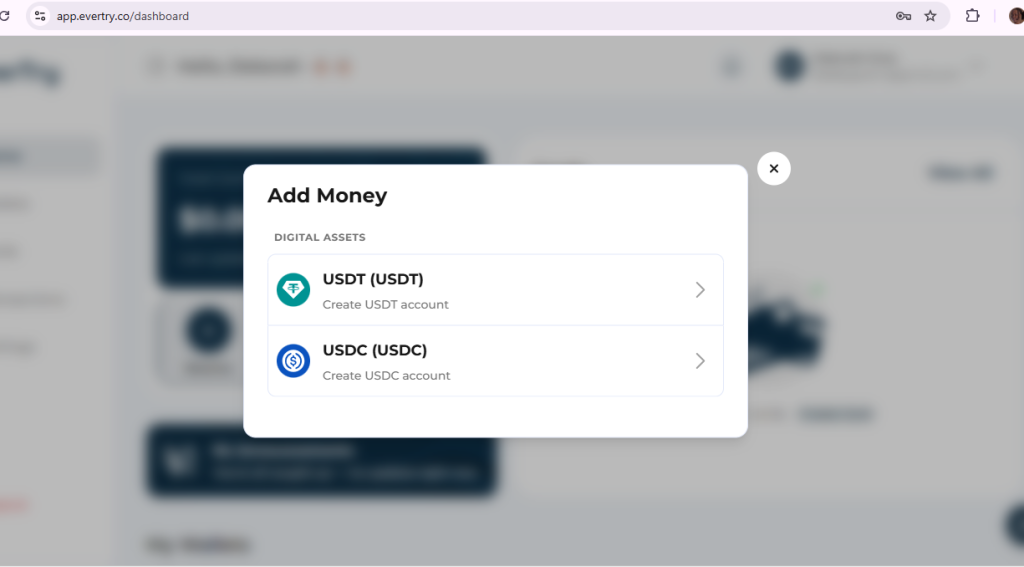
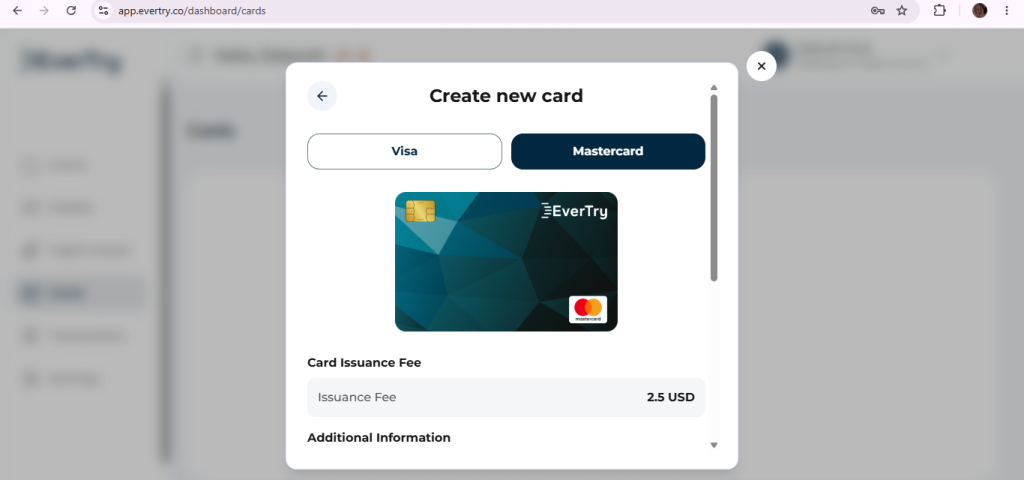
A virtual dollar card sidesteps this. EverTry issues USD virtual cards that are built for exactly this kind of recurring, USD-denominated subscription billing, funded from a local bank account, mobile money, or stablecoins, with no US bank account required and no in-person visit. For a developer paying for Cursor, an Anthropic API key, and an OpenAI API key in the same month, that means one funding source instead of three points of failure.
If you’re specifically dealing with declined payments on Cursor, EverTry has a more detailed walkthrough for that.
Frequently Asked Questions
What is the best alternative to Claude Code? There’s no single best option; it depends on your workflow. Cursor is the top pick for a visual IDE experience, OpenCode is the closest match for terminal-based autonomy, and Codex is the strongest paid rival by benchmark performance in 2026.
Is there a free alternative to Claude Code? Yes. Cline, Aider, OpenCode, and OpenHands are all free and open-source. You’ll still pay for the underlying model API unless you run a fully local model via Ollama, which brings the cost to zero.
Which Claude Code alternative is open source? Cline, Aider, OpenCode, and OpenHands are all open-source and free to install. Cursor, Devin Desktop, Codex, and Gemini CLI are closed-source commercial products.
Is Cursor better than Claude Code? Cursor is better for visual, IDE-based daily editing with inline completions. Claude Code is better for deep, long-running, terminal-based autonomous refactors. Many developers use both for different tasks rather than choosing one.
Is Windsurf better than Claude Code? Devin Desktop (Windsurf’s 2026 rebrand) is generally more budget-friendly and offers stronger built-in compliance features for regulated industries. Claude Code typically wins on raw reasoning depth for complex, large-scale tasks.
Which AI coding assistant supports local models? Cline, Aider, OpenCode, and OpenHands all support local models via Ollama, keeping your code fully off any third-party cloud.
Which coding assistant is best for VS Code? Cursor (as a standalone VS Code fork) and Cline (as a native VS Code extension) are the two strongest options for developers who want to stay inside a VS Code-based workflow.
Which AI coding assistant is best for Git workflows? Aider, because every AI-made change lands as its own atomic, clearly-labeled commit, giving you a clean, auditable Git history by default.
Can GPT replace Claude Code? Yes, via OpenAI’s Codex, which is increasingly considered Claude Code’s closest paid competitor and is already included in most ChatGPT subscription plans.
Which AI coding assistant is best for beginners? Cursor or GitHub Copilot. Both offer visual feedback and inline suggestions that are easier to learn from than a terminal-only agent.
Which AI coding tool offers the best free tier? Gemini CLI, with a generous daily free request allowance and a very large context window, at no cost.
Is Claude Code worth paying for? Yes, for developers doing large, complex, long-running refactors where deep reasoning and session stability matter most. For lighter or more cost-sensitive workflows, a free or lower-cost alternative is often a better fit.
Final recommendations
| Category | Winner | Runner-up | Why |
|---|---|---|---|
| Best overall alternative | Cursor | OpenCode | Most polished all-around experience with broad model support |
| Best free alternative | Gemini CLI | Cline | Generous free tier, no subscription needed |
| Best open-source option | OpenCode | Aider | Closest architecture match to Claude Code’s autonomy |
| Best terminal experience | Aider | OpenCode | Git-native transparency, zero platform cost |
| Best VS Code integration | Cline | Cursor | Native extension with approval-gated safety |
| Best AI-native IDE | Cursor | Devin Desktop | Most mature agent + completion workflow |
| Best for enterprise teams | Devin Desktop | Cursor Business | Strongest out-of-the-box compliance documentation |
| Best for privacy-conscious developers | OpenHands | Aider | Sandboxed execution plus full local-model support |
| Best for beginners | Cursor | GitHub Copilot | Visual, low learning curve |
| Best for experienced engineers | OpenCode | Claude Code | Full model flexibility with high autonomy |
| Best value for money | OpenCode | Gemini CLI | Free software, pay only for the model you choose |
Conclusion
There’s no universal “best” Claude Code alternative, only the best tool for your workflow, budget, model preference, and how much autonomy you’re comfortable granting an AI agent. Cursor and Devin Desktop suit developers who want a visual, IDE-based workflow. Aider, OpenCode, and Cline suit developers who want to stay in the terminal, control cost, or avoid vendor lock-in. Codex and Gemini CLI are worth considering if you’re already paying for ChatGPT or want the strongest free tier.
Whichever tool you land on, choose based on your actual workflow, not the headline price. And once you’ve picked, don’t let a declined card get in the way of using it: EverTry’s virtual dollar cards are built for exactly this kind of recurring international subscription and API billing.
Pricing, features, and product names in this article (including recent rebrands like Windsurf → Devin Desktop) reflect information available as of the last update and can change without notice, always confirm current pricing and terms directly on each provider’s website before subscribing. EverTry is not affiliated with, endorsed by, or sponsored by Anthropic, Cursor, Cognition AI, OpenAI, Google, or any other tool mentioned. All trademarks belong to their respective owners. This article is for informational purposes only and does not constitute a recommendation to purchase any specific product.
Matt Aluya is the founder of EverTry. A software engineer focused on virtual card issuance and stablecoin settlement for cross-border payments in emerging markets. LinkedIn · matt.aluya@evertry.co