You ask, “Why is my card declined on Spotify?” The card is fine and the money is there. Spotify still says no.
Here is the short answer. Spotify declines cards for a few clear reasons. The usual causes are a country mismatch, blocked recurring payments, or low funds. A bank security block or an unsupported payment method can also do it.
This guide helps you find your cause and fix it. It covers new signups, failed renewals, and what Spotify does after a missed payment. If you pay from Nigeria or another Global South market, you will find a section for you too.
Quick answer: Spotify most often declines a card for three reasons. The card’s country does not match your Spotify country, the card blocks online or recurring payments, or funds run short. To fix it, check your payment history, country, balance and bank settings. Then update your payment method in your Spotify account. If it still fails, call your bank.
Why Is My Card Declined on Spotify? The 6 Common Causes
Spotify can decline a card that has money on it. The card’s settings, home country, or payment route may not meet Spotify’s rules. Use this table to spot your cause fast.
| Possible cause | What to check | Next step |
|---|---|---|
| Country mismatch | Your Spotify country and your card’s country | Check Spotify’s country settings |
| Recurring payments off | Online, foreign and recurring settings at your bank | Turn them on or ask your bank |
| Low funds or limit | Your balance and online spending cap | Top up or raise the limit |
| Wrong or old details | Card number, expiry date, security code | Update the details |
| Bank security block | Code, PIN or fingerprint prompts | Approve the prompt or call your bank |
| Unsupported method | Options shown at Spotify checkout | Pick a method Spotify shows for you |
Your card country does not match your Spotify country
Spotify may need your payment method to match your account country. A card from one country on an account set to another is a common cause of declines. Check your country in Spotify’s country and region settings. Change it only if you really live there now. Never fake your location.
Your card blocks online, foreign or recurring payments
A card can work on other sites and still fail on Spotify. Premium renews every month, so your bank sees a recurring payment. Some cards block recurring, online or foreign payments. Check these settings in your banking app, as Spotify’s failed-payment guide suggests.
You have low funds or hit a limit
Check that your balance covers the plan price. Then check your daily or monthly online spending limit. Your bank may also add charges or convert the amount, so ask how it handles Spotify payments.
Your card details are expired or wrong
Check the card number, expiry date and security code. Also check if your bank replaced your card. An old card can fail even when the number looks right.
Your bank wants to verify the payment
Your bank may ask for a code, PIN or fingerprint first. Approve any prompt on your phone. If none shows up, call your bank and ask if it blocked a Spotify charge.
Spotify does not offer your payment method
Spotify offers different payment methods in different countries. A card type that works in one region may not appear at checkout in yours. Open the Spotify Premium page to see what your account offers. Spotify’s payment methods guide explains how this works.
How to Fix a Card Declined on Spotify: 7 Steps
Work through these in order. Stop when the payment goes through.
Step 1: Check your payment status
Open your Spotify account and go to your payment history. See if the payment failed, is pending, or went through without Premium turning on. The answer tells you which fix you need.
Step 2: Confirm your country and payment method
Check that your account country matches your card’s country. Then start the Premium checkout and note which methods Spotify shows. If your card type is missing, Spotify does not offer it for your account.
Step 3: Verify your card and balance
Make sure the card is current and the details are right. Check your balance and your online spending limit. Fix anything odd before you try again.
Step 4: Turn on online, foreign and recurring payments
Open your banking app and look for online, international or recurring payment settings. Can’t find them? Ask your bank if it allows monthly subscription charges from Spotify.
Step 5: Clear any bank security check
Approve any code, PIN or fingerprint prompt from your bank. No prompt? Call your bank and ask if it flagged the charge as suspicious.
Step 6: Update your payment method in Spotify
Use Spotify’s payment details page to update your card. A small authorization hold may appear when you add a method. That hold is not the same as a finished subscription charge. Check your payment history before you pay again.
Step 7: Try another supported method, or wait a little
Spotify suggests a private or incognito window, a different payment method, or a short wait, since a network glitch can cause a false decline. Don’t tap pay again and again with the same card. Fix the cause first.
Skip the VPN trick. Faking your country is not a real fix.
Why Does Spotify Keep Declining My Card Even When I Have Money?
Money in your account does not guarantee approval. Your bank and Spotify check more than your balance. They also look at country, card settings, verification and the payment route. So a funded card still fails when it sits in the wrong country, blocks recurring payments, needs verification, or isn’t accepted at that checkout.
What if another card fails too?
- Confirm your account country and card country are compatible.
- Try another method that Spotify offers at checkout.
- Ask your bank or provider if it restricted the charge.
- Contact Spotify Support if the failure continues.
What if I was charged but Spotify still shows Free?
- Check your payment history and the account tied to the subscription.
- Remember that an authorization hold is not a completed charge.
- Confirm your subscription status before you pay again.
- Follow Spotify’s steps if you were charged but can’t use Premium. No refund or timeframe is promised.
How Long Does Spotify Give You After a Failed Payment?
Spotify says a failed monthly payment does not remove Premium right away. It may retry the payment over the next few days. That is a retry window, not a promise of free days.
Does Spotify have a grace period?
Spotify describes retries. It does not describe one fixed grace period for every account or payment method. So don’t count on a set number of days. Check your payment status and fix the cause now.
How do you pay a missed Spotify Premium payment?
- Check your payment history and subscription status.
- Fix the cause of the decline.
- Update your payment details in Spotify’s official billing flow.
- Ask your billing partner if a telecom or internet provider manages your plan.
What happens if payment keeps failing?
Premium may end and your account may return to Free. The timing depends on your billing setup, and Spotify does not give one deadline for everyone. If a partner bills you, follow Spotify’s partner billing guidance and contact that partner.
Which Payment Methods Can You Use for Spotify Premium?
The method shown at checkout matters more than the card logo. Spotify offers different payment methods by country or region. Pick a plan on the Spotify Premium page to see yours.
A card that works for other online purchases may still fail on recurring Spotify billing. So use a method Spotify actually shows. Don’t assume every wallet or card brand works everywhere.
Is Google Pay the same as Google Play Billing?
No. Google Pay is a wallet that stores your card. Google Play Billing is a separate billing flow on Android. Spotify has instructions for Google Play Billing for when that option appears at in-app checkout. Linking a card to a wallet does not make it work in Google Play Billing.
Is Apple Pay the same as the Apple App Store?
No. Apple Pay is a wallet payment method. Apple App Store billing is a separate subscription route. Spotify says you can’t buy Premium inside its iOS app and points you to Spotify.com/premium. So App Store billing is not a universal workaround. Also, Apple Pay availability varies by country, and that alone does not prove Spotify accepts it.
Can You Pay for Spotify With an EverTry Virtual Dollar Card?
Sometimes, and only through your phone wallet. That is the honest answer.
In some regions, an EverTry virtual dollar card can only pay for Spotify Premium through Apple Pay or Google Pay. The limit comes from Spotify’s payment rails, not from your balance. Spotify decides which routes show at checkout.
Think of the card as a key. Spotify’s checkout decides which doors it opens.
Why a dollar card can still be declined
A dollar card alone is not enough. Three things must line up. First, Spotify must offer Apple Pay or Google Pay for your account. Second, your region must be one where the card works through that wallet. Third, the card must be set up correctly in your wallet.
Check these three things before you try
- Your region: Confirm your region supports the wallet route.
- Your checkout: Open the Premium page and see if Spotify shows Apple Pay or Google Pay. No wallet option means no wallet payment.
- Your card setup: Add the card to your wallet using the in-app steps.
How to try the wallet route in 5 steps
- Download the app or sign up on the web.
- Complete KYC.
- Fund your wallet.
- Create your virtual dollar card.
- Fund the card and add it to Apple Pay or Google Pay.
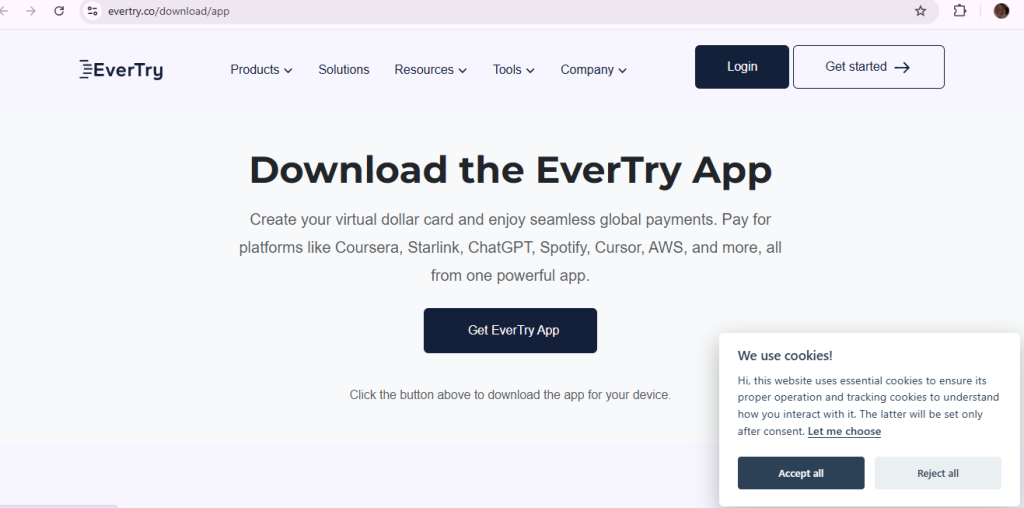
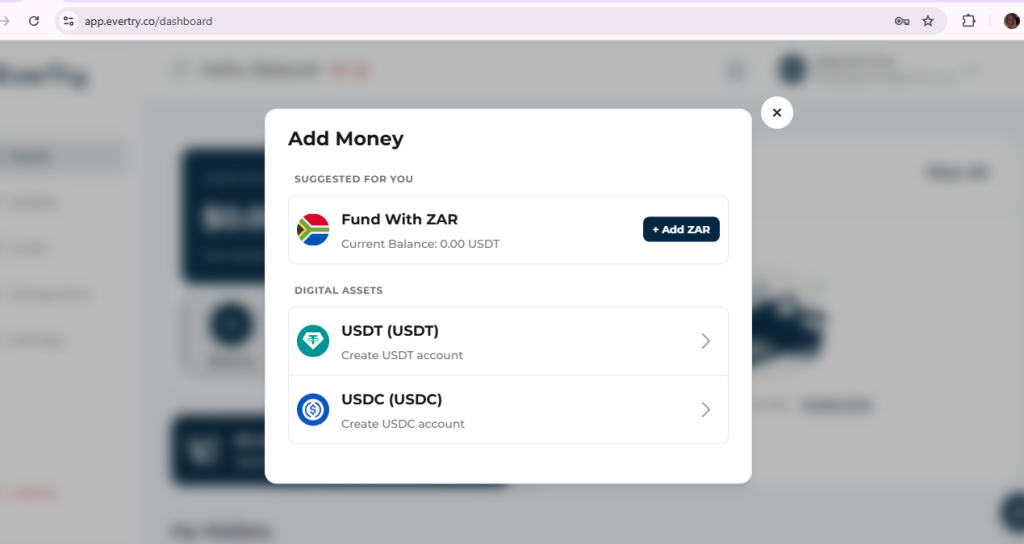
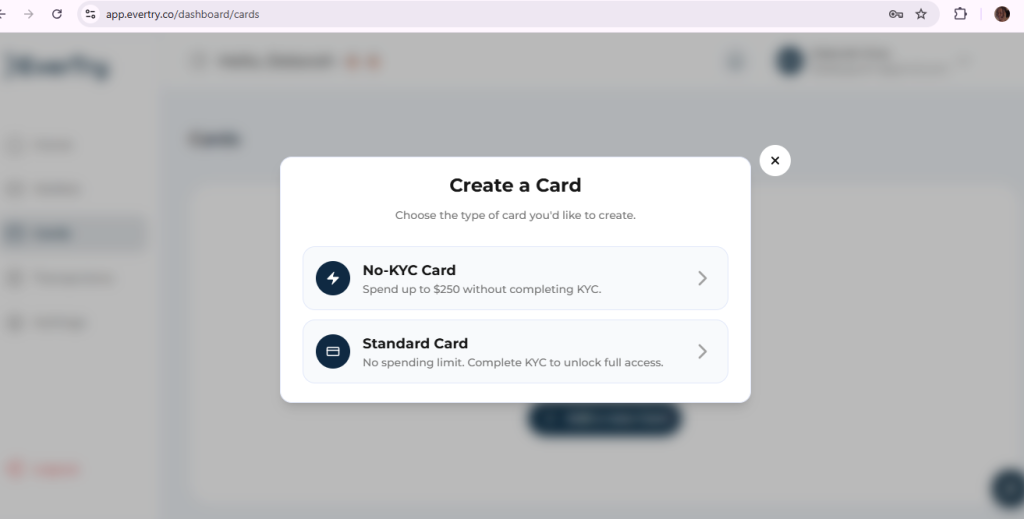
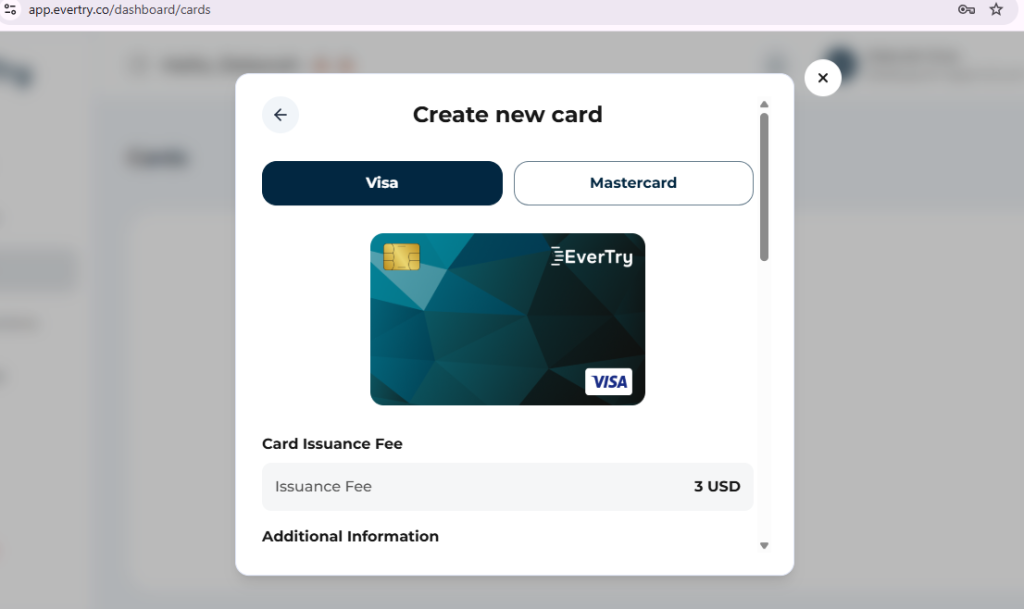
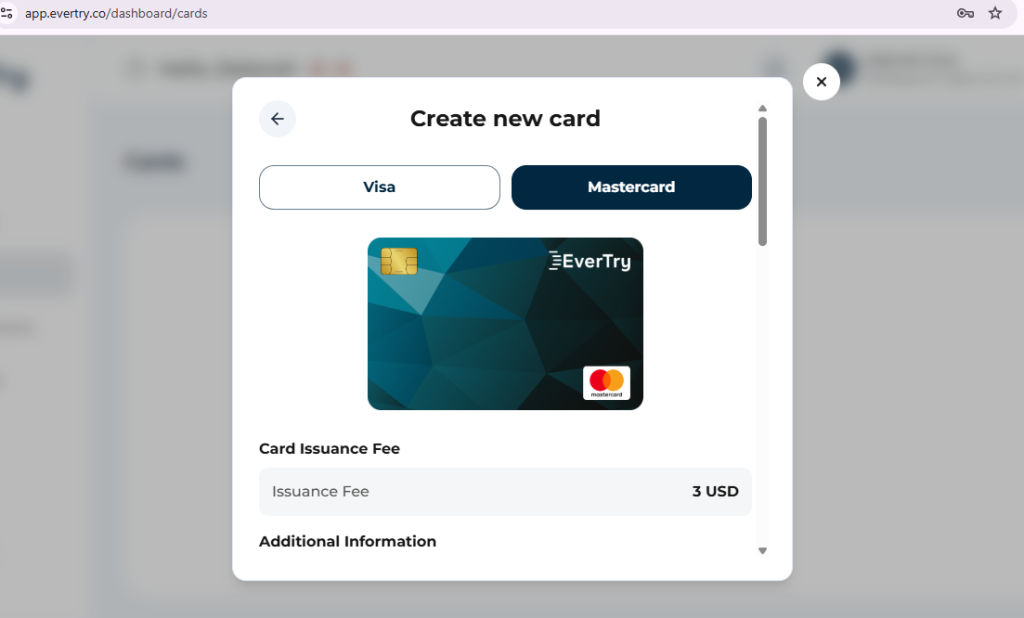
Then open Spotify’s Premium page and pick the wallet option only if it appears. Our Spotify payment page has more detail.
What if the wallet option is missing?
Don’t force it. Use another method Spotify shows for your account. Our country guides for Nigeria, Ghana and Kenya cover local options. The same rule applies to any virtual card.
When Should You Contact Spotify or Your Bank?
- Call your bank when charges are blocked, security checks fail, or you’re unsure about recurring payments.
- Contact Spotify when your bank says it did not block the charge but the problem continues, or when your subscription status looks wrong.
- Contact your billing partner if a telecom, internet provider or platform manages your plan.
- Use Google’s support route for Google Play Billing issues.
Start with Spotify’s failed-payment help. Spotify says partner-managed plans must be handled with the partner.
Frequently Asked Questions
Why is Spotify not accepting my card?
Spotify may reject a card for a country mismatch, low funds, wrong details, blocked recurring payments or a bank security check. It may also not offer your card type in your region. Check your payment history first. Then work through the seven steps above.
Why does my card decline on Spotify even when I have money?
Having money is only one check. Spotify and your bank also look at your country, card settings, verification prompts and the payment route. A funded card can fail if it blocks recurring payments or sits in a country that doesn’t match your account.
How do I pay for Spotify Premium after a failed payment?
Open your payment history and find why the payment failed. Fix that cause. Then update your payment details in Spotify’s official billing flow. If another company bills you, update your payment with that partner. Don’t pay again before you check your subscription status.
How long does Spotify retry a failed payment?
Spotify says it may retry a failed monthly payment over the next few days. It does not promise a fixed number of days for every account. Check your payment status now and fix the cause, so you don’t depend on a retry.
Does Spotify give a grace period after a declined card?
Not a fixed one that applies to everyone. Spotify describes payment retries, and Premium does not end the moment a payment fails. Still, timing can vary with your billing setup. Treat any extra days as a bonus, and fix the payment quickly.
Can I use a virtual dollar card for Spotify Premium?
Sometimes. It depends on the payment options Spotify shows in your region and whether your card works through that route. An EverTry virtual dollar card can pay through Apple Pay or Google Pay in some regions only. Check your checkout before you fund anything.
Can I pay for Spotify with Google Pay or Apple Pay?
Only if Spotify shows that option for your account. Wallet availability alone does not prove Spotify accepts it. Also, Google Pay differs from Google Play Billing, and Apple Pay differs from Apple App Store billing. Open Spotify’s Premium page to see your options.
Get Your Spotify Payment Working Again
Start with your payment history. Then check your country, card details and bank settings. Fix the cause and use a payment method Spotify supports for your account. That is the whole answer to why your card declined on Spotify.
If you live where the wallet route applies, EverTry’s virtual dollar card is worth a look. Check the three points above first. Then download the EverTry app.
EverTry is an independent service. It is not affiliated with or endorsed by Spotify.
Deborah Giwa is a Marketing Associate at EverTry, where she works on content and growth initiatives focused on helping users navigate international payments. She is passionate about simplifying access to global financial tools for people in emerging markets through clear, practical, and user-focused content.