If you’re asking, “Why is my card declined on Temu?” it usually starts the same way: you get to checkout, your card has money, you tap “Pay”… and it fails.
This happens a lot across the Global South, where local cards and currencies don’t always work smoothly with international platforms.
No clear reason, just a failed payment.
Let’s break it down.
What’s really happening behind the Scenes
When you pay on Temu, your card doesn’t go straight through.
There’s a check. Actually, several checks:
- Your bank verifies the transaction
- The payment processor evaluates risk
- Temu confirms compatibility
If anything feels off even slightly, the payment gets stopped.
That’s why retries don’t always help; you’re hitting the same system with the same conditions.
The real reasons why your card keeps getting declined
1. International payments aren’t enabled
Some banks restrict cross-border transactions by default.
Even if your card works everywhere locally, it won’t work on a global platform like Temu.
2. The transaction looks unusual
New merchant, different region, or a First-time purchase.
That’s enough for a bank to flag it.
3. You’ve hit a hidden limit
Your balance might be fine, but your card could still have:
- Daily caps
- Online transaction limits
Once you hit that, the payment fails.
4. Your card details are slightly off
It doesn’t take much:
- Wrong CVV
- Expiry date mismatch
- Name inconsistency
One small error and it leads to decline.
5. You tried too many times.
Multiple failed attempts can trigger a temporary block.
At that point, the system assumes risk.
6. Your location doesn’t match
If your IP, device, or region doesn’t align with your card, it raises a flag.
7. Your card has expired or is frozen
This is Simple and easy to overlook, but can cause card decline
8. The platform rejects the transaction.
Sometimes it’s not your bank, it’s the platform filtering certain cards or regions.
9. Your card isn’t supported
Some cards just don’t work well internationally.
This includes:
- Locally restricted debit cards
- Certain prepaid cards
You can retry all you want, but it won’t change the outcome.
How to Fix “Card Declined” on Temu (Step-by-Step)
Step 1: Check your available balance
Make sure you have enough to cover:
- The item
- shipping
- Any small FX differences. Even a slight shortfall can trigger a decline.
2. Switch payment method inside Temu
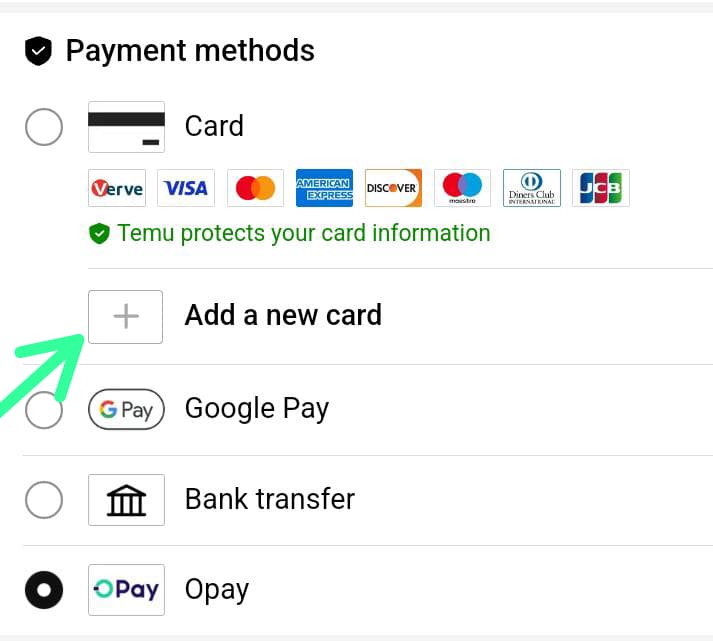
Temu supports multiple payment options depending on your region.
If your card fails, tap: “Change payment method” Then try:
- Another debit/credit card
- Available digital wallet options (if shown in your region)
- A virtual card
Sometimes it’s not your card, it’s the specific processing route used.
3. Retry checkout after a short delay

If you’ve just had a failed attempt:
Don’t retry immediately; instead:
- Wait a few minutes
- Restart the checkout process
- Re-enter payment details fresh
Temu can temporarily flag repeated attempts as suspicious activity.
4. Check if your order or item is causing the issue
Not all items behave the same at checkout.
If one payment keeps failing:
- Remove the item from the cart
- Add it again
- Try checking out with fewer items
Sometimes large or mixed orders trigger stricter checks.
5. Update the Temu app or switch device/browser
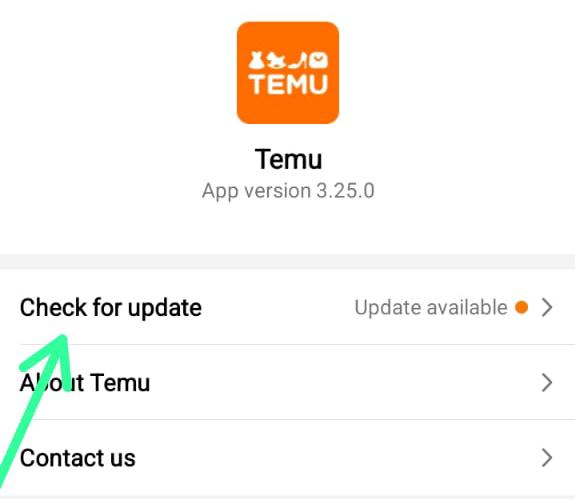
This sounds basic, but it matters. Try:
- Updating the Temu app
- Switching from app → browser (or vice versa)
- Logging out and back in
Payment failures can sometimes come from session or device glitches, not your card.
6. Confirm order eligibility and region Settings
Temu adjusts payment rules based on:
- Country Currency
- Shipping destination
If something is mismatched, the payment may fail even if everything else is correct.
Double-check your shipping country and region settings inside the app.
Why virtual cards work better on Temu
This is where things start to click. A virtual card is built for exactly one thing:
Paying online across borders without friction.
Why they succeed where others fail:
- They’re enabled for international payments by default
- They pass global authorization checks more easily
- They aren’t limited by local banking restrictions
- They’re designed for platforms like Temu
So instead of forcing a local card to work globally, you’re using a tool that already fits the system.
Real scenario (what this looks like in practice)
You try your regular debit card, and it fails. You check everything: balances, details, settings.
But payment still fails.
Then you switch to a virtual card, Same order. Same checkout. Payment goes through instantly. No extra steps. No friction.
Using EverTry for Temu payments. This is where everything connects. Instead of guessing why your card keeps failing, you use a payment method designed to work the first time.
Why EverTry works
- Built for international transactions
- Instant virtual card creation
- No hidden regional restrictions
- Optimized for platforms like Temu
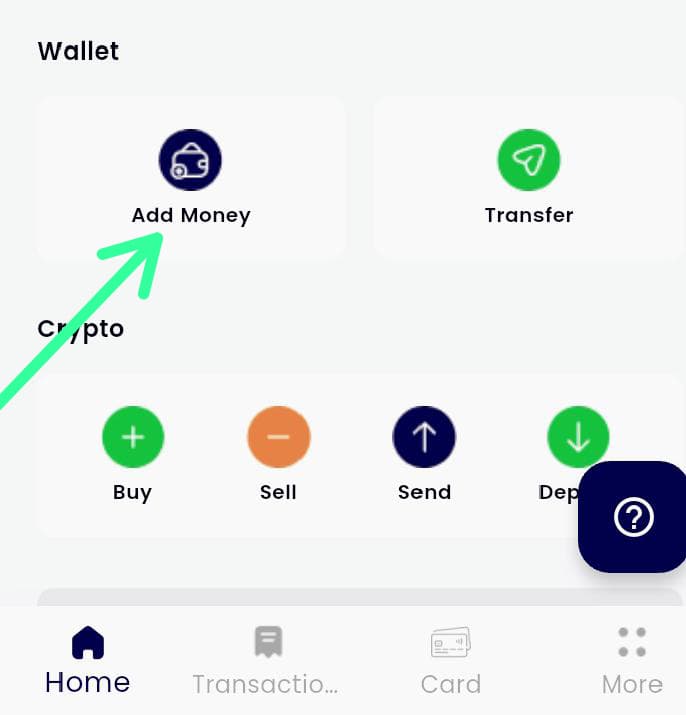
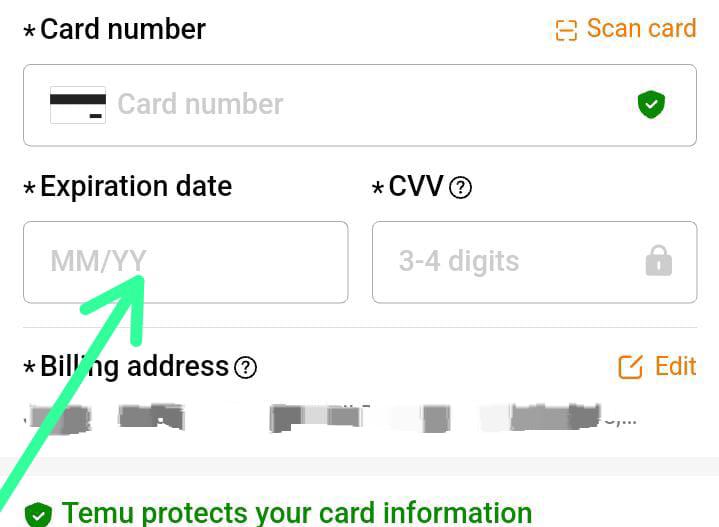
How to use it (simple flow)
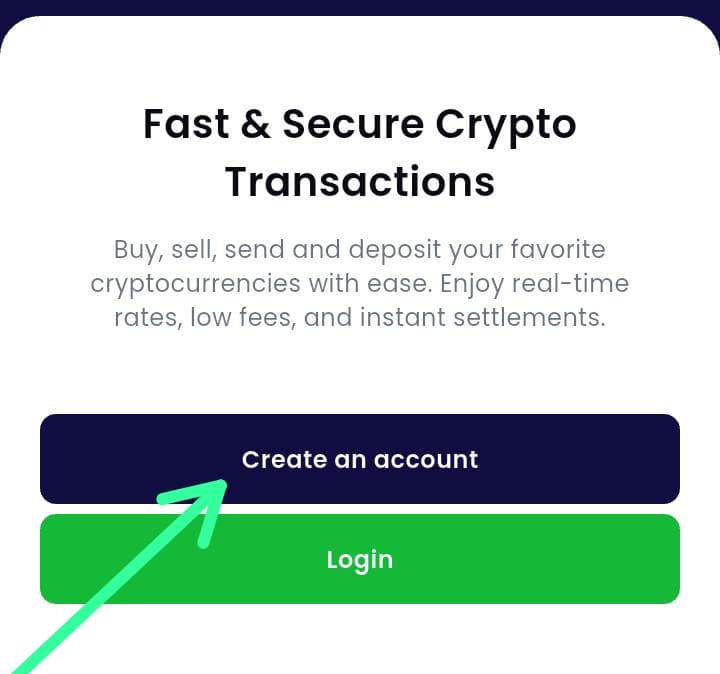
- Create your account
- Generate a virtual card
- Fund your wallet
- Enter the card details on Temu
- Complete your payment
This is what it looks like on EverTry


That’s it.
One mistake to avoid
Don’t keep retrying a failing card, after 2–3 attempts:
- Your bank may flag the activity
- The platform may block further attempts
At that point, you’re making it harder, not easier.
How to avoid this problem going forward
Keep it simple:
- Use a payment method that supports global transactions
- Avoid switching devices or locations mid-checkout
- Keep your billing details consistent
Don’t rely solely on locally restricted cards
Quick answers (for common edge cases)
Why does my card fail even after enabling international payments?
Because some cards are still limited at a network level, even if the setting is turned on.
Can I keep retrying until it works?
No. Multiple attempts can trigger blocks.
Is this a Temu issue or a bank issue?
Usually both. It’s a mismatch between your card and a global payment system.
Conclusion
Stop asking “why does my card keep getting declined on Temu?” It’s rarely a random error.
It usually comes down to how your payment method interacts with Temu’s global checkout system, especially when regional banking rules, currency support, or transaction verification don’t fully align.
The important thing is this: most of these issues can be solved inside Temu by checking your payment details, switching methods, or retrying under the right conditions. But when the system consistently rejects your card, the problem is no longer about effort; it’s about compatibility. At that point, the goal isn’t to keep forcing the same card through.
It’s to use a payment method that is built to work across global platforms without friction.
Stop getting card declines on Temu
If you’re tired of failed payments and repeated checkout errors, switch to a cleaner way to pay globally. Download the EverTry app to create a virtual card that works across international platforms like Temu so you can complete payments smoothly, without guesswork, retries, or unnecessary stress. Get started with EverTry today and make your next checkout the one that actually goes through.
Download the EverTry App:
- Android: https://play.google.com/store
- iOS: https://apps.apple.com/
This article is for informational purposes only. Payment results on Temu depend on your bank, region, and Temu’s policies, which may change. We do not guarantee payment success or card acceptance. Users should confirm details with their bank and Temu before making transactions.
Jamilah is a digital marketer focused on fintech growth, SEO, and user acquisition.
She works on content and campaigns that help users navigate cross-border payments more easily.
At EverTry, she supports marketing initiatives aimed at making global payments simpler and more accessible.