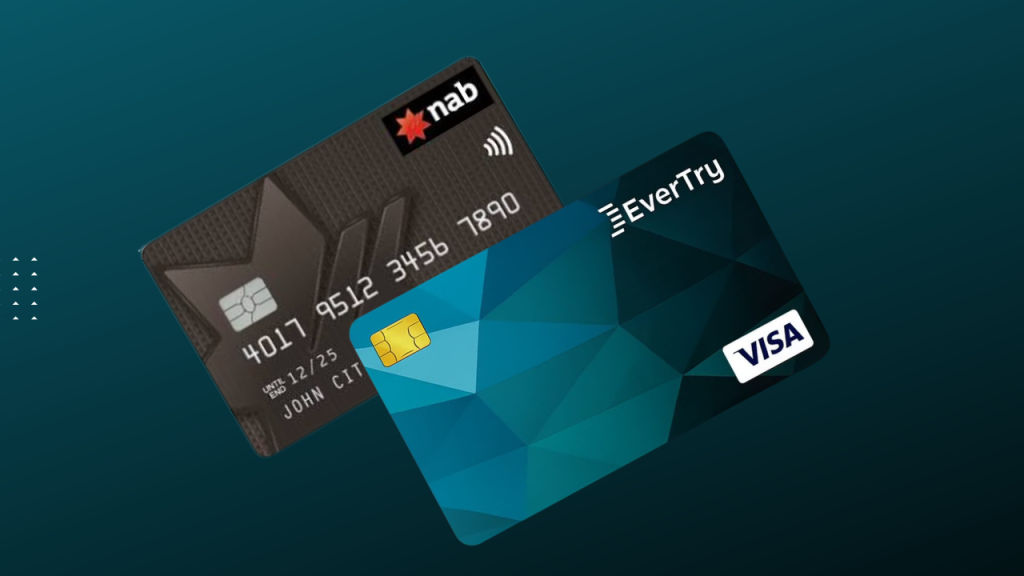
A debit card is physical and tied to your bank account. A virtual card is digital only, generated instantly in an app, no plastic involved. Both spend money you already have, so neither is a form of credit.
They’re built for different jobs though. And knowing which one to use, and when, matters more now than ever. Subscriptions, remote work tools, cross-border payments, most of daily life runs through one or the other.
Ever had a debit card declined paying for something priced internationally? This guide walks you through exactly why that happens, and what actually fixes it.
Quick Answer
- Debit card: physical, tied to your bank account. Best for ATM withdrawals, in-person purchases, everyday local spending.
- Virtual card: digital, own card number, expiry, and CVV, created instantly in an app. Best for online subscriptions, international purchases, anything priced in a currency your bank restricts.
- Which is safer? Virtual cards, generally. They can be frozen, deleted, or locked to one merchant without touching your main account.
- Short version: keep a debit card for cash and local spending. Use a virtual card for anything online, especially international or dollar payments.
Virtual Card vs Debit Card: At a Glance
| Feature | Debit Card | Virtual Card |
|---|---|---|
| Form | Physical plastic | Exists only digitally, in an app or dashboard |
| Issuance | Days to weeks, often requires a branch visit | Instant, created from your phone in minutes |
| ATM access | Yes, cash withdrawals available | No, virtual cards cannot dispense cash |
| International payments | Frequently restricted or blocked by the issuing bank | Built for global acceptance, often dollar-denominated |
| Security | Exposed if the card or account is compromised | Can be frozen, deleted, or merchant-locked instantly |
| Spending controls | Tied to your full account balance | Fund only what you need, per card or per merchant |
| Replacement | Requires reissuing a physical card | New card generated instantly, no waiting |
| Best use case | Everyday local spending, cash withdrawals | Subscriptions, freelance tools, online shopping, ads |
As this table shows, the two aren’t really rivals. Instead, they are complementary, and most people who spend online regularly end up relying on both.
What Is a Debit Card?
A debit card is a payment card linked directly to your checking or savings account. Pay with it anywhere, a store, an ATM, online, and the money leaves your balance immediately. That direct connection is why debit cards feel simple and familiar. They’re still the default way most people touch their own money.
How it works: Swipe, insert, tap, or enter the details online. The transaction gets authorized against your bank balance in real time.
Common uses: ATM withdrawals, point-of-sale purchases, bill payments, everyday online shopping in your local currency.
Advantages: Widely accepted in person. No separate app needed. Useful for actual cash.
Limitations: Debit cards are frequently restricted for international transactions, especially where foreign exchange controls are tight. And since the card is tied to your whole account, a compromised card puts your full balance at risk until it’s blocked.
What Is a Virtual Card?
A virtual card is a digital payment card that exists only as data, a 16-digit number, an expiry date, a CVV, generated through an app instead of printed on plastic. It works exactly like a debit or credit card at checkout. The difference is how it’s issued, funded, and controlled.
How it works: Create the card inside an app, fund it from a wallet, use the details anywhere that accepts Visa or Mastercard online.
Card details: Full card number, expiration date, CVV, same as physical, just entered manually since there’s no card to tap.
Types: Single-use cards that expire after one transaction. Merchant-locked cards tied to a specific subscription. Reloadable cards for repeated use across platforms.
Advantages: Instant issuance. Strong fraud protection through isolation from your main account. Fund in a different currency than your local one, especially useful for international payments.
Limitations: Can’t withdraw cash. A small number of merchants, mostly government sites, decline virtual card numbers outright.
Virtual Cards vs Debit Cards: Key Differences Explained
Physical vs Digital
A debit card is something you carry and hand over. A virtual card exists only as data you type in. That one distinction drives almost every other difference on this list.
Security and Fraud Protection
A debit card is tied to your entire account, so a stolen number puts your full balance at risk until you catch it and freeze the card. A virtual card can be deleted or frozen instantly from an app. Since many are merchant-locked or single-use, a breach at one merchant doesn’t touch anything beyond what that specific card was funded with. This is why security researchers and payment providers consistently call virtual cards one of the stronger consumer-side fraud defenses available today. For a deeper look at exactly how that protection works, see Is Virtual Card Safe? A Complete Guide.
Spending Controls
A debit card’s spending limit is basically your account balance, which makes it hard to isolate a budget for one subscription or project. A virtual card flips that: you decide exactly how much to load, so nothing outside that card ever gets touched.
Online vs Offline Payments
Debit cards were built for in-person payments first, online use came later. Virtual cards exist for the opposite reason: built specifically for a world where most spending happens on a screen.
ATM Withdrawals
Need cash? A debit card is your only option here. Virtual cards have no physical form, so there’s nothing to insert into a machine.
International Payments
This is where the gap is widest, and it’s why most people search this topic in the first place. Local debit cards are frequently restricted or blocked for international transactions, especially where foreign exchange controls are tight. Dollar-denominated virtual cards sidestep this entirely, treated as internationally issued from the moment they’re created.
Privacy
A debit card ties every transaction back to your full identity in one place. A virtual card lets you compartmentalize, one card for a subscription, another for shopping, another for ads, none of them exposing your full financial picture to a single merchant.
Replacement Process
Lose a debit card, wait days for a replacement. Lose or cancel a virtual card, delete it and generate a new one in seconds.
Subscription Management
A dedicated virtual card per subscription makes it far easier to track exactly what you’re being charged, and by whom, than reconciling one debit card statement full of mixed transactions. If you’re deciding which card actually fits your subscription stack, this breakdown covers it in more detail.
Which Card Should You Choose?
Students: A virtual card handles course platforms, software, and international subscriptions. A debit card still covers everyday campus spending and cash.
Freelancers: A virtual card is close to essential for Canva, Adobe, or ChatGPT Plus, especially when local debit cards block dollar transactions. It’s just as useful for dev tools and cloud services, see how it works with DigitalOcean, for freelancers and developers paying for infrastructure abroad.
Remote workers: Salaries and invoices often land or spend in a foreign currency. A virtual card avoids the mismatch that causes so many failed transactions.
Travelers: Both matter here. A debit card covers cash and in-person spending abroad. A virtual card handles bookings, ride-hailing, and online purchases before you even leave.
Online shoppers: A virtual card adds a layer of fraud protection on unfamiliar sites, since it can be deleted after use without touching your main account.
Business owners: Virtual cards make it simple to issue separate, trackable cards per vendor, ad platform, or team member.
Subscription users: Juggling several recurring charges? A virtual card per subscription, or one dedicated card for all of them, makes tracking and budgeting dramatically easier than a shared debit card.
Still weighing physical versus virtual more broadly, beyond just debit cards? This companion piece covers the same ground from that angle.
Real-World Examples
Netflix: Local debit cards get declined once a bank restricts international transactions, since Netflix bills in the currency tied to your account region. A virtual dollar card avoids this, accepted as a standard international card from the start.
ChatGPT Plus: Priced in US dollars. Any card without reliable dollar support risks failing at renewal.
Canva Pro: Billed internationally too, a frequent source of “payment failed” emails for anyone relying on a local-only debit card.
Amazon: International purchases and shipping often need a card the foreign payment processor recognizes without friction.
Facebook Ads: Ad accounts get suspended over failed billing constantly. A dedicated, reliably funded virtual card keeps campaigns from stopping mid-flight.
Adobe Creative Cloud: Another recurring, dollar-denominated subscription where local debit cards commonly hit renewal failures.
Why Local Debit Cards Often Fail for International Payments
There are a handful of consistent, well-documented reasons this keeps happening, and none of them are about your balance.
FX restrictions: Banks in emerging markets have historically limited or suspended foreign currency transactions to conserve reserves, and many still cap international spending tightly today. Nigeria is a clear example: several major banks suspended international ATM, POS, and web transactions on naira cards between 2020 and 2023 amid a dollar shortage, and the impact was immediate, tens of thousands of Netflix subscribers lost access almost overnight. Those restrictions have since eased, but the caps that replaced them are still tight: most reactivated naira cards now carry limits around $500 a month or $1,000 a quarter, nowhere near enough to reliably cover multiple subscriptions, let alone international shopping or freelance tools. That’s exactly the gap a dollar-denominated virtual card, without a shared monthly ceiling tied to your whole bank, is built to close.
Bank policies: Even where international spending is technically allowed, banks often cap it at a small monthly limit, sometimes just a few dollars. Not enough to sustain even one subscription.
Merchant verification: Some payment processors flag cards from certain banks or regions as higher risk by default, which can trigger a decline even when funds and permissions are otherwise fine.
Currency mismatch: Your card is in local currency, the merchant bills in dollars. If your bank doesn’t convert smoothly, the transaction fails before it reaches your balance.
Regional limitations: A traditional dollar account isn’t a fast fix either, usually a branch visit, heavy documentation, and a minimum balance from $100 to $1,000. Out of reach for anyone who just wants Spotify to keep working.
Put together, these barriers explain why so many people give up on international platforms, or resort to risky workarounds like asking someone abroad to pay for them. That might get you through one billing cycle, but it depends entirely on someone else’s card and availability, so it rarely holds up.
How EverTry Helps
EverTry was built to close this exact gap. Instead of asking you to fix your bank’s restrictions or navigate a domiciliary account, it gives you an independent virtual dollar card, treated as internationally issued from the moment it exists.
In practice:
- Create an account entirely from your phone, no branch visit
- Complete KYC, a one-time identity check with a valid government-issued ID
- Fund your wallet in whichever currency suits you, NGN, KES, GHS, ZAR, XOF, XAF, EGP, TZS, RWF, UGX, ZMW, BWP, MWK, or stablecoins like USDC and USDT
- Create your virtual dollar card in under 15 minutes from sign-up to usable card
- Use it everywhere, Netflix, ChatGPT, Canva, Amazon, ad platforms, anywhere that takes Visa or Mastercard
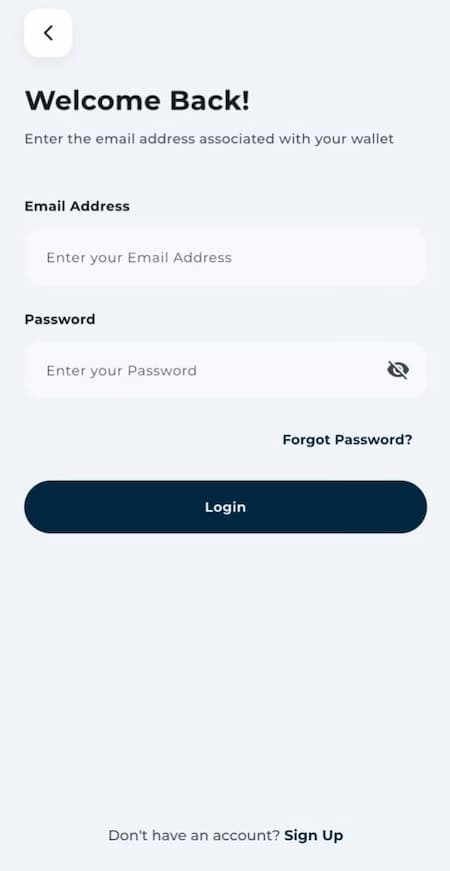
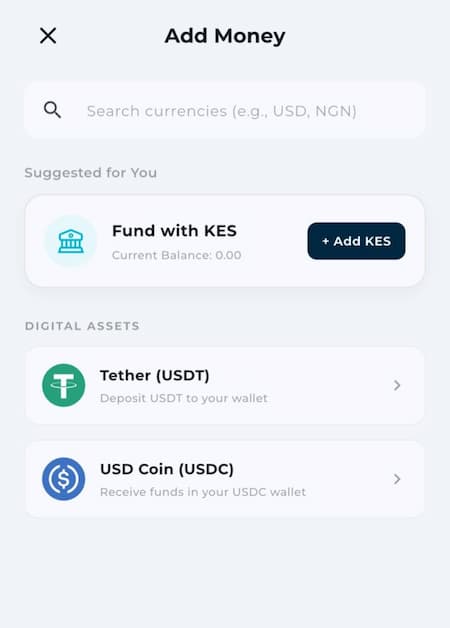
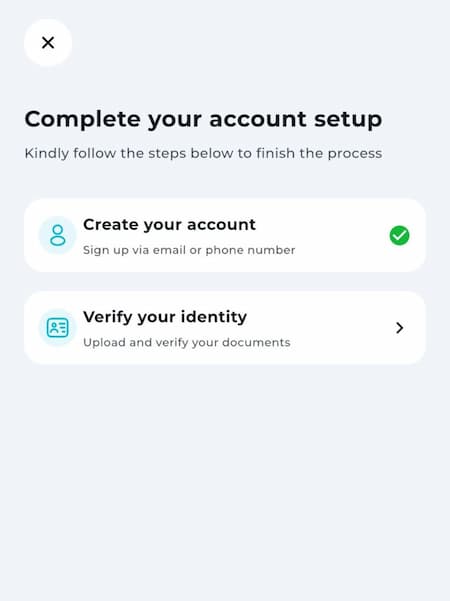
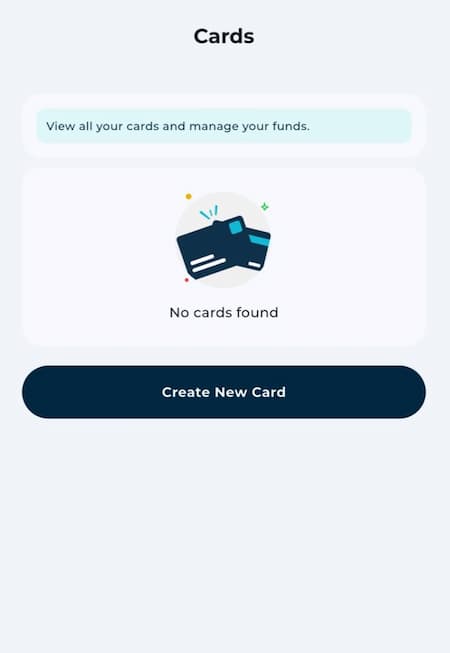
EverTry isn’t trying to fix a broken banking system. It just gives you a payment method built for how modern subscriptions and global platforms actually work, instead of however your local bank happens to be set up.
Step-by-Step Guide
Create an EverTry account. Sign up through the app or website with your basic details.
Complete KYC. Verify your identity with a government-issued ID. One-time step.
Fund the wallet. Load your balance in local currency or USDC/USDT, it becomes available in US dollars.
Generate a virtual dollar card. Card number, expiry date, CVV, created instantly in your dashboard.
Add the card to a merchant. Enter the details wherever you were getting declined before.
Complete payment. Recurring charges run automatically from here, as long as there’s enough balance when billing day hits.
Security Best Practices
Protect your card details. Treat your virtual card number and CVV like a physical card. Never share them outside the actual checkout page.
Use spending limits. Fund each card with only what that subscription or purchase needs, not more.
Freeze cards you’re not using. Inactive card sitting around? Freeze it. No need to delete and recreate later.
Monitor transactions regularly. Virtual cards make it easy to isolate spending per merchant, use that to catch anything unexpected fast.
Common Mistakes to Avoid
Using a debit card on unfamiliar sites. A virtual card, especially single-use, limits your exposure if the site turns out sketchy.
Forgetting recurring subscriptions. A declined renewal from an empty card is one of the most common, and most avoidable, failures out there.
Sharing card details over chat or email. Only ever enter them into the actual checkout form, nowhere else.
Ignoring transaction alerts. Skip the notifications, and you’ll catch fraud or billing errors way later than you should.
Frequently Asked Questions
What’s the main difference between a virtual card and a debit card? A debit card is a physical card tied to your bank account, while a virtual card is a digital-only card generated instantly in an app. Money leaves your balance the moment you tap or swipe a debit card. A virtual card pulls from a wallet you fund yourself, no physical card involved.
Is a virtual card safer than a debit card? Yes, a virtual card is generally safer for online spending because it can be frozen, deleted, or locked to one merchant without touching your main bank account. If a virtual card gets compromised, only what that card was funded with is at risk, not your full balance.
Can a virtual card replace a debit card completely? No, a virtual card can’t fully replace a debit card because it can’t withdraw cash from an ATM. Most people keep both: a debit card for cash and in-person spending, and a virtual card for everything online.
Why does my debit card get declined on Netflix, ChatGPT Plus, or Canva Pro? A debit card usually gets declined on international subscriptions because your bank restricts foreign transactions, caps foreign spending, flags your card as high-risk, or your local currency doesn’t match the merchant’s dollar billing. A dollar-denominated virtual card avoids all four issues since it’s treated as internationally issued from the moment it’s created.
Are virtual cards linked to a bank account? No, a virtual card is not linked to a bank account the way a debit card is. It draws from a wallet balance that you fund yourself through bank transfer, local currency, or stablecoins like USDC and USDT.
Can I use a virtual card in a physical store? Yes, but only through a digital wallet like Apple Pay or Google Pay for contactless payment. A virtual card has no physical form, so it can’t be swiped or inserted at a terminal.
Can virtual cards receive refunds? Yes, a virtual card can receive a refund as long as the card is still active. If the card was already deleted before the refund processes, the funds are usually redirected to your wallet balance instead.
Can I create multiple virtual cards? Yes, most providers, including EverTry, let you create multiple virtual cards, which makes it easier to separate spending across subscriptions, shopping, and business expenses.
Do I need a domiciliary account to get a dollar card? No, you don’t need a domiciliary account to get a dollar-denominated virtual card. A traditional domiciliary account requires a branch visit and a minimum balance of $100 to $1,000, while a virtual dollar card can be created entirely from your phone with no minimum balance.
What is tokenization? Tokenization is a security process that replaces your real card number with a unique, randomly generated number for each transaction. Visa’s own data shows token-based transactions cut online fraud by roughly 30% compared to a standard card number, while also lifting approval rates. If that number is intercepted, it’s useless elsewhere since it was never your actual card number to begin with.
What is merchant locking? Merchant locking is a virtual card feature that ties the card to one specific merchant, so it can only be charged by that service. This limits the damage if the card’s details are ever leaked.
Is EverTry safe to use, and how long does it take to get a card? Yes, EverTry is safe to use, since it relies on verified KYC, encryption, and secure payment gateways to protect your funds and card details. Most users go from sign-up to a working virtual dollar card in under 15 minutes.
Conclusion
At the end of the day, virtual cards and debit cards aren’t really competing, they’re built for different jobs. A debit card still makes sense for cash and everyday local spending. That’s what it’s for.
But once your spending moves online, subscriptions, freelance tools, anything priced in US dollars, a virtual card is usually the safer, more reliable pick. No FX restrictions, no account-wide exposure if something goes wrong.
If declined payments or currency mismatches are why you’re reading this, that’s your sign: your debit card was never built for the payments you’re actually trying to make. A virtual dollar card, like the one EverTry lets you create in under 15 minutes, closes that gap. Still have questions about whether EverTry itself is the right fit? Here’s everything you need to know before you sign up.
This article is for general informational purposes only and is not financial or legal advice. Card fees, funding options, and acceptance policies vary by provider and merchant and may change without notice. Verify current terms with your bank or card provider before making a decision.
Jamilah is a digital marketer focused on fintech growth, SEO, and user acquisition.
She works on content and campaigns that help users navigate cross-border payments more easily.
At EverTry, she supports marketing initiatives aimed at making global payments simpler and more accessible.