
You find the perfect course on Udemy. You click “Buy now.” Then your payment fails. Sound familiar? You are not alone. Many learners in Africa face this. Most times, the problem is not Udemy. It is the card you are using. In this guide, I will show you the Udemy payment methods you can use. I will explain which ones work in Africa, why payments fail, and what you can do next. Let’s get you into that course.
Quick Answer: What Are the Udemy Payment Methods?
Udemy payment methods include major credit and debit cards, PayPal in most countries, and app store payments on iPhone and Android. What you see at checkout depends on your country and device. Some African bank cards get declined. A virtual USD card can give you another way to pay.
The Main Udemy Payment Methods, Explained
Here is what Udemy offers. Not every option shows up for every learner. Your checkout page shows what you can use. For the official list, check Udemy’s Help Center.
Credit and debit cards
This is the most common way to pay. Udemy takes major cards, such as Visa and Mastercard. Many prepaid cards work too. But your card must be allowed for online payments abroad. If your bank blocks it, the payment fails.
PayPal
Udemy says PayPal works in most countries. You will only see it if it is open to you. A PayPal account may also have limits in your country. So always check at checkout.
Apple App Store and Google Play
On an iPhone, you pay through the App Store. On Android, you may pay through Udemy’s checkout or Google Play. It depends on where you live. Prices and options may differ from the website.
Udemy Credits
Some refunds come back as Udemy Credits. You can use these on your next course.
Methods for select countries
Udemy adds local options in some places. Brazil has Pix and Boleto. Mexico has Oxxo. These are not open to everyone. Don’t count on them in Africa.
Which Udemy Payment Methods Work in Africa?
Africa is not one payment market. Each country has its own rules, banks and currencies. So what works for your friend in Egypt may not work for you in Ghana.
Here is what to check in your country:
| Country | What to check |
|---|---|
| Nigeria | The currency at checkout, and if your card allows foreign payments |
| Kenya | The exact options shown, and if your card allows foreign payments |
| Ghana | The currency shown, and which payment methods appear |
| Egypt | If your card is allowed for online payments abroad |
| South Africa | If your bank approves the payment, and what checkout shows |
| Other countries | Your account country and your checkout page |
A quick note for Kenya. Many readers ask about M-Pesa. It is popular, but don’t assume Udemy accepts it. If you don’t see it at checkout, it is not an option for you.
Udemy Payment Methods in Nigeria, Kenya and Ghana
Nigeria
Many Naira cards are blocked for foreign spending. Banks may also limit how much foreign money you can use. If your card keeps failing, a virtual USD card can help.
Kenya
Check the currency and options on your checkout page. Look for mobile money, but don’t count on it. If your local card fails, a foreign-ready card or a virtual USD card is your next step.
Ghana
Cedi cards often face limits on foreign payments. The currency and options you see may also differ. If your card is declined, try a virtual USD card.
Why Do Udemy Payment Methods Fail in Africa?
Here is the short answer. Udemy payment methods fail when your bank or card can’t approve the payment. This can happen even when you have enough money.
Use this table to find your problem and fix it.
| Problem | Likely cause | What to do |
|---|---|---|
| Card declined | Your bank blocked the payment | Call your bank, or try another method |
| Foreign payment blocked | Card is not turned on for foreign use | Ask your bank to turn it on |
| Card details rejected | A typo in the number, date or CVV | Check each detail again |
| Billing error | Address or postal code doesn’t match | Use the exact address your card has on file |
| OTP or 3-D Secure fails | You didn’t finish the bank check | Wait for the code and enter it fast |
| Not enough balance | The total is higher than your balance | Add money to cover the full price |
| Currency problem | Card can’t pay in the currency shown | Try a card that supports it |
| Still failing | Your bank doesn’t support it | Try a different Udemy payment method |
Two more tips. Turn off your VPN and try again. And remember, Udemy can’t remove a block that your bank placed. Only your bank can do that.
Udemy Payment Methods Compared: Which Option Is Best?
| Method | How reliable | Best for | Main limit |
|---|---|---|---|
| Local bank card | Depends on your bank | Cards that allow foreign payments | Bank and currency limits |
| PayPal | Depends on country and account | People with PayPal access | Not open everywhere |
| Apple or Google Play | Depends on device and location | Buying on your phone | Phone only |
| Virtual USD card | Good for foreign card payments | People whose local card fails | Needs balance and card acceptance |
| Pay-for-me service | Depends on the provider | People who can’t use a card | You must trust a third party |
No single option is best for everyone. Start with the simplest one that works for you. If your local card fails, a virtual USD card is a strong next step.
Can You Pay for Udemy With a Virtual Card?
In many cases, yes. A virtual card is a digital card with its own number, date and CVV. You use it like a normal card at checkout. Udemy sees a card payment.
For many learners, a virtual USD card is another route to the same card checkout. It helps when your local card is blocked for foreign payments.
But there are no guarantees. Keep these points in mind:
- The card must be on a network Udemy accepts, such as Visa or Mastercard.
- You need enough balance for the full price.
- Your billing details must match.
- Some cards suit one-time buys better than repeat billing.
EverTry is a reliable virtual card provider that provides virtual Visa and Mastercard options that work on almost all platforms and simplifies payment processes.
How to Pay for Udemy With an EverTry Virtual Card
Here is the full process. It takes five steps.
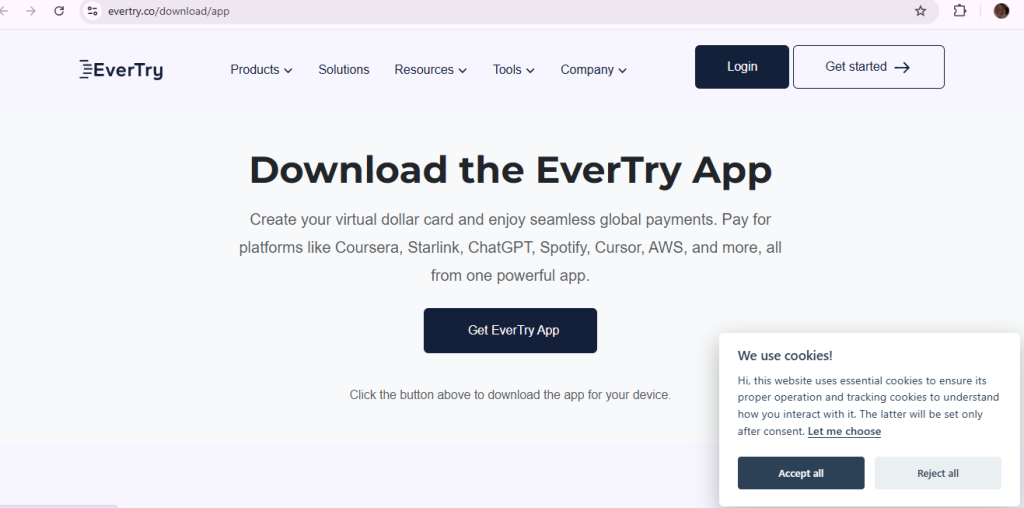
Step 1: Create your account and finish KYC
Sign up on the app or website. Then complete KYC if asked. This is an ID check. It keeps your account safe.
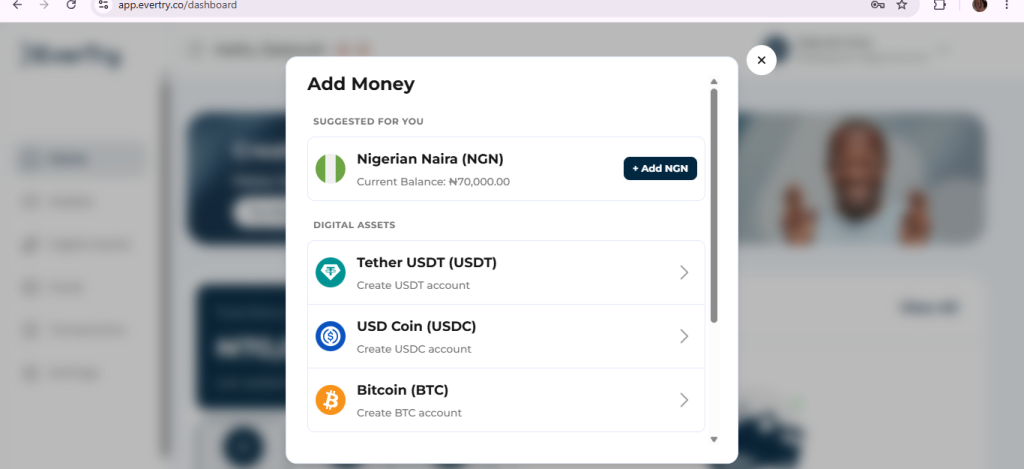
Step 2: Fund your wallet
Add money to your wallet. Check the app for the options in your country. These may include local currency and stablecoins like USDT or USDC.
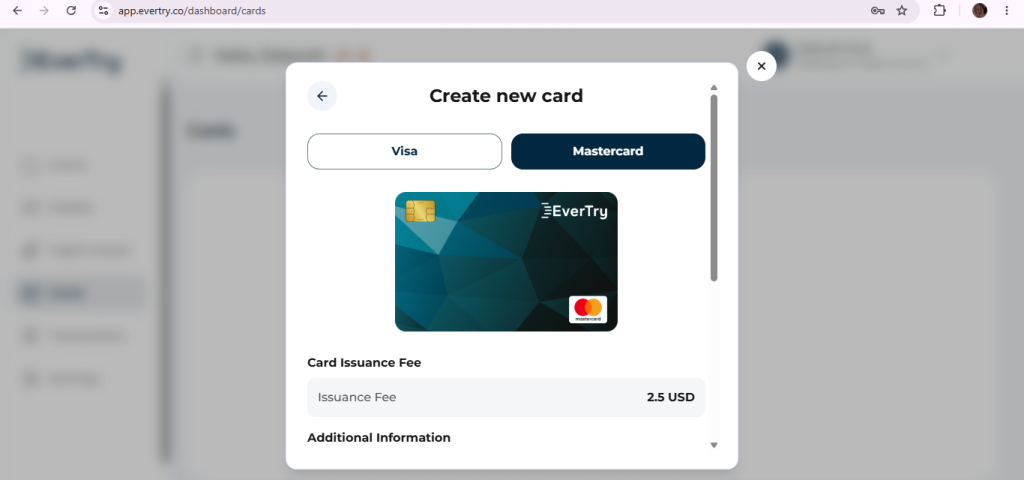
Step 3: Create your virtual card
Open the card section and create a USD virtual card. Then add money to the card. Load enough for the course and the card fee.
Step 4: Check your balance and billing details
Look at the course price on Udemy. Make sure your card balance covers it. Use the same billing details you set up for the card.
Step 5: Pay on Udemy
Pick “Credit/Debit Card” at checkout. Enter your card details. Finish any OTP or 3-D Secure step. Then keep your receipt.
Before you pay, ask yourself:
- Is the currency right?
- Is the balance enough?
- Do the card details match?
Always check the app for the latest fees, countries and funding options before you start.
How Much Should You Load for a Udemy Course?
Course prices change often because of sales. So always look at the price on your screen first.
Here is a simple way to work it out. Say the course costs $14.99. Add the card fee shown in your app. Then add a small buffer, so a tiny price change won’t fail your payment.
Course price + card fee + small buffer = amount to load
Do this math before you pay. It takes one minute. It can save you a failed payment.
Does Udemy Support Local Currency?
Sometimes. Udemy supports more than one currency. What you see depends on your account and location. In some African countries, such as Nigeria, Egypt and South Africa, you may see local prices. In others, you may see US dollars.
So don’t assume Udemy charges in USD. Check your checkout page. Your bank may also add its own conversion fee. Ask them before you pay.
Can You Get a Refund After Paying for a Udemy Course?
Often, yes. Udemy gives a 30-day refund window on eligible courses. Rules apply. How you get your money back can depend on how you paid. Some refunds come as Udemy Credits. App store purchases follow their own steps. Read Udemy’s refund policy before you buy.
Frequently Asked Questions
Does Udemy accept payment from Nigeria?
Yes, learners in Nigeria can use Udemy. The catch is the card. Many Naira cards get blocked for foreign payments. Check your checkout page and ask your bank.
Can I pay for Udemy with a Naira card?
Sometimes. It depends on your bank and if the card allows foreign payments. If it fails, try another card type, such as a virtual USD card.
Does Udemy accept M-Pesa?
Don’t assume so. If M-Pesa doesn’t show at checkout, it is not an option for you. Always check the page when you pay.
Can I use PayPal to pay for Udemy?
Often, yes. Udemy says PayPal works in most countries. You only see it at checkout if it is open to you.
Do virtual cards work on Udemy?
In many cases, yes. The card must be on a network Udemy accepts and have enough balance. There are no guarantees.
Why was my Udemy payment declined?
Your bank or card couldn’t approve it. Common causes are foreign payment blocks, wrong details, billing mismatches and low balance.
Can I pay for Udemy in local currency?
Sometimes. It depends on your country and account. Check the currency on your checkout page.
How much should I load onto my card for Udemy?
Load the course price, plus the card fee, plus a small buffer. This covers small price changes.
Can I get a refund after paying for a Udemy course?
Often, yes. Eligible courses have a 30-day refund window. Rules apply, and the steps can differ by payment method.
Can I pay for Udemy through the mobile app?
Yes. On iPhone, you pay through the App Store. On Android, it may be Udemy’s checkout or Google Play, based on your location.
Final Thoughts
Paying for Udemy from Africa should not feel like a gamble. Now you know your options and what to check before you click “Pay.” Start with the simplest method that works for you. If your local card keeps getting declined, a virtual USD card can get you past the block. You can set one up in the EverTry app in a few minutes, so your next course is one tap away. Download it, fund your card, and get back to learning.
Deborah Giwa is a Marketing Associate at EverTry, where she works on content and growth initiatives focused on helping users navigate international payments. She is passionate about simplifying access to global financial tools for people in emerging markets through clear, practical, and user-focused content.