Yes, you can now get Apple TV in Nigeria. It’s official.
The current way to get it is through a paid iCloud+ plan, starting at ₦1,300 a month. Apple TV comes bundled with it. You don’t need to buy an Apple TV 4K box just to watch. And if your Nigerian card gets declined while you’re trying to subscribe, don’t worry. This guide will show you why that happens and what to do about it.
Let’s walk through it together.
Quick Answer Box
| Question | Quick answer |
|---|---|
| Is Apple TV available in Nigeria? | Yes. Apple officially launched it in September 2026. |
| How do I get Apple TV? | Subscribe to a paid iCloud+ plan with a Nigeria-region Apple Account. |
| How much does it cost? | Starts at ₦1,300/month for 50GB iCloud+. |
| Is Apple TV sold on its own? | No. It’s no longer a standalone subscription in Nigeria. |
| Do I need Apple TV 4K? | No. You can stream without the box. |
| Can I watch on Android? | Yes, through the app or your browser. |
| What can I pay with? | Apple Account balance or a supported card. A virtual dollar card works too if your local card fails. |
| Can I use Verve? | No. Verve isn’t on Apple’s list of accepted payment methods. |
| Can MTN airtime pay for it? | No. That’s only for Apple Music. |
| My card got declined. Now what? | Check your account setup first. If your local card is still the problem, try a virtual dollar card like EverTry. |
Apple TV Is Now Officially in Nigeria
Apple TV became officially available in Nigeria in September 2026, with the rollout continuing through the end of the month. That’s brand new. So if you’ve read older advice telling you to use a US Apple ID or a VPN, ignore it. That advice is outdated.
Do you still need a US Apple ID or VPN? No. The official route now is a Nigeria-region Apple Account plus a paid iCloud+ plan.
Why does Apple TV still say “Coming soon” for you? Because the rollout is still spreading across accounts. It should reach everyone by the end of September 2026. This is a timing issue, not a payment issue. Don’t try to “fix” it. Just give it a little time.
How Much Does Apple TV Cost in Nigeria?
Here’s the part everyone wants to know. Apple TV comes as part of paid iCloud+. It’s not sold on its own.
| iCloud+ plan | Monthly price | Apple TV included? |
|---|---|---|
| 50GB | ₦1,300 | Yes |
| 200GB | ₦4,500 | Yes |
| 2TB | ₦14,900 | Yes |
| 6TB | ₦39,900 | Yes |
| 12TB | ₦66,900 | Yes |
A few things worth clearing up:
Does the free 5GB iCloud plan include Apple TV? No. You need a paid plan.
Is there a 12-month Apple TV plan? Not officially. Apple only offers monthly iCloud+ tiers right now. If you see a “12-month Apple TV subscription” somewhere else, be careful… more on that later.
Can you share it with family? Yes. Family Sharing lets you split your plan with up to five other people.
Apple TV vs Apple TV 4K: You Probably Don’t Need the Box
This confuses a lot of people, so let’s clear it up fast.
Apple TV is the streaming service. It’s the app with the shows and movies.
Apple TV 4K is a physical box you plug into your television. It costs around ₦329,000 in Nigeria.
You do not need the box to watch Apple TV; just the app or a browser, and a device that supports it.
| What you want | What you actually need |
|---|---|
| Watch Apple TV shows | Apple TV access + a compatible device |
| To watch from Android | The app or web access |
| Watch on a smart TV | A compatible app or device |
| Use Apple’s own hardware | Apple TV 4K |
Unless you specifically want Apple’s hardware, skip the ₦329,000 box.
How to Subscribe to Apple TV in Nigeria
Here’s what you need before you start:
- An Apple Account
- Nigeria set as your account country, so you get naira pricing
- A paid iCloud+ plan
- A payment method Apple accepts
On iPhone (newer iOS)
Go to Settings → [Your Name] → iCloud → Manage Plan / Get More Storage, then pick a plan.
On older iPhones
Go to Settings → [Your Name] → Subscriptions → iCloud+.
On Mac
Upgrade your iCloud+ plan the same way, through iCloud settings.
If you only have Android
You can still get Apple TV. Here’s how:
- Create or sign in to an Apple Account.
- Use the Apple TV app if it’s available on your phone.
- If not, open a browser and go to tv.apple.com.
- Subscribe to the Nigerian iCloud+ plan (not a standalone Apple TV+ plan — that doesn’t exist anymore).
After you subscribe
Open Apple TV, sign in with the same Apple Account, and check that your subscription is active. Then start watching.
Got an old US or UK Apple Account?
Be careful here. If your account is still set to another country, you may run into billing mismatches. Don’t just switch your account region without thinking it through, as changing your country can affect your existing subscriptions and any store balance. If this applies to you, it’s worth reading up on the specific steps before changing anything.
Where Can You Watch Apple TV in Nigeria?
Good news: you’re not stuck with just Apple devices.
| Device | Can you watch? |
|---|---|
| iPhone | Yes |
| iPad | Yes |
| Mac | Yes |
| Android | Yes |
| Browser | Yes |
| Smart TV | Yes, on compatible models |
| Streaming devices | Yes, where supported |
| PlayStation | Yes |
| Xbox | Yes |
| Apple TV 4K | Yes |
You can watch through tv.apple.com in any browser, or through the app where it’s available. A quick note: some shows and sports content vary by country, so don’t expect the exact same catalogue you see referenced for the US or UK.
How to Pay for Apple TV in Nigeria
Let’s talk about payment, because this is where most people get stuck.
Apple’s accepted payment methods in Nigeria are:
- Apple Account balance
- Most credit and debit cards
Can you use a Nigerian Visa or Mastercard? Usually, yes. As long as the card is enabled for international or e-commerce transactions and has enough available limit.
Can you use your Apple Account balance instead? Yes. Topping up your balance is a solid alternative if you’d rather not leave a card on file.
Can you use Verve? No. Verve is a domestic card scheme from Interswitch, and it’s not on Apple’s accepted list.
Can MTN airtime pay for it? No. MTN’s carrier billing only covers Apple Music, not iCloud+ or Apple TV. These are two different things, so don’t mix them up.
Can you use OPay, PalmPay, Kuda, or Moniepoint? These are great for funding your money generally, but the cards they issue can sometimes get declined by Apple’s billing system. It won’t happen every time, but it’s common enough to know about.
Can you pay by bank transfer or USSD? No. Apple doesn’t accept these for iCloud+.
Why Your Nigerian Card Might Get Declined
Having money in your account doesn’t always mean Apple will accept your card. Here’s why it happens:
- Your card is Verve. Apple doesn’t support it.
- International transactions aren’t enabled on your card. Some Nigerian cards need this turned on before they’ll work abroad.
- Your international spending limit is too low. This especially affects recurring monthly billing.
- Apple Account is set to another country. An old US or UK account paired with a Nigerian card can cause a mismatch.
- You’re trying to use Apple Pay. It’s not currently available as a payment option in Nigeria.
What to Do If Your Card Is Declined
First, run through this checklist:
- Is your Apple Account set to Nigeria?
- Your card type actually supported (not Verve)?
- Is international/e-commerce access turned on?
- Do you have enough available limit?
- Are your billing details correct?
- Are you subscribing through your Nigeria Apple Account?
If everything checks out and your card is still failing, try your Apple Account balance instead.
And if your card really is the blocker; not your money, just the card itself; a virtual dollar card can solve this. This is where something like EverTry comes in.
Your money may not be the problem. Your payment method might be.
A virtual dollar card from EverTry lets you fund a wallet in naira or USDT, then use the card for international payments like this one. No bank branch visit needed, and you can create the card quickly. Once it’s set up, you can also keep using it for other recurring subscriptions, subject to the usual card rules.
How to Pay for Apple TV in Nigeria With EverTry
If your Apple payment isn’t going through and your card is the reason, here’s exactly what to do:
- Create an EverTry account.
- Complete your KYC (identity verification).
- Fund your wallet using naira, USDT, USDC or BTC.
- Create your virtual dollar card inside the app.
- Add the card to your Apple Account. Go to Apple Account → Payment & Shipping and enter the card’s billing details exactly as given.
- Go back to iCloud+ and complete your subscription.
- Open Apple TV and start watching.
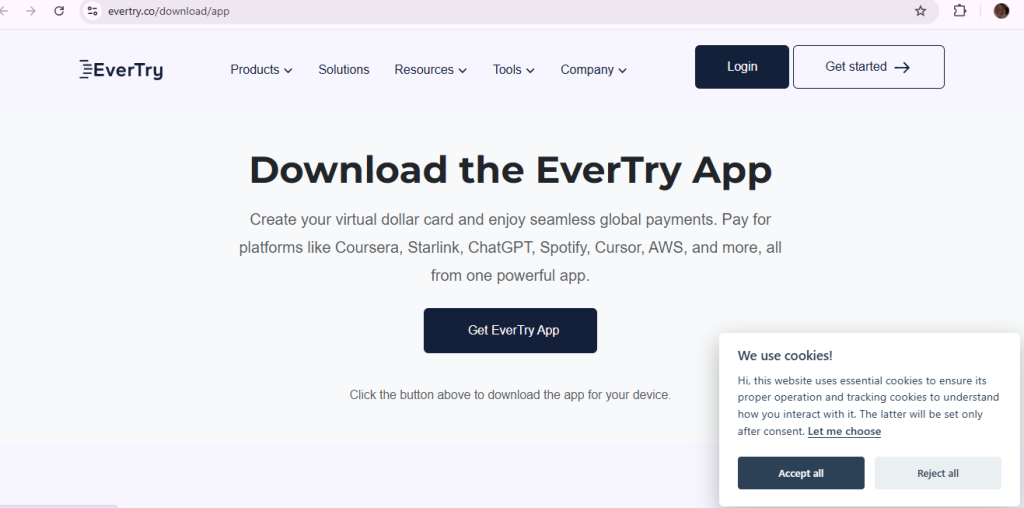
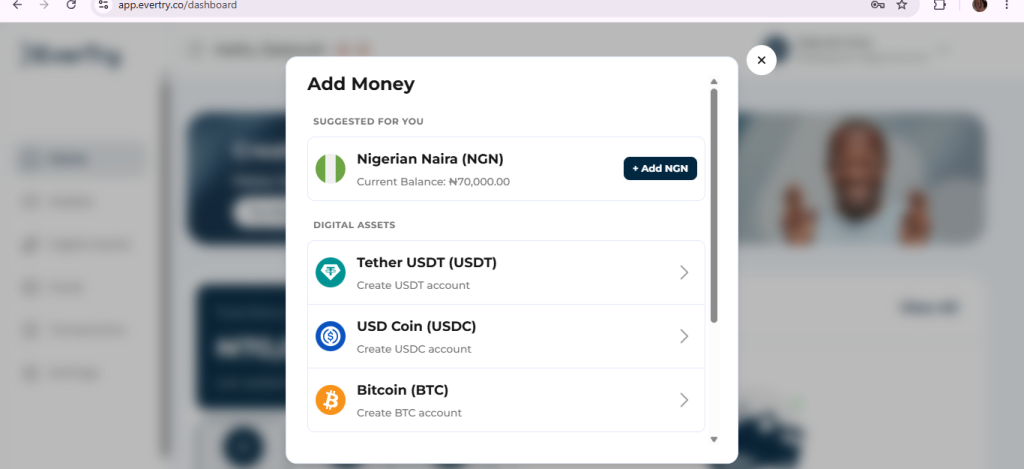
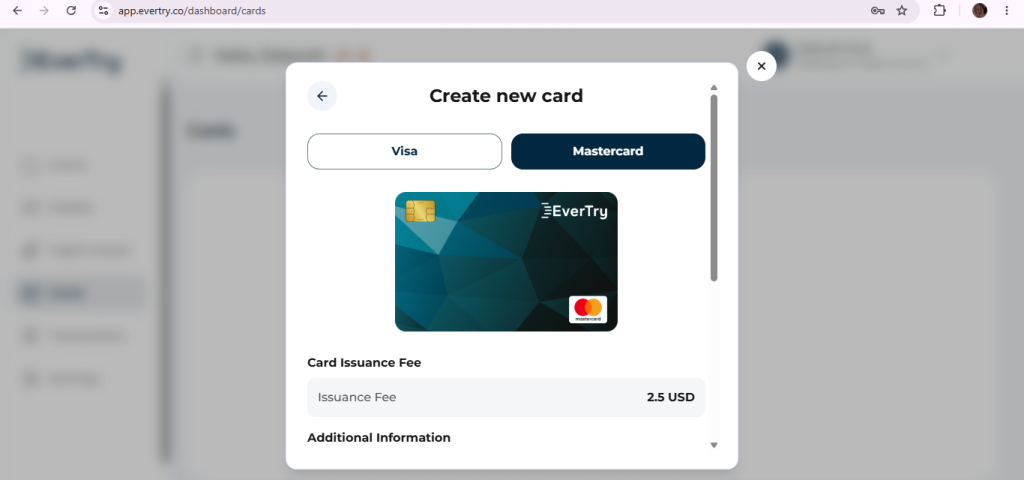
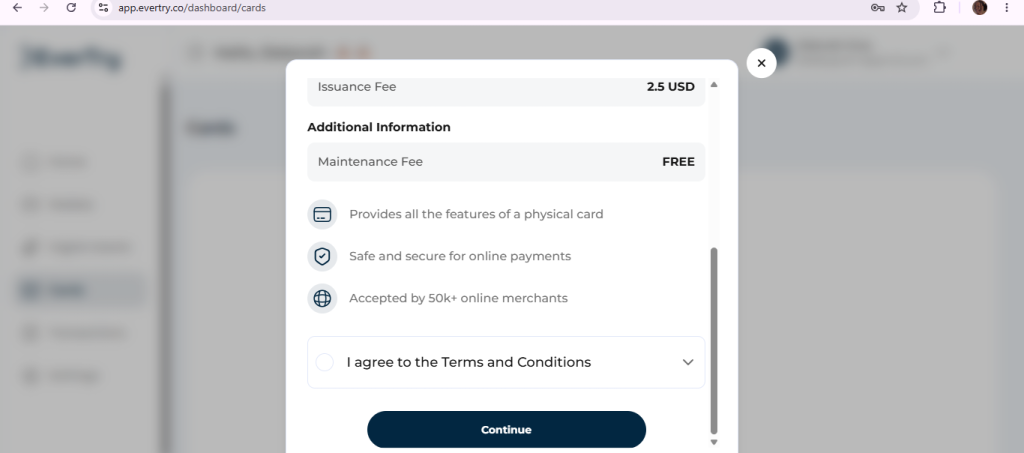
One small tip: Apple sometimes places a small temporary authorization charge when you add a new card. Keep a little extra balance on your card so this doesn’t cause a hiccup.
How to Get Apple TV in Nigeria on Android
Since a lot of Nigerians use Android, here’s a dedicated path just for you.
What you need:
- An Apple Account
- A paid iCloud+ plan
- An accepted payment method
- The Apple TV app, or a browser
- A compatible Android device
Through the app:
Open Google Play, install the Apple TV app if it’s available, sign in with your Apple Account, and start watching once you’ve subscribed.
Through a browser:
Open Chrome, go to tv.apple.com, and sign in with your Apple Account.
If the app isn’t available on your phone: just use the browser route instead. It works the same way.
One thing to know: on Android, the streaming part of iCloud+ is what matters to you. Other features in the iCloud+ bundle are mostly built for Apple’s own devices, so don’t worry if some of those don’t apply to you.
Still Says “Coming Soon” on Your Device? Here’s What to Check
This is different from a payment problem, so let’s treat it separately.
- Check if the rollout has reached you yet. It’s spreading gradually through till the end of September 2026.
- Make sure you’re on a paid iCloud+ plan. The free 5GB tier won’t unlock Apple TV.
- Check your Apple Account region. It should be set to Nigeria.
- Try signing out and back in. Sometimes that refreshes things.
- Give it a little more time. If the rollout hasn’t reached your account yet, no troubleshooting will fix that; just wait it out.
“Coming soon” usually means a rollout delay, not a broken payment.
Frequently Asked Questions
Is Apple TV available in Nigeria?
Yes, since September 2026.
How much is Apple TV in Nigeria?
It starts at ₦1,300 a month, bundled inside a paid iCloud+ plan.
How do I subscribe to Apple TV in Nigeria?
Go to your iCloud settings, choose a paid plan, add a payment method, and you’re in.
Does iCloud+ include Apple TV in Nigeria?
Yes, as long as you’re on a paid tier.
Can I get Apple TV without an iPhone?
Yes. Android and browser access both work.
Can I watch Apple TV on Android in Nigeria?
Yes, through the app or tv.apple.com.
Can I pay with a Nigerian Visa or Mastercard?
Usually, if it’s enabled for international payments and has enough limit.
Can I use Verve for Apple TV?
No.
Can I pay with OPay, PalmPay, or Kuda?
Sometimes their cards get declined. They’re great for funding money, but not always accepted directly by Apple.
Can MTN airtime pay for Apple TV?
No. That’s only for Apple Music.
Why was my Apple TV payment declined?
Usually one of: unsupported card type, disabled international transactions, low spending limit, or an account region mismatch.
Can I use a virtual dollar card to pay for Apple TV in Nigeria?
Yes. It’s a solid payment method.
Can I share Apple TV with family?
Yes, through Family Sharing, with up to five other people.
What if I already pay for iCloud+?
Apple TV is already included in your paid plan. Nothing extra to do.
What can I watch on Apple TV?
Apple’s original shows and movies. Some content, like sports, can vary by country.
Why does Apple TV still say “Coming soon”?
The rollout is still spreading. It should reach everyone by the end of September 2026.
The Bottom Line
Getting Apple TV in Nigeria is a lot simpler than it used to be.
Here’s the whole path in one line: Nigeria Apple Account → paid iCloud+ → accepted payment method → Apple TV app or web → start watching.
If your Nigerian card is what’s stopping you, run through the troubleshooting steps above. And if the card itself is still the problem, a virtual dollar card like EverTry can get you past it. Download the EverTry app today and get started.
Deborah Giwa is a Marketing Associate at EverTry, where she works on content and growth initiatives focused on helping users navigate international payments. She is passionate about simplifying access to global financial tools for people in emerging markets through clear, practical, and user-focused content.