
To pay for InVideo AI in Tanzania, the easiest fix is a virtual USD card funded with Tanzanian shillings (TZS). Once your card is funded using M-Pesa, Tigo Pesa, Airtel Money, or a supported digital asset, you can complete your InVideo AI subscription the same way anyone anywhere else pays for it online.
The reason this happens in the first place comes down to how international billing systems verify cards, not anything you did wrong. Most debit cards and mobile money accounts in Tanzania are mainly designed for local payments. When you try to pay for an international subscription in US dollars, your bank may block the payment because of security checks, international payment restrictions, or currency conversion rules. In this guide, you’ll learn why this happens and how to fix it.
How to Pay for InVideo AI in Tanzania (Step-by-Step)
1. Create an EverTry account. Sign up with your name, email, and phone number.
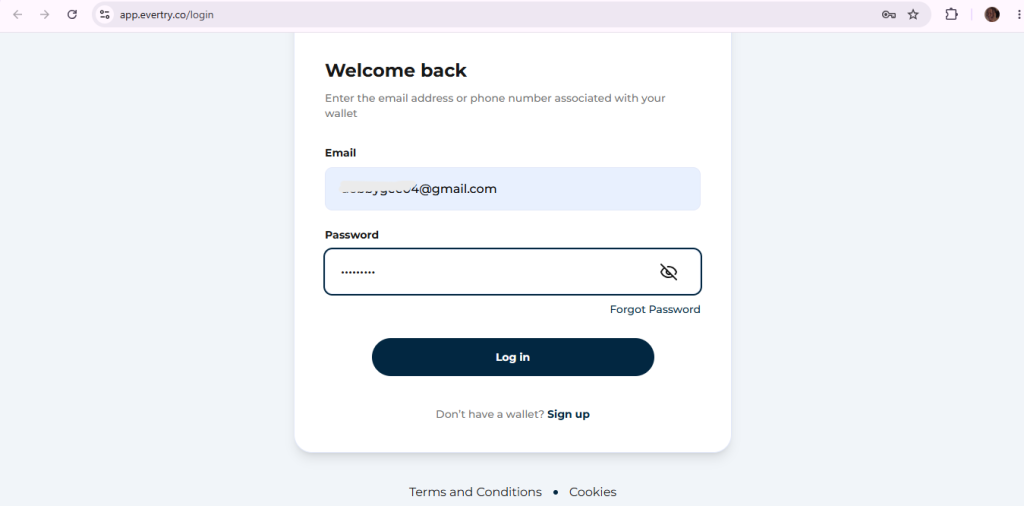
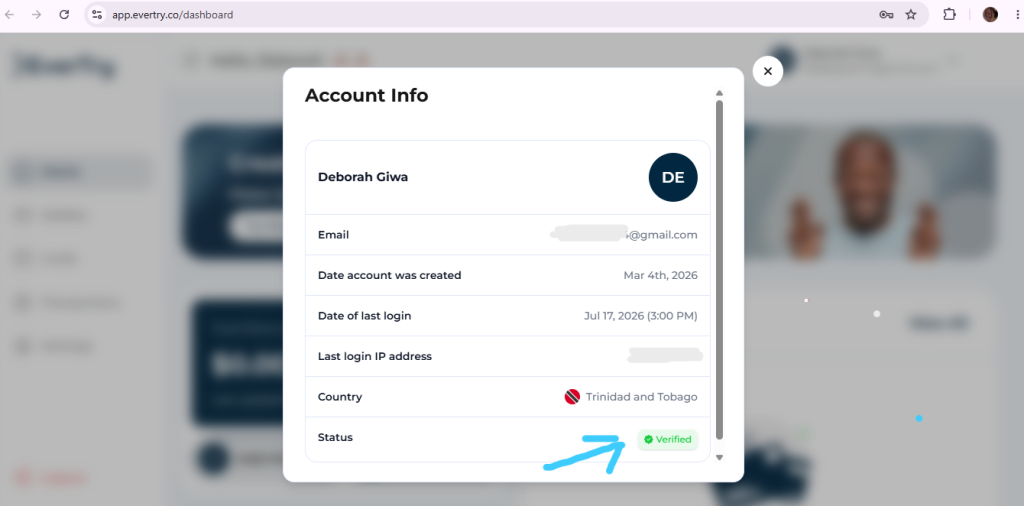
2. Complete KYC verification. Upload a valid ID so your account and card can be activated.
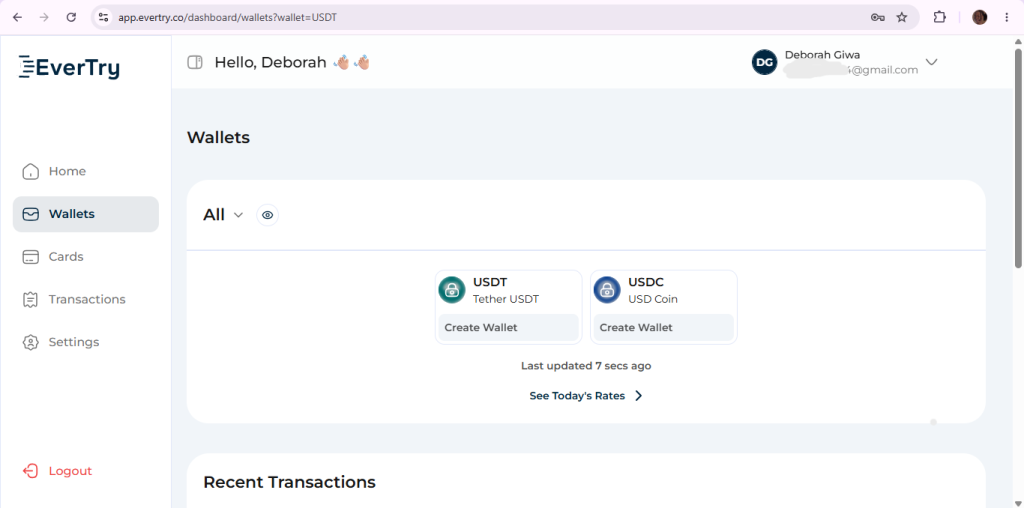
3. Fund your wallet. Choose whichever funding method you already use day to day:
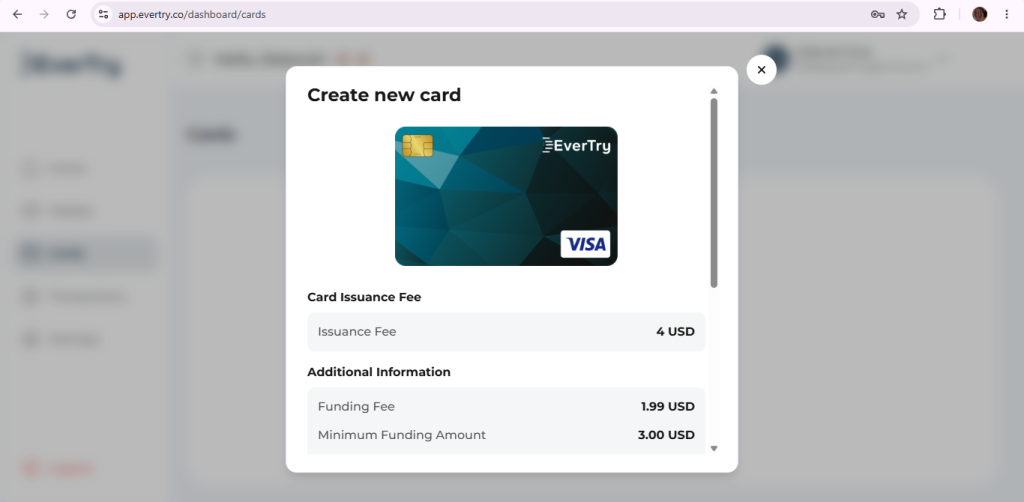
4. Generate a virtual USD card. Your card number, expiry date, and CVV appear instantly.
5. Visit InVideo AI’s pricing page and check the current plans and terms.
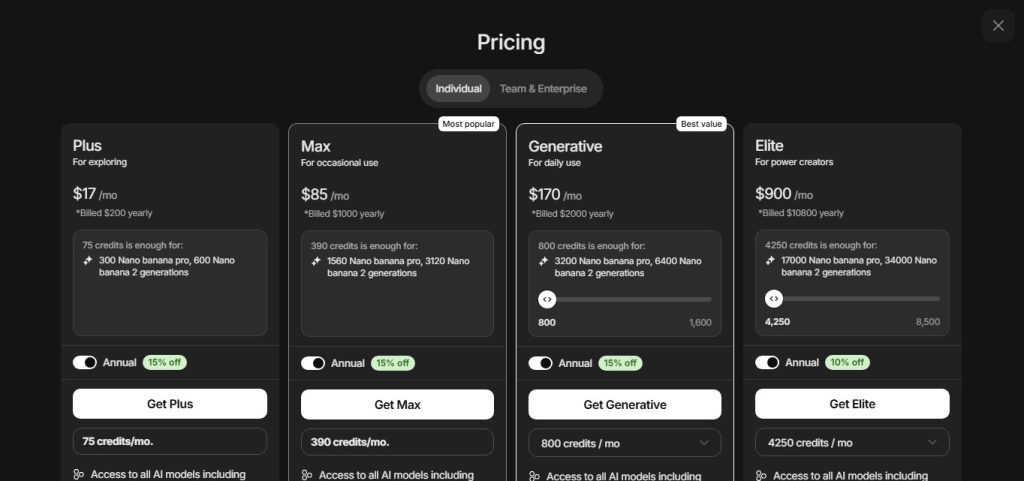
6. Choose your plan, Plus,Max,Generative and Elite based on how much you actually create each week.
7. Enter your virtual card details at checkout: card number, CVV, and expiry date.
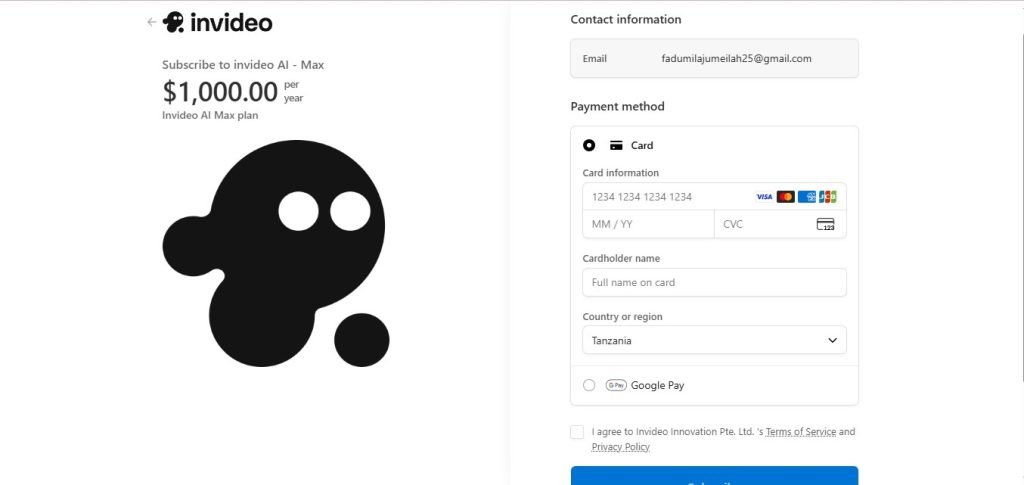
8. Complete payment and your subscription activates.
Why Do Tanzanian Cards Get Declined on InVideo AI?
A decline almost never means your money is the problem. It usually comes down to one of these problems:
- International merchant restrictions. Some Tanzanian-issued cards are configured for domestic use only or need a separate approval step for foreign merchants.
- Cross-border fraud prevention. A first-time charge from an unfamiliar overseas platform can trigger an automatic block.
- Currency conversion authorization. Charging in USD from a TZS account sometimes needs authorization; your card wasn’t set up to give it automatically.
- Recurring subscription checks. Subscriptions renew automatically, and some issuers flag repeat international charges more aggressively than one-off purchases.
- Issuer security rules and temporary restrictions. Banks periodically tighten rules on foreign spend without much notice.
| Payment Method | Usually Works? | Notes |
|---|---|---|
| Local debit card | Sometimes | Depends heavily on the issuing bank |
| Virtual USD card | Always | Built specifically for international subscriptions |
| Mobile money, direct | No | InVideo does not accept TZS mobile money directly. |
| PayPal | Limited | Depends on what funding source is linked to it |
Can You Pay for InVideo AI Using M-Pesa or Tigo Pesa?
Not directly, no. InVideo AI does not currently accept mobile money as a payment method at checkout.
What you can do instead is use M-Pesa, Tigo Pesa, or Airtel Money to fund a virtual USD card, and then use that card to pay. That’s a meaningfully different, and more reliable, path than trying to pay with mobile money directly.
Tigo Pesa’s virtual Mastercard works similarly and has the same core trade-off: fast to set up since it’s linked to your existing Tigo Pesa wallet, but recurring international charges are where these telco cards most often run into trouble.
Why a Virtual Dollar Card Is the Best Payment Method
- Built for USD billing. No mismatch between the currency you’re charged in and the currency the card is denominated in.
- Higher success rate on international platforms. Purpose-built for exactly this kind of transaction.
- Works for renewals, not just the first charge. Recurring billing is what trips up most local cards, and it’s what dedicated virtual cards are designed to handle.
- Easier to budget. You fund it with what you intend to spend, so there’s no surprise overdraft or blocked transaction mid-renewal.
- Contained risk. A virtual card isn’t linked to your main bank account, so it limits exposure if a card number is ever compromised.
Why EverTry Works for Tanzanian Users
Once the payment problem is solved, EverTry becomes relevant mainly because of how it solves it, not because it’s the only option:
- A virtual USD Visa card you create entirely online, no bank visit required.
- Funded directly with Tanzanian shillings through M-Pesa, Tigo Pesa, or Airtel Money.
- Works for InVideo AI and other USD-billed software subscriptions.
- No need to ask a friend or relative abroad to make the payment for you.
- Card creation typically takes minutes once your ID is verified.
Can You Pay in Tanzanian Shillings?
Not directly, no. InVideo AI bills in USD.
What happens in practice is that your payment provider (your card issuer, or EverTry if you’re using a virtual card) converts your TZS balance to USD at the prevailing exchange rate, plus whatever fee applies. That’s why the amount that eventually shows up on your statement may not match InVideo’s advertised USD price exactly. It’s a normal part of how cross-currency billing works, not an error.
InVideo AI Pricing Plan
| Plan | Best For | Approximate Price | Notes |
|---|---|---|---|
| Free | Testing the workflow | $0/month | Watermarked exports, limited weekly AI credits, and ideal for exploring the platform before upgrading. |
| Plus | Freelancers and individual creators | $17/month | Includes 75 monthly AI credits, unlimited watermark-free exports, premium stock media, AI voice cloning, and faster video generation. |
| Max | Agencies and high-volume creators | $85/month | Offers 390 monthly AI credits, increased storage, more AI avatars and voice clones, higher export limits, and priority processing. |
| Generative | Professional creators, production teams, and AI-heavy workflows | $170/month | Includes 800 monthly AI credits, 40 AI avatars and voice clones, 2 TB of storage, access to up to 1,000 premium stock assets, and higher limits for advanced AI video generation |
| Elite | Large teams and enterprise-scale video production | $900/month | Includes 4,250 monthly AI credits, up to 200 AI avatars and voice clones, 10 TB of storage, premium support, and the highest usage limits for large organizations. |
Understanding InVideo AI Credits Before You Subscribe
This is the part that catches people off guard after they’ve already paid, so it’s worth reading before you choose a plan:
- Credits function like currency on the platform. They’re spent on video creation and on generative model usage, not on downloading finished content.
- Generative models are priced separately, at their original API rates, so heavier use of premium models like Veo or Sora drains credits faster than standard generation.
- Unused credits don’t roll over to the next month, confirmed directly on InVideo’s pricing page. Whatever you don’t use in a cycle is gone when it resets.
- On-demand credit top-ups are available if you run out mid-cycle, so you’re not stuck waiting for the next reset if a client deadline lands badly.
If you’re a freelancer juggling several client projects a week, it’s worth roughly estimating how many finished videos your chosen plan actually supports before you commit, rather than assuming the plan name alone tells you enough.
Which InVideo AI Plan Is Right for You?
- Just starting out: Free, to learn the workflow before spending anything.
- Freelance creator with a steady but modest workload: Plus.
- Full-time video editor with regular client turnaround: Plus, moving to Max if you find yourself hitting limits most weeks.
- Agency or team managing multiple channels: Generative
- High-volume AI production: Elite
Choose based on how much you’re actually producing each week, not on price alone. A cheaper plan that you outgrow in the first ten days ends up costing more in frustration than the plan you should have started with.
Common InVideo Payment Problems (and How to Fix Them)
Card declined. Possible causes: cross-border fraud check, issuer restriction on foreign merchants, insufficient funds, or an expired card. Solution: confirm your card is active and funded, then retry. If it fails again, a dedicated virtual USD card usually resolves it.
Insufficient balance solution: top up your wallet or card before the charge attempts, ideally with a small buffer above the exact plan price to cover any conversion rounding.
Currency conversion issues Solution: fund your card in a currency your provider converts automatically (TZS or a stablecoin like USDT), and expect the final charge to vary slightly from the advertised USD price.
Billing address errors Solution: double-check the billing address entered at checkout matches what your card issuer has on file. A mismatch is a common, easily fixed cause of failed payments.
Subscription renewal failed. Solution: make sure your card balance covers the next billing cycle before the renewal date, since most virtual cards need to be topped up manually ahead of time.
OTP not received Solution: confirm your registered phone number is correct and has signal, then request the code again. Delays are usually network-related rather than account issues.
Card expired. Solution: generate a new virtual card and update your payment method on InVideo’s billing page before your next renewal date.
Frequently Asked Questions
How do I pay for InVideo AI in Tanzania? Use a virtual USD card funded with Tanzanian shillings through mobile money, then enter the card details at InVideo’s checkout.
Can I pay using M-Pesa? Not directly. You can use M-Pesa to fund a virtual USD card, which you then use to pay.
Can I use Airtel Money? Yes, the same way, to fund a virtual card rather than paying InVideo with it directly.
Does InVideo accept TZS? No. InVideo bills in USD, and your card issuer handles the TZS conversion.
Why was my payment declined? Most often it’s a cross-border fraud check or an issuer restriction on foreign merchants, not an account problem on InVideo’s side.
Does InVideo accept PayPal? Support varies and can depend on your region and linked funding source. A virtual USD card is generally the more reliable option from Tanzania.
Can I pay monthly? Yes, InVideo AI offers monthly billing on its paid plans, alongside annual billing at a discount.
Is InVideo AI free? There’s a free plan with limited AI generation minutes and a watermark on exports, useful for testing before you commit to a paid tier.
How much does InVideo AI cost? It costs $17 and $85/month for Plus and Max and $900/month for Elite, cheaper if billed annually.
How many AI credits do I get? This depends on your plan and is best confirmed on InVideo’s live pricing page.
Do unused credits expire? Yes. InVideo confirms on its pricing page that unused credits don’t roll over once your billing cycle resets.
Can I change from Plus to Max later? Yes, upgrading is typically available at any time, with downgrades taking effect at your next billing cycle.
Can I cancel my subscription anytime? Yes, but confirm the specific cancellation terms on your account, since refund policies can differ between monthly and annual billing.
Conclusion
Getting InVideo AI’s checkout to accept a payment from Tanzania is a payment routing problem, not a video-editing problem, and it has a reliable fix. A dollar-denominated virtual card, funded directly from the mobile money you already use, removes that failure point without a bank visit or a trip through someone else’s card. Once your card is funded and added to InVideo’s billing page, the rest is just choosing the plan that matches how much you’re actually creating.
If you’re setting up payments for other tools as a freelancer, our guide to paying for software subscriptions across Africa walks through the same approach for the wider range of tools Tanzanian creators typically need.
Pricing, features, supported payment methods, and subscription terms may change over time. Always check InVideo AI’s official pricing page and EverTry’s website for the latest information before making a purchase. This article is for informational purposes only and does not constitute financial advice.
Jamilah is a digital marketer focused on fintech growth, SEO, and user acquisition.
She works on content and campaigns that help users navigate cross-border payments more easily.
At EverTry, she supports marketing initiatives aimed at making global payments simpler and more accessible.