
Your Cursor AI subscription shouldn’t fail just because you’re paying from Rwanda. If your local card keeps getting declined, the good news is: it’s usually not your money; it’s how international processors check the payment. And yes, you can pay for Cursor AI in Rwanda even if your bank card doesn’t work, by using a virtual USD card like EverTry. It’s one of the fastest fixes out there, and it works.
Let’s walk through exactly how.
Quick Answer
- Cursor AI accepts international Visa and Mastercard payments through Stripe.
- Cursor Pro starts at $20/month (check Cursor’s pricing page for current plans).
- Some Rwandan bank cards get declined; usually due to international fraud checks, not your funds.
- A virtual USD card funded in RWF is one of the most reliable ways to pay.
- Once your payment goes through, your subscription renews automatically until you cancel it.
Can You Pay for Cursor AI in Rwanda?
Yes. Cursor works anywhere in the world, including Rwanda. Your account isn’t blocked, and there’s no country restriction stopping you from signing up.
The real challenge is getting a payment approved, not getting access to the tool. Cursor processes all payments through Stripe, and Stripe runs every card through its own fraud and verification checks before letting a charge through. That’s where things can go sideways for cards issued locally.
Cursor AI Pricing in Rwanda
Cursor bills in USD. Here’s a quick breakdown:
| Plan | Price | Best For |
|---|---|---|
| Free | Free | Beginners |
| Pro | $20/month | Most developers |
| Teams | $40/user/month | Businesses |
| Enterprise | Custom | Large organizations |
Your bank or card provider converts RWF to USD automatically at checkout. The exchange rate you get depends on your provider, so it can shift slightly month to month.
Can you pay for Cursor AI in Rwandan Francs directly? No. Cursor only charges in USD. Your card or virtual wallet handles the RWF-to-USD conversion behind the scenes.
Payment Methods Cursor AI Accepts
What works:
- Visa
- Mastercard
- Invoice billing (Enterprise plans only)
What doesn’t work for self-serve subscriptions:
- Mobile money, sent directly
- Bank transfers, for individual plans
- Crypto
- PayPal, in most regions
So if you’re hoping to pay for Cursor AI in Rwanda straight from mobile money or send a bank transfer, that’s not an option Cursor supports for individual or Pro plans. You’ll need a Visa or Mastercard… local or virtual.
Why Do Some Rwandan Cards Get Declined?
Here’s the part that trips up most people: your card can be totally fine, with plenty of funds, and still get declined. That’s because Stripe isn’t checking your balance. It’s checking whether the transaction looks legitimate.
A few common reasons this happens:
International transactions aren’t enabled. Some Rwandan bank cards are set up for local spending only, and international payments need to be switched on separately; sometimes by calling your bank.
Stripe’s fraud checks flag the transaction. A mismatched billing address, an unusual foreign charge, or a recurring subscription pattern can all trigger a decline, even when nothing’s actually wrong.
3D Secure verification fails. This is the one-time code your bank sends to confirm it’s really you. If that OTP doesn’t arrive or times out, the payment fails.
Your card has a low international spending limit. Some cards cap how much can be spent abroad each month, and $20 might still bump against that ceiling depending on your bank’s settings.
A temporary authorization hold looks like a failed charge. Stripe sometimes places a small verification charge before the real one goes through. It can look like an error even when it isn’t.
None of this means you did anything wrong. It just means the standard local card isn’t built for this kind of transaction.
Which Rwandan Banks Work with Cursor AI?
Banks like Bank of Kigali, Equity Bank Rwanda, and I&M Bank all issue Visa and Mastercard cards that can work with Cursor. Whether yours actually goes through depends on:
- Whether international payments are enabled on your card
- Your bank’s specific fraud rules
- Whether Stripe’s checks flag the transaction
There’s no guarantee either way; even two customers at the same bank can get different results. That unpredictability is exactly why a lot of people skip the back-and-forth entirely and use a virtual USD card instead.
Best Ways to Pay for Cursor AI in Rwanda
| Payment Method | Works for Cursor? | Ease | Recurring Payments | Recommended |
|---|---|---|---|---|
| Local Visa/Mastercard | Sometimes | Medium | Sometimes | ✓ |
| Virtual USD Card (EverTry) | Yes | Very easy | Yes | Best |
| Asking a friend abroad | Yes | Low | Difficult | No |
| Crypto | No | — | — | No |
If your local card keeps failing, an EverTry card sidesteps most of the issues above. No international-transaction toggle to hunt down, no guessing whether your bank’s fraud filter will flag it.
How to Pay for Cursor AI in Rwanda Using EverTry
If you want something that works without opening a foreign bank account or waiting on your bank to sort out settings, here’s the whole process.
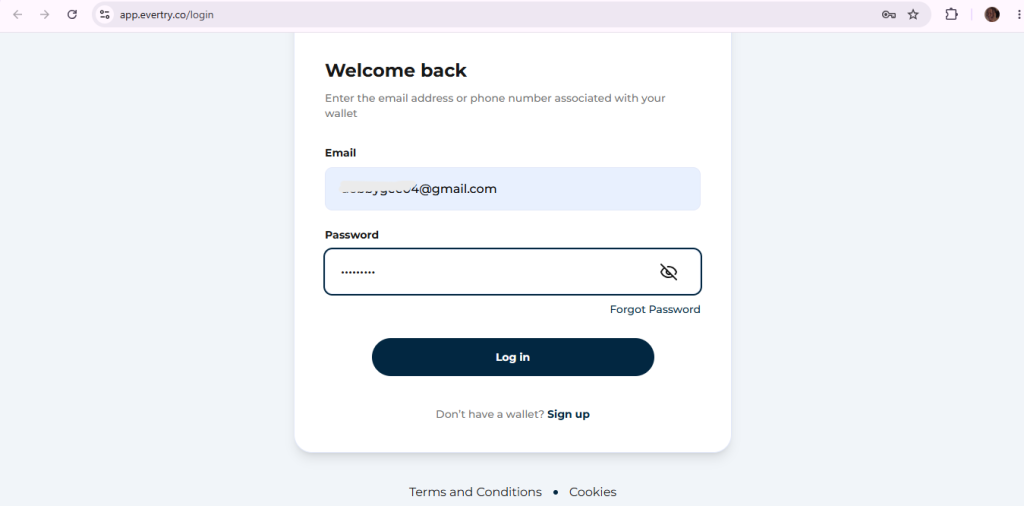
Step 1: Create your EverTry account
Sign up with your email and basic details. This takes a couple of minutes.
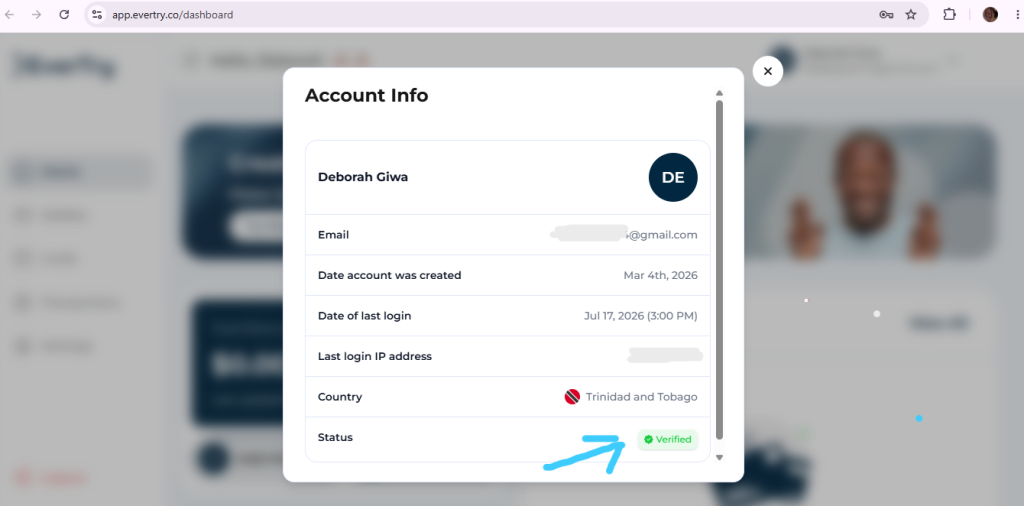
Step 2: Complete your KYC
You’ll verify your identity. This is standard for any card that touches international payments, and it’s what lets Stripe trust the transaction in the first place.
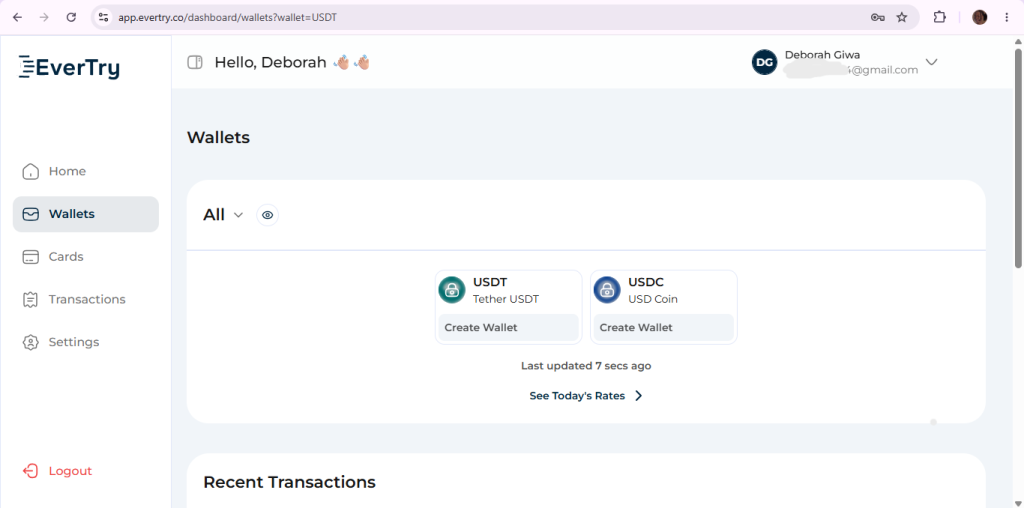
Step 3: Fund your wallet
Fund with USDT/USDC if you’d rather skip local currency conversion altogether.
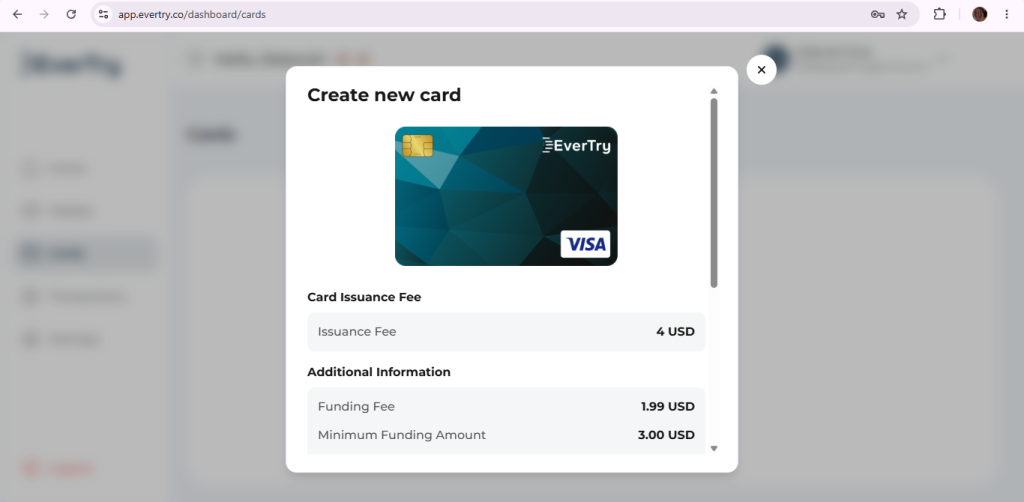
Step 4: Create your virtual USD card
Once your wallet’s funded, generate a Visa or Mastercard virtual card. This is usually ready within minutes.
Step 5: Add the card to Cursor’s billing page
Head to Cursor, go to Settings → Billing, enter your new card details, and confirm. Your subscription activates right away.
That’s it; no bank visit, no waiting on hold, and no asking someone abroad to pay on your behalf.
What This Actually Looks Like in Practice
I went through this exact flow myself to see where it might get stuck. Account creation and KYC took a few minutes each. Funding the wallet through mobile money landed almost instantly. Creating the card was the fastest part of all… a couple of taps and it was ready to use.
From there, adding it to Cursor’s billing page worked exactly like adding any other card: number, expiry, CVV, done. The subscription activated immediately, no extra verification step, no decline.
The whole thing, start to finish, took under 15 minutes; most of that spent on identity verification, not the payment itself.
What to Do If Your Cursor Payment Still Fails
If you’ve tried a card and it’s still not going through, work through these:
- Check your balance. Make sure your wallet or card is fully funded before trying again.
- Double-check your billing information. A mismatched address or name can trigger a decline.
- Complete 3D Secure fully. Don’t close the verification window early.
- Confirm international payments are enabled, if you’re using a local bank card.
- Wait a few minutes and try again. Some declines are temporary system flags, not permanent blocks.
- Contact Cursor support if the charge keeps failing on their end.
- Contact your card provider to ask directly why the transaction was blocked.
Cursor AI Alternatives If You Can’t Subscribe Yet
If you need something in the meantime, GitHub Copilot, Windsurf, and Replit AI are worth a look. That said, most people land here because they specifically want Cursor; so a working payment method is usually the faster fix.
Frequently Asked Questions
How do I pay for Cursor AI?
Use an internationally enabled Visa or Mastercard, or a virtual USD card if your local card gets declined.
Does Cursor AI accept Visa cards?
Yes, along with Mastercard, as long as the card supports international USD transactions.
Can I pay with MTN MoMo?
Not directly. Cursor doesn’t accept mobile money as a payment method, but you can fund a virtual USD card using mobile money, then use that card to pay.
Can I pay in Rwandan Francs?
No, Cursor bills in USD. Your card or wallet provider converts RWF automatically.
How much does Cursor AI Pro cost?
$20 per month, billed in USD.
Why was my card declined?
Usually due to Stripe’s fraud checks, a missing international-payments setting, a failed 3D Secure step, or a low foreign spending limit; not a lack of funds.
Does Cursor AI accept virtual dollar cards?
Yes. Since they’re issued as standard Visa or Mastercard cards, Cursor accepts them the same way it accepts any other card.
Is Cursor AI available in Rwanda?
Yes, there’s no country restriction. The challenge is payment approval, not access.
Can I cancel Cursor AI anytime?
Yes, you can cancel from your billing settings and it won’t renew the following cycle.
Can I get Cursor AI Pro for free?
There’s a free plan with limited features. Beyond that, check Cursor’s site directly for any current student or trial offers.
The Bottom Line
Cursor AI works fine in Rwanda. It’s the payment step that trips people up, and that’s almost always about how international processors verify a transaction, not about you or your money. A virtual USD card sidesteps most of that friction entirely: fund it in RWF, create it in minutes, and add it to Cursor’s billing page like any other card.
If you’re tired of guessing whether your bank card will go through this month, EverTry lets you create a virtual USD card in under 15 minutes; no bank visit, no waiting on anyone else; so you can get back to actually building.
Cursor AI’s pricing, payment methods, and subscription policies may change over time. While we strive to keep this guide accurate and up to date, always verify the latest pricing and billing information on Cursor AI’s official website before making a purchase. EverTry is an independent payment solution and is not affiliated with, endorsed by, or sponsored by Cursor AI or its parent company. Any third-party trademarks mentioned are the property of their respective owners.
Deborah Giwa is a Marketing Associate at EverTry, where she works on content and growth initiatives focused on helping users navigate international payments. She is passionate about simplifying access to global financial tools for people in emerging markets through clear, practical, and user-focused content.