Payment declined on Temu? Most errors are fixable in under five minutes. This guide covers Temu payment error codes, step-by-step troubleshooting, and the fastest permanent fix for shoppers.
Why Temu Payment Error Codes Happen
To fix a payment error, it helps to understand where the chain is breaking. A Temu checkout involves four steps: your input, your bank, a payment processor, and Temu’s platform. Most failures happen at the first two; not at Temu itself.
The three most common failure zones are:
- User input errors: wrong card details, expired cards, or billing address mismatches
- Bank restrictions: your bank blocks international transactions or flags Temu as high-risk
- Platform security filters 3D Secure (OTP) authentication failures or region-based card blocks
Good news: Most Temu payment error codes are bank-related, not a Temu bug. That means most issues are fixable in under five minutes, or solved permanently by switching to a virtual dollar card.
Fixing Temu Payment Errors: Step-by-Step Troubleshooting Guide
Work through these steps in order. Most users resolve the issue by step 3 or 4.
Step 1: Check Basic Payment Details
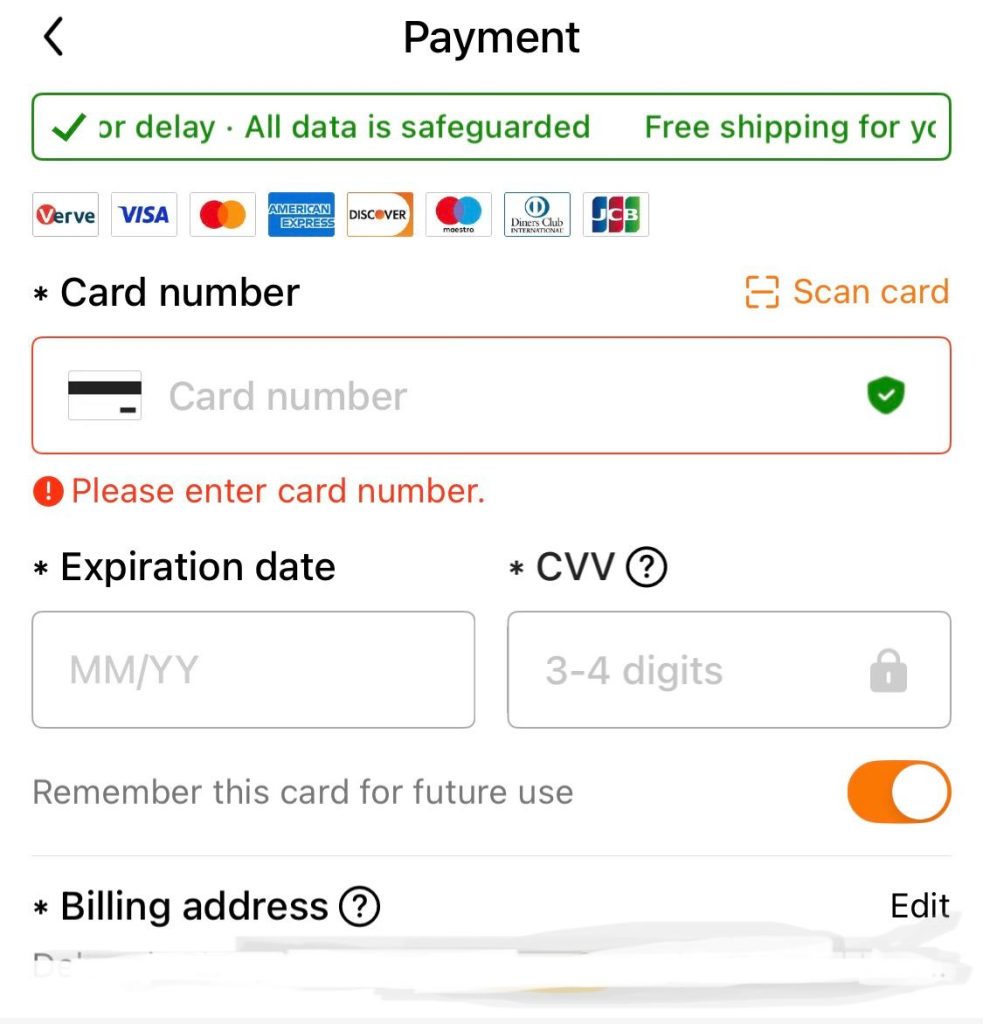
Verify your card number, expiry date, and CVV against the physical card. Nigerian users frequently encounter checkout rejections due to postal code mismatches. If your billing address has no postal code, try entering “00000” or your city as a workaround. Avoid using browser autofill, which can insert outdated card details.
Step 2: Confirm Bank Authorization for International Payments
Many Nigerian, Kenyan, and Ghanaian banks disable international transactions by default. Log into your mobile banking app or call your bank to confirm that international payments are active and that your daily transaction limit covers your order value. Banks often flag Temu specifically due to its cross-border merchant category, but a quick call usually resolves this.
Step 3: Retry Authentication (3D Secure / OTP)
If your OTP screen appears but fails, a weak mobile network is usually the culprit. Switch to a stronger network or Wi-Fi before retrying, and complete the OTP flow without switching apps or locking your screen as most OTPs expire in 60–90 seconds. Avoid using a VPN during checkout, as this can trigger additional fraud filters.
Step 4: Switch Payment Method
Try a different debit or credit card, or add a digital wallet like PayPal or Apple Pay if available in your region. If you’ve tried two or more payment methods without success, the issue is likely a systemic bank restriction rather than a card-specific problem. In which case, Step 5 is your fastest path forward.
Step 5: Use a Virtual Dollar Card
A USD-funded virtual card bypasses most of the failure points above. Because it’s pre-funded and processed as a standard international debit card, it sidesteps local bank blocks, currency conversion issues, and region restrictions. EverTry virtual dollar cards are created in minutes and accepted globally.
Common Temu Payment Error Codes Explained
Below are the most frequently reported Temu payment errors, what triggers them, and how to resolve each one.
1. Card Declined
Causes
- Insufficient funds in account
- Bank blocking international charges
- Daily limit exceeded
- Card flagged as high-risk by bank
Fixes
- Top up your account balance
- Call bank to approve the transaction
- Enable international payments in app
- Switch to a virtual dollar card
CVV or Card Detail Mismatch
Causes
- CVV entered incorrectly
- Expired card used
- Autofill inserting old card data
Fixes
- Re-enter all details manually
- Check card expiry date
- Disable autofill and type fresh
3D Secure Authentication Failed
Causes
- OTP expired before entry
- Poor network during verification
- Bank server temporarily down
- VPN masking your location
Fixes
- Retry on a stronger network/Wi-Fi
- Disable VPN before checkout
- Complete OTP without switching apps
- Try a different card if issue persists
Region or Currency Restriction
Causes
- Card not accepted in your country
- Currency mismatch at checkout
- FX restrictions (common in Nigeria)
Fixes
- Switch to a USD virtual card
- Use a globally accepted billing address
- Avoid naira debit cards for Temu
Payment Gateway Timeout / Technical Error
Causes
- Temu or processor server overload
- Slow or unstable internet connection
- Browser extension conflict
Fixes
- Wait 5–10 minutes and retry
- Switch browser or device
- Disable ad-blockers temporarily
Fixing Temu Payment Errors for Nigerian & African Users
Users in Nigeria, Kenya, and Ghana see higher Temu payment error codes than users in other regions. The root cause is almost always the local banking infrastructure, not the user or Temu.
Why African Cards Fail More Often on Temu
Several structural factors stack the odds against local debit cards on cross-border platforms:
- FX restrictions: CBN and other central bank policies limit the dollar-facing capacity of local banks, causing transactions to fail at the processor level
- Conservative fraud scoring: Nigerian naira cards are sometimes auto-flagged by international payment processors due to historically elevated fraud rates
- Default international block: Most Nigerian bank apps ship with international transactions disabled. Users must actively turn this on
The Recommended Fix for Nigerian Users
The most reliable solution is to avoid naira debit cards entirely for international checkouts. A USD-funded virtual card from EverTry is pre-loaded in dollars, accepted on Temu and all major global platforms, and may help prevent Temu Payment Error codes.
Pro tip for Nigerian shoppers: Always keep a USD buffer of at least 5–10% above your intended purchase amount. This covers Temu’s currency conversion spread and any checkout-time rate fluctuations that might cause an otherwise sufficient balance to fall short.
When to Contact Your Bank vs. When to Switch Tools
Not every payment failure warrants the same response. Use this framework to decide your next step quickly.
| SITUATION | LIKELY CAUSE | BEST ACTION |
| First-time decline, sufficient balance | Bank blocked international charge | Call your bank |
| Declined after enabling international payments | FX restrictions or bank-side flag | Switch to virtual card |
| Two or more different cards declined | Systemic bank/region restriction | Switch to virtual card |
| OTP screen appears but fails repeatedly | 3D Secure / network issue | Retry on strong network |
| Error immediately after entering details | CVV/detail mismatch | Re-enter details manually |
| Checkout page freezes or times out | Platform/server issue | Wait & retry later |
Pro Tips to Avoid Future Temu Payment Error Codes
These five habits eliminate most payment failures before they happen.
Enable international payments: Turn on international transactions in your bank app before shopping. Don’t wait for a declined charge to remind you.
Keep a USD buffer: Fund your card with 5–10% more than the checkout total to absorb FX spread and minor rate fluctuations.
Use stable internet for OTP: Always complete checkout on a reliable network. Switching from mobile data to Wi-Fi mid-session can invalidate your session.
Save a backup payment method: Add a second card or virtual card to your Temu account so you can switch instantly if your primary method fails.
Prefer virtual cards for cross-border shopping: Virtual dollar cards consistently outperform local debit cards on international platforms. They have fewer blocks, fewer errors.
Frequently Asked Questions
1. Why is my Temu payment failing even with enough money?
Your bank may be blocking the transaction or flagging Temu as a high-risk international merchant. Having sufficient funds isn’t enough if your bank hasn’t cleared international payments. Enable international transactions in your mobile banking app. Then, confirm your daily limit covers the order, or use a virtual dollar card to bypass local restrictions entirely.
2. How do I fix a declined card on Temu?
Start by checking your balance and confirming all card details are entered correctly. Then contact your bank to approve the Temu transaction or enable international payments. If the issue continues after those steps, switch to a virtual card designed for global payments. This removes the bank restriction as a variable and significantly improves approval rates.
3. Does Temu accept Nigerian debit cards?
Yes, but Nigerian banks disable international payments by default, so many transactions are blocked before they reach Temu. You’ll typically need to enable international transactions through your bank app. You can also use a virtual dollar card for a smoother, more reliable checkout experience.
4. What is a 3D Secure error on Temu?
A 3D Secure error occurs when the OTP verification step fails during checkout. This is usually caused by a weak network connection, an expired OTP (most expire within 60–90 seconds), or a temporary bank server issue. Retry immediately on a stable Wi-Fi connection, complete the OTP without switching apps, and avoid using a VPN during the process.
5. What’s the fastest way to fix Temu payment errors?
Verify your card details, retry the payment, and if the issue persists, switch to a globally accepted virtual dollar card. This bypasses most bank restrictions, eliminates currency conversion issues, and resolves region-related blocks. This is the single fastest path to a successful Temu checkout for most African users.
Stop Fighting Payment Errors
Temu payment failures can be frustrating, especially when your card keeps getting declined even though you have enough money. The good news is that most of these issues are caused by bank restrictions, failed authentication, or unsupported payment methods; not by Temu itself.
Instead of wasting time retrying failed transactions, switch to a payment solution built for global shopping. With EverTry’s virtual dollar card, you can pay internationally with fewer declines, smoother checkouts, and better reliability across platforms like Temu.
This article is for informational purposes only. EverTry is not affiliated with Temu or any of its parent companies. The error codes and solutions outlined here are based on publicly available information and general payment troubleshooting practices. For official support, please contact Temu’s customer service directly. EverTry is not responsible for any outcomes resulting from actions taken based on this content.
Deborah Giwa is a Marketing Associate at EverTry, where she works on content and growth initiatives focused on helping users navigate international payments. She is passionate about simplifying access to global financial tools for people in emerging markets through clear, practical, and user-focused content.