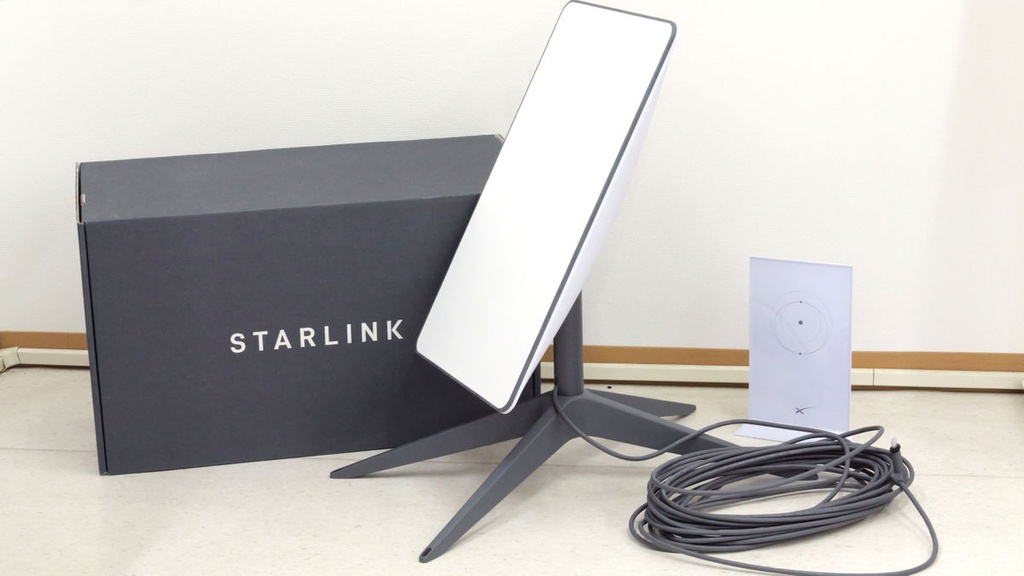
Your Nigerian debit card was declined on Starlink’s payment page. Here’s exactly how to pay for your subscription, renew it, and avoid future billing issues, without needing a foreign bank account or a trip to the bank.
Starlink charges in USD and requires a payment method that supports recurring international billing. Nigerian Naira debit cards typically don’t work. A virtual dollar card, which you can get in under 15 minutes, is the fastest solution most Nigerians use.
Why Nigerian Bank Cards Get Declined on Starlink.
Starlink charges in USD and requires a payment method that supports recurring international billing. Most Nigerian debit cards don’t meet this requirement.
Here’s why payments fail:
1. Naira cards can’t process USD subscriptions. Most cards issued by Nigerian banks are denominated in Naira. Starlink bills in US dollars. The card networks block the transaction at the point of currency conversion.
2. International transactions are restricted. Even if your card is technically USD-capable, many Nigerian banks restrict international online payments by default, especially for recurring subscriptions. You’d need to call your bank to enable it, and even then, results are inconsistent.
3. Recurring billing requires specific card support. Starlink charges you every month automatically. Many Nigerian cards don’t support the recurring billing token that Starlink stores for auto-renewal. The first payment might go through, but the second fails.
4. 3D Secure friction: Some banks require OTP authentication for every transaction. Starlink’s auto-renewal happens in the background; there’s no OTP prompt during renewal. Cards that require an OTP for every charge will fail on renewal.
Bottom line: The problem isn’t Starlink. It’s that Nigerian-issued cards aren’t built for recurring USD subscriptions the way virtual dollar cards are.
How Much Is a Starlink Subscription in Nigeria?
As of 2026, Starlink’s Residential Plan in Nigeria costs ₦57,000 per month.
Pricing last verified: June 2026. Prices may shift with exchange rate changes.
| Plan | Monthly Cost | Best For |
|---|---|---|
| Residential | ₦57,000 | Homes, remote workers |
| Roam (Regional) | ₦38,000 | Travellers within Nigeria |
| Business / Priority | ₦159,000 | Offices, multi-user setups |
Hardware costs (one-time):
| Kit | Price |
|---|---|
| Standard Kit | ₦590,000 |
| Mini Kit | ₦318,000 |
Important note: Residential plan sign-ups are currently paused in parts of Lagos and Abuja due to high demand. The Roam plan is still available in those areas.
Starlink does not currently offer an annual contract; it’s a month-to-month subscription. You pay monthly and can cancel anytime.
What Payment Methods Work for Starlink in Nigeria?
Four methods Nigerian users commonly use to pay for Starlink:
1. Virtual Dollar Cards (Most Popular)
A virtual dollar card is a prepaid USD card you fund and use for online payments. It works just like a physical Visa or Mastercard, except it’s digital, instant to create, and built for international subscriptions.
Platforms like EverTry issue virtual dollar cards you can fund with Naira, USDT, or USDC. Once funded, you add the card to your Starlink account and pay normally.
Why it works: Virtual dollar cards support recurring billing and don’t have the restrictions of typical Nigerian bank-issued cards.
2. Domiciliary Dollar Cards (Variable)
A domiciliary account is a USD account at a Nigerian bank. Some banks issue physical or virtual dollar cards tied to these accounts. They can work for Starlink, but the results are inconsistent. Some banks still block recurring international charges. Setup also takes days or weeks.
3. Paying Through Someone Abroad (Informal)
Some Nigerians ask a friend or family member abroad to add their payment method to the Starlink account. It works, but you’re dependent on another person for every renewal.
4. Crypto Funding via a Virtual Card
If you hold USDT or USDC, you can fund a virtual dollar card with crypto and use that card to pay Starlink. This is increasingly popular for Nigerians who already hold stablecoins. (More on this below.)
Which Option Is Best?
| Method | Setup Time | Reliability | Recurring Billing |
|---|---|---|---|
| Virtual Dollar Card | Under 15 minutes | High | Yes |
| Domiciliary Card | Days to weeks | Variable | Sometimes |
| Abroad payment | Instant | Dependent | Depends on person |
| Crypto → Virtual Card | Under 15 minutes | High | Yes |
For most Nigerians, a virtual dollar card is the fastest and most reliable option.
How to Pay for Starlink Using EverTry
EverTry is a pan-African fintech platform that issues virtual dollar cards and USD/EUR receiving accounts. Here’s how to use it to pay for Starlink:
Step 1: Create an EverTry Account
Go to the EverTry website or download the app. Sign up with your email address and create a password.
Time: Under 2 minutes.
Step 2: Complete Verification (KYC)
EverTry requires basic identity verification, a government-issued ID (NIN, passport, or driver’s licence), and a selfie. This is standard for any regulated financial product.
Time: Under 5 minutes for most users.
Step 3: Fund Your EverTry Wallet
You can fund your wallet in multiple ways:
- Bank transfer (Naira): transfer Naira from your Nigerian bank account
- USDT: send USDT from any wallet or exchange
- USDC: send USDC directly to your EverTry wallet
Step 4: Generate a Virtual Dollar Card
From your EverTry dashboard, create a virtual dollar card. You’ll get a 16-digit card number, expiry date, and CVV, exactly like a physical Visa or Mastercard.
Step 5: Fund the Card
Transfer your desired amount from your EverTry wallet to the card. Make sure you load at least the equivalent of your Starlink plan cost in USD.
Quick reference:
- Residential Plan ≈ ₦57,000 → fund the card with at least $40 (buffer for any conversion differences)
Step 6: Add the Card to Your Starlink Account
- Log in at starlink.com
- Go to Account → Billing → Payment Method
- Click Add Payment Method
- Enter your EverTry virtual card details (card number, expiry, CVV)
- Enter a billing address. You can use any valid Nigerian address
Step 7: Complete Payment
Once the card is added, Starlink will charge it for your subscription. The payment processes in USD. Your EverTry card handles the USD billing natively- no conversion issues, no OTP friction.
Total time from sign-up to first successful payment: under 15 minutes.
Keep your card funded. Starlink auto-renews monthly. Make sure your EverTry card always has enough balance before your renewal date to avoid service interruption.
How to Renew Your Starlink Subscription in Nigeria
If your card remains active and funded, Starlink renews automatically. You don’t need to do anything.
Starlink is a monthly subscription service. On the same date each month, it charges the payment method saved in your account. If the charge succeeds, your service continues without interruption.
How Auto-Renewal Works
- Starlink stores your card details securely
- On your renewal date, it attempts to charge your saved card
- If the charge goes through, service continues
- If it fails, Starlink will retry and eventually suspend service if payment isn’t collected
Updating an Expired or Failed Card
- Log in to your Starlink account
- Go to Billing → Payment Method
- Remove the old card
- Add your updated virtual dollar card details
- Starlink will attempt the charge again
What Causes Renewal to Fail?
- Insufficient card balance: the card didn’t have enough USD on the renewal date
- Expired card: virtual cards have expiry dates; check yours before renewal
- Card deactivated: if you froze or deleted the card in your EverTry app
- Account-level restriction: rare, but contact EverTry support if this happens
Renewal Timeline
Starlink sends an email reminder a few days before your renewal date. If payment fails, your service is typically suspended within 24–48 hours. You can reactivate immediately once payment is successful.
Pro tip: Set a monthly reminder to top up your EverTry card a few days before your Starlink renewal date.
Can You Pay for Starlink Using USDT or USDC?
Yes, indirectly. You fund a virtual dollar card with USDT or USDC, then use that card to pay Starlink.
Starlink doesn’t accept crypto directly. But if you already hold stablecoins, here’s how the flow works:
USDT → Starlink
- Send USDT to your EverTry wallet address
- EverTry converts it to a USD card balance
- Use the virtual dollar card to pay for Starlink
USDC → Starlink
Same flow as above: EverTry accepts USDC as a funding method.
Why This Is Useful
- Many Nigerians hold USDT as a savings hedge against Naira devaluation
- P2P USDT markets in Nigeria are liquid and widely used
- If you’re already in crypto, this removes the need to convert back to Naira before paying
Minimum Amounts
Check EverTry’s current minimums for crypto deposits; amounts change based on network fees. As a guide, depositing at least $50 worth of USDT or USDC gives you comfortable headroom for one or two months of Starlink payments.
What Happens If You Don’t Renew Your Starlink Subscription?
If you don’t renew, Starlink suspends your internet service, but your account and hardware remain yours.
Here’s what happens at each stage:
Immediately after a failed payment, Starlink retries the charge. You may get a grace period of 24–48 hours.
After service suspension, your internet access stops. You can’t browse or use any Starlink-connected devices. However, your Starlink account stays active.
Your hardware: Your Starlink dish, router, and cables remain yours. Suspension doesn’t affect the hardware; it’s not remotely disabled.
Reactivation: Add a valid payment method and pay the outstanding amount. Service typically resumes within minutes.
Long-term inactivity: If your account remains unpaid for an extended period (several months), Starlink may close the account. Check Starlink’s current terms for exact timelines.
Is Starlink a 12-month contract? No. Starlink Nigeria is month-to-month. You can pause or cancel at any time through your account settings.
Troubleshooting Starlink Payment Problems
Card Declined
What it means: Your card was rejected at the point of charge.
How to fix it:
- Check that your virtual dollar card is funded with enough USD
- Confirm the card isn’t expired
- Make sure the card is activated in your EverTry app
- Try removing and re-adding the card to your Starlink account
Billing Address Error
What it means: Starlink couldn’t verify the address you entered.
How to fix it:
- Use a real, complete Nigerian address (street, city, state, postal code)
- Don’t leave fields blank
- If using an EverTry card, the billing address doesn’t need to match a US address; use your actual Nigerian address
Payment Processed but Service Not Active
What it means: Your card was charged, but Starlink hasn’t activated service.
How to fix it:
- Wait up to 30 minutes; activation sometimes takes a short time
- Log out and back into your Starlink account
- Contact Starlink support with your payment confirmation
Card Charged but Subscription Not Updated
What it means: Money left your card, but your Starlink account shows payment pending.
How to fix it:
- Check your EverTry transaction history to confirm the charge
- Contact Starlink support with the transaction reference
Renewal Failed
What it means: Starlink tried to charge your card on the renewal date but couldn’t.
How to fix it:
- Top up your virtual dollar card
- Update your payment method in Starlink billing settings
- Starlink will retry, or you can manually trigger a payment
Insufficient Funds
What it means: Your card had less than the subscription amount at the time of charge.
How to fix it:
- Fund your EverTry card with at least the plan cost ($38–$50 for Residential)
- Go to Starlink billing and retry the payment
Why Many Nigerians Use Virtual Dollar Cards for Starlink
Virtual dollar cards have become the standard payment method for Nigerians managing international subscriptions.
The reasons are practical:
Faster setup than a domiciliary account. Opening a USD bank account in Nigeria can take days, require a minimum balance, and involve paperwork. A virtual dollar card takes under 15 minutes.
Easier funding. You fund it with Naira, USDT, or USDC from your phone; no bank branch visit required.
Designed for international subscriptions. Virtual dollar cards support recurring billing by default. That’s what they’re built for.
Works globally. The same card you use for Starlink works for Netflix, ChatGPT, Cursor AI, Adobe, Google Workspace, and any international subscription.
Spend control. You load exactly what you need. Nothing more. No surprise charges beyond what’s on the card.
Why EverTry Is a Practical Option for Starlink Payments
If you need a payment method that supports recurring USD subscriptions in Nigeria, a virtual dollar card is typically the fastest route. EverTry is one platform that offers this, along with a few features that matter for Starlink users specifically:
- Under 15-minute setup from sign-up to a working card
- Multiple funding options: Naira bank transfer, USDT, or USDC
- USD and EUR virtual cards for international payments
- USD receiving accounts: useful if you’re paid in dollars and want to keep balances in USD
- 24/7 support for payment issues
EverTry is one of several virtual card providers available in Nigeria. It’s worth comparing options based on your specific needs, as card limits, fees, and funding methods vary across platforms.
Frequently Asked Questions
How do I renew my Starlink subscription in Nigeria?
If your virtual dollar card is funded and saved in your Starlink account, renewal is automatic. Starlink charges the card on your monthly renewal date. If payment fails, log in to Starlink, go to Billing, update your payment method, and retry.
How do I pay my bill for Starlink?
Log in at starlink.com → Account → Billing → Payment Method. Add a virtual dollar card (funded in USD). Starlink will charge the card for your current and future subscription payments.
Can I pay Starlink with a bank account?
Starlink doesn’t support direct bank account payments in Nigeria. You need a card, specifically one that supports international USD billing. A virtual dollar card from EverTry or similar platforms is the recommended option.
Does Starlink accept a Naira card?
No. Starlink bills in US dollars. Nigerian Naira debit cards are not accepted because they can’t process recurring USD charges. You need a USD-denominated card, either a virtual dollar card or a domiciliary account card.
How much is a Starlink subscription in Nigeria?
As of June 2026, the Starlink Residential Plan costs ₦57,000 per month. The Roam Plan costs ₦38,000 per month. The Business Priority Plan costs ₦159,000 per month. Hardware (Standard Kit) costs ₦590,000 as a one-time purchase.
What happens if I don’t renew my Starlink subscription?
Starlink suspends your internet service. Your account and hardware are unaffected. You can reactivate at any time by updating your payment method and paying the outstanding amount.
Is Starlink a 12-month contract?
No. Starlink Nigeria operates on a month-to-month basis. There’s no annual contract. You can cancel or pause at any time through your account settings.
How do I subscribe to Starlink monthly?
Go to starlink.com, select your plan (Residential, Roam, or Business), add a payment method (virtual dollar card), and complete payment. After the initial hardware purchase, you’re billed monthly for the subscription.
Can I pay for Starlink with USDT?
Not directly. Starlink doesn’t accept crypto. But you can fund an EverTry virtual dollar card with USDT, then use that card to pay Starlink. The result is the same: your subscription gets paid from your stablecoin balance.
Can I pay for Starlink over the phone?
No. Starlink doesn’t offer phone-based payment in Nigeria. All payments are managed through your online account at starlink.com.
What billionaire owns Starlink?
Starlink is a service of SpaceX, owned by Elon Musk.
Conclusion
Nigerian Naira debit cards don’t work for Starlink because Starlink bills in USD and requires recurring international billing support, which most Nigerian-issued cards don’t provide.
The fastest solution: A virtual dollar card. Fund it with Naira, USDT, or USDC. Add it to your Starlink account. Pay and renew automatically.
Key facts to remember:
- Starlink Residential costs ₦57,000/month in 2026
- Starlink is month-to-month, no contract
- Virtual dollar cards support recurring billing natively
- If payment fails, service is suspended, but your account and hardware are safe
- You can get a working payment method in under 15 minutes
Ready to pay? Create an EverTry account, get your virtual dollar card, and have your Starlink subscription running today.
Prices verified June 2026. Starlink pricing in Nigeria is subject to change based on exchange rate fluctuations. Check starlink.com for the latest figures.
EverTry is an independent payment platform and is not affiliated with, endorsed by, or sponsored by Starlink, SpaceX, or any other brand mentioned in this article. Product names, logos, and trademarks belong to their respective owners. Information is provided for educational purposes only and may change without notice.
Matt Aluya is the founder of EverTry. A software engineer focused on virtual card issuance and stablecoin settlement for cross-border payments in emerging markets. LinkedIn · matt.aluya@evertry.co