Google charges a one-time $25 registration fee to open a Google Play Developer account, paid inside the Google Play Console with a Visa, Mastercard, or American Express card that can complete a USD charge. In 2026, Nigerian developers have more working options than they’ve had in years: some naira debit cards now work within issuer limits, and domiciliary cards, international cards, and virtual dollar cards remain reliable routes. If you regularly pay for international software, cloud hosting, AI tools, domains, a reusable dollar payment method is usually the most convenient long-term choice.
This guide covers every method that works, why payments still fail, and what happens after the $25 clears.
How Much Is a Google Developer Account?
- $25 USD, a one-time payment, not a subscription (as of July 2026).
- Non-refundable in most situations, including if identity verification later fails because your details don’t match. Get your name and address right before paying.
- The fee is the same for personal and organization accounts, but organization accounts have extra verification requirements (covered below).
For context: Apple’s developer program costs $99 every year. Google’s $25 is once, forever.
Can You Pay With a Nigerian Bank Card in 2026?
Maybe, and that’s a genuine improvement.
Between 2022 and 2023, most Nigerian banks suspended international transactions on naira cards entirely as FX liquidity dried up, with limits at one point cut as low as $20 a month. That’s the era most “your card won’t work” advice comes from.
The situation has changed. Starting in mid-2025 and continuing through 2026, several Tier-1 banks progressively restored international payments on naira-denominated cards, typically with spending limits in the range of $500–$1,000 per month or per quarter, and some limits have expanded further as FX conditions improved. A $25 charge fits comfortably inside those caps.
So why do payments still fail? Because restoration isn’t universal or unconditional:
- Not every bank has restored the service, and limits differ by issuer and card tier.
- Your limit may already be spent on subscriptions, shopping, or ads before Google’s charge arrives.
- International payments may need activation on your specific card via your banking app or customer care.
- USD merchant charges can still decline on naira cards due to currency conversion rules or issuer risk checks, even with international payments “enabled.”
- Name and billing address mismatches decline regardless of the card’s status.
The honest rule for 2026: don’t assume your naira card won’t work, but don’t assume it will, either. Try it once with correct details. If it declines, switch methods rather than retrying.
Every Way to Pay the Google Developer Fee From Nigeria
Five routes work in practice. Here’s when each one makes sense.
Nigerian Naira Debit Cards
When it works: your bank has restored international payments, your card is enabled, your quarterly/monthly limit has room, and your billing details match your Google payments profile.
Advantages: no new account to open; funds already in place.
Limitations: issuer-dependent, limit-dependent, and the least predictable option. Fine for a one-off attempt; frustrating as a recurring strategy.
Fintech Cards (Including OPay)
“Can I use an OPay card?” is one of the most-asked questions on this topic. The factual answer: fintech-issued naira cards face the same international-enablement question as bank cards; success depends on the card network, whether the issuer currently supports international USD merchants, and your transaction limits. Results genuinely vary, which is why you’ll find both success stories and decline complaints in developer forums.
If a fintech card is what you have, verify in the app that international/online payments are supported and enabled before attempting the charge.
Domiciliary Dollar Cards
A debit card linked to a domiciliary (USD) account at your bank.
Who it suits: developers who already hold dollars, from remote work, exports, or remittances.
Pros: charges in USD natively, so no conversion declines; high limits.
Cons: opening a domiciliary account involves paperwork, and often minimum-balance requirements, and funding it means sourcing dollars. Overkill if the $25 fee is your only USD expense.
Virtual Dollar Cards
A virtual dollar card is a digitally issued Visa or Mastercard denominated in USD, built specifically for international online payments, which is exactly what Google’s checkout is.
This is where EverTry fits: you can create a virtual dollar card in under 15 minutes, fund it with naira or supported stablecoins (USDT/USDC), and use it at Google’s checkout like any physical card. Fund it with about $30 to cover the $25 fee plus minor charges, and keep the card for future USD payments.
Who it suits: developers who expect this to be the first of many international payments, and most developers do (more on that below).
Ask Someone Abroad
A friend or family member overseas pays with their card on your Console session.
It works, but think it through: their name lands on your payments profile, which can complicate identity verification, and it’s a favor you can’t repeat for every future subscription. Treat it as a last resort, not a system.
Comparison at a Glance
| Payment method | Works at Google checkout | Setup time | Reusable for other services | Main limitation | Best for |
|---|---|---|---|---|---|
| Naira bank card | Sometimes (issuer- and limit-dependent) | None | Within limits | Unpredictable; limits shared with all spending | One-off attempt with an enabled card |
| Fintech naira card (e.g. OPay) | Varies by issuer policy | None | Varies | International support differs by provider | Users who already hold one |
| Domiciliary dollar card | Yes | Days–weeks | Yes | Paperwork; needs USD funding | Developers already earning in USD |
| Virtual dollar card | Yes | Under 15 minutes | Yes | Requires funding a new wallet | Developers with ongoing USD payments |
| Friend abroad | Yes | Depends on the friend | No | Name mismatch risk; not repeatable | Genuine last resort |
Step-by-Step: Paying the Google Developer Fee
1. Create Your Google Play Console Account
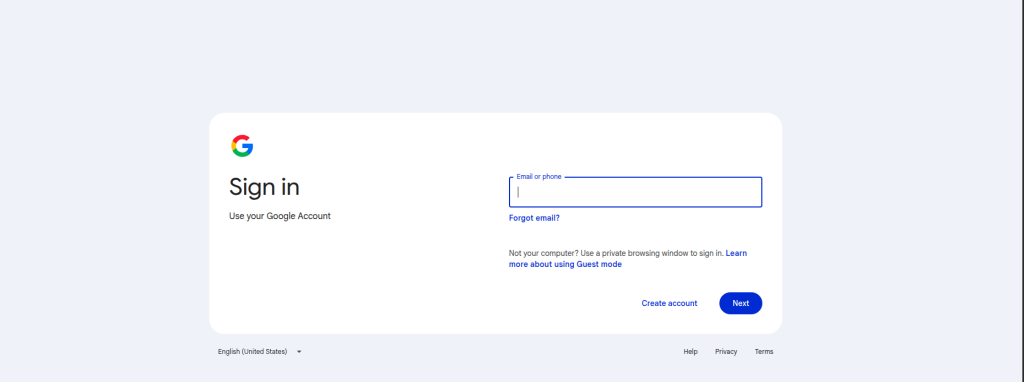
Go to play.google.com/console, sign in with the Google account you want permanently linked to your developer identity, and choose your account type (personal or organization).
2. Accept the Developer Distribution Agreement
Read and accept Google’s agreement, the contract that governs publishing and monetization.
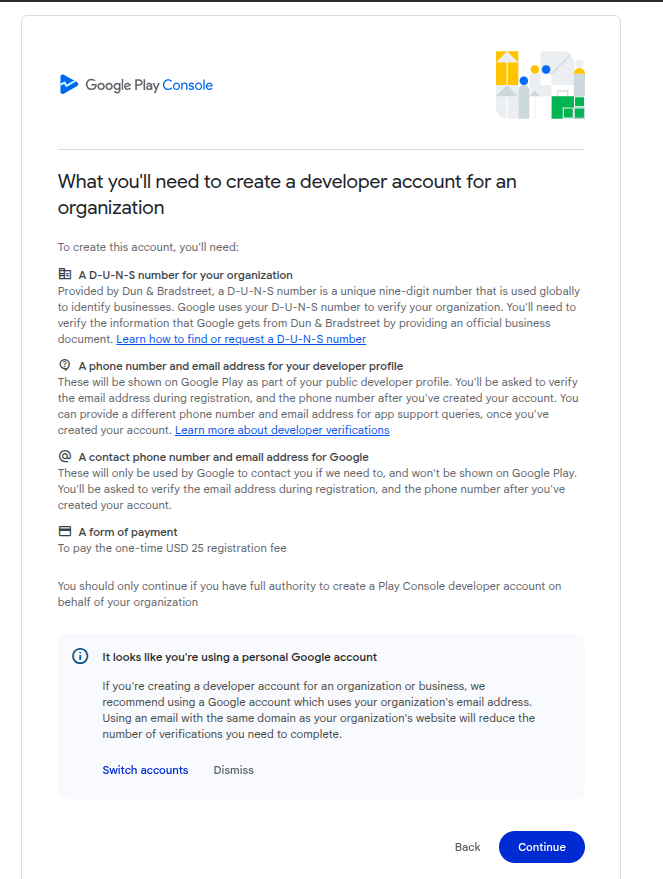
3. Complete Your Payment Profile
Your Google Payments profile country must be Nigeria, and the profile name must be your legal name exactly as it appears on your ID. This profile is the baseline for identity verification later; mismatches here cause failures there.
4. Enter Your Card Details
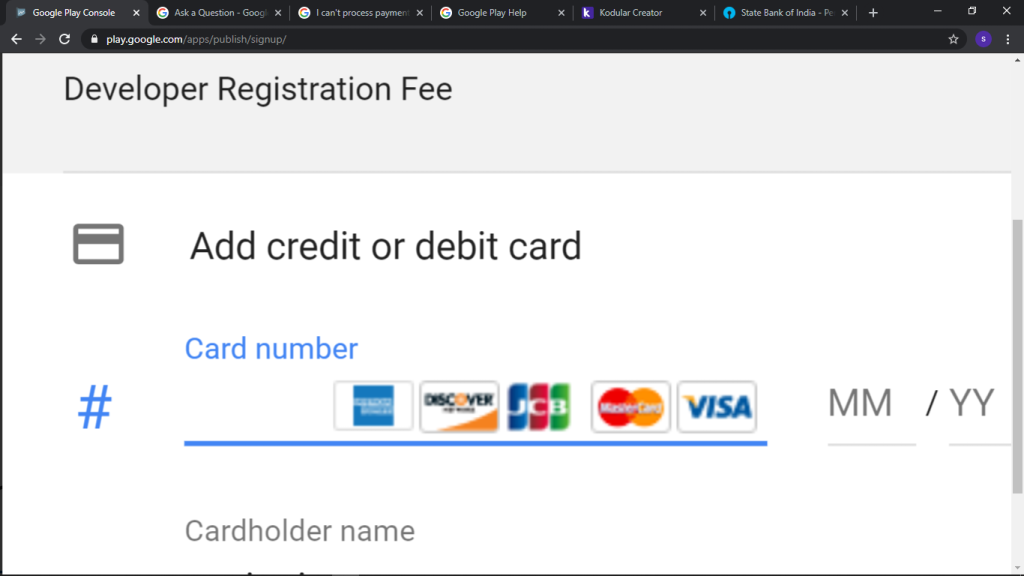
Select Add credit or debit card and enter the card number, expiry date, and CVV of whichever method you chose above. The billing address should match what your card issuer has on file.
5. Authorize the $25 Payment
Click Accept and continue to run the charge. It processes in USD.
6. Receive Confirmation
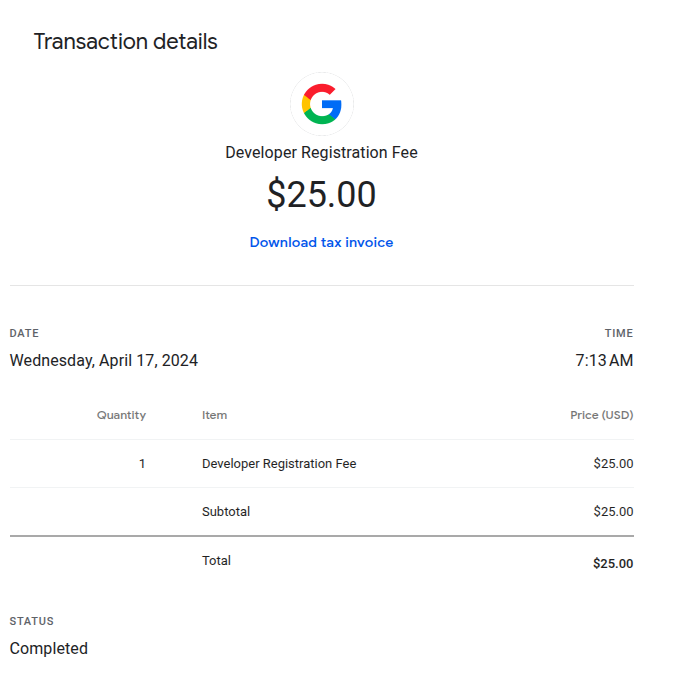
You’ll see an on-screen confirmation and receive an email from Google. If the payment shows as pending, wait; don’t re-enter the card and pay again. Pending charges usually resolve within a few hours.
Why Is My Google Developer Payment Being Declined?
Work through these in order; together they cover nearly every failure.
| Problem | Likely cause | Solution |
|---|---|---|
| Instant decline | International transactions disabled | Enable via banking app or customer care, retry once |
| Instant decline | Card network or type unsupported | Use a Visa, Mastercard, or Amex that supports USD billing |
| Decline after processing | Billing address mismatch | Match the address your issuer has on file, including postcode |
| Decline despite funds | Monthly/quarterly international limit reached | Check remaining limit; wait for reset or switch methods |
| “Insufficient funds” with money in account | USD conversion margin not covered | Keep a buffer, fund for ~$30, not exactly $25 |
| Repeated declines after retries | Fraud flags triggered | Stop retrying; wait, fix the root cause, try once more |
| Payment stuck on pending | Authorization in progress | Wait a few hours; check email; do not pay again |
Decision path: Payment declined → Are international payments enabled? → Is there enough balance plus buffer? → Do the name and billing address match exactly? → Does the card support USD merchants? → If all yes and it still fails, contact the issuer or switch to another method from the table above.
⚠️ One rule above all: never machine-gun retry a declined card. Rapid repeat attempts trip fraud systems at both your bank and Google, and can freeze your payments profile, turning a five-minute problem into a week-long one.
What Happens After Payment?
Paying the $25 activates registration, not publishing. Two things stand between you and your first live app.
Identity Verification
Google verifies who you are before fully unlocking your account.
Personal accounts: upload a government-issued ID, international passport, national ID, or driver’s licence and, in some cases, a selfie. The name on the document must match your payments profile exactly.
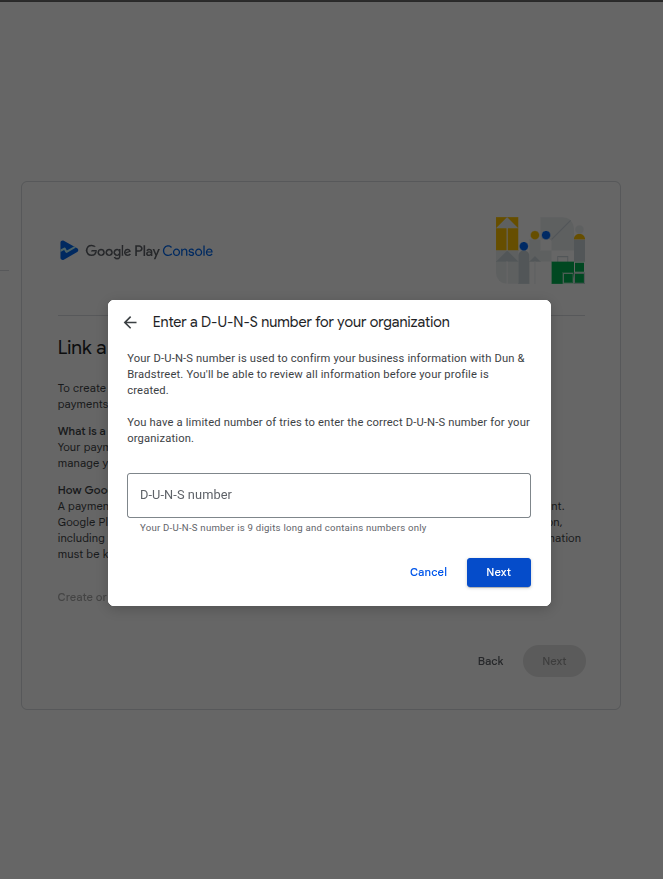
Organization accounts: you’ll need your business registration documents (CAC certificate), the authorized representative’s ID, and a D-U-N-S number.
D-U-N-S number: a free nine-digit business identifier from Dun & Bradstreet that Google uses to confirm your company exists. It can take up to 30 days to be issued. If you’re registering as an organization, apply for it before starting Console registration. Personal accounts don’t need one.
Timelines: with clean, matching documents, verification takes a few hours to about two business days. Mismatches or blurry uploads stretch that to a week or more.
Publishing Your First App
Once verified:
- Create your app in Console and upload your AAB file.
- Complete the store listing, description, screenshots, content rating, and privacy policy.
- Personal accounts: run closed testing first; Google requires at least 12 testers opted in for 14 days before you can apply for production access. Organization accounts skip this.
- Release to production.
Paying Google Is Only the Beginning
Here’s what most first-time developers discover within a few months of the $25 fee: it was never really about one payment.
Build anything serious, and your card starts meeting the rest of the global developer stack: cloud hosting, an AI coding assistant, API credits, a domain name, design tools, maybe ad platforms when you launch, and eventually Apple’s $99/year if you go cross-platform. Every one of those is an international USD charge, and every one asks the same question your bank card just struggled with.
Solving that question once beats solving it monthly. This is the practical case for a reusable dollar payment method: rather than hunting for a new workaround each time a subscription declines, many developers set up a virtual dollar card once and route their international software payments through it. An EverTry card funded with naira or stablecoins works for the same category of charges: cloud platforms, AI tools, developer services, and app store programs where supported, so the method that paid Google today is the one that pays your hosting bill next month.
Whichever route you choose, choose it with the next twelve months in mind, not just the next five minutes.
Frequently Asked Questions
How much is the Google Developer account fee? $25 USD, paid once during registration (as of July 2026).
Is the payment one-time? Yes. There are no renewal or annual fees, unlike Apple’s developer program.
Is a Google Developer account free? No. The $25 fee is mandatory. Offers of “free developer accounts” are typically shared or resold accounts, which violate Google’s terms and risk suspension.
Can I use an OPay card? Sometimes. Fintech naira cards depend on whether the issuer currently supports international USD merchants and on your card’s limits. Check that international payments are enabled in the app before trying; if it declines, switch methods rather than retrying.
Can I use my Nigerian bank debit card? Possibly. Several banks restored international payments on naira cards from mid-2025, with monthly or quarterly limits that comfortably cover $25. Success depends on your bank, your card’s activation status, and matching billing details.
Can I pay with USD? The charge is always processed in USD. Domiciliary cards and virtual dollar cards pay it natively; naira cards pay via conversion at your bank’s rate.
Why is my payment declined? Most commonly: international transactions disabled, a billing address or name mismatch, an exhausted spending limit, or an unsupported card type. See the troubleshooting table above.
Can I get a refund? Generally no, the registration fee is non-refundable, including when identity verification fails. This is why matching your details before paying matters.
Can I use Google Play gift cards? No. Gift cards pay for apps and in-app content, not developer registration. The $25 must go on a Visa, Mastercard, or Amex.
Can I publish apps immediately after payment? Not quite. You must pass identity verification first, and personal accounts must complete a closed testing period (12 testers, 14 days) before their first production release.
How long does Google verification take? A few hours to about two business days with clean documents; longer with mismatches or resubmissions.
Do I need a D-U-N-S number? Only for organization accounts. It’s free from Dun & Bradstreet but can take up to 30 days; apply early. Personal accounts don’t need one.
Can businesses create Google Developer accounts? Yes, choose the organization account type and prepare your CAC documents, the representative’s ID, and a D-U-N-S number.
Is Google Pay available in Nigeria? Does AdSense pay Nigerians? Google Pay’s consumer wallet features have limited availability in Nigeria, but that’s separate from paying the developer fee, which only needs a supported card. And yes, AdSense supports Nigerian publishers, with payments to local bank accounts.
Final Thoughts
Paying for a Google Developer account from Nigeria in 2026 is genuinely easier than it was three years ago, but it still rewards preparation over luck:
- Know the fee: $25, one-time, non-refundable.
- Pick your method deliberately: an enabled naira card can work for a one-off; domiciliary and virtual dollar cards work predictably; a friend abroad is a last resort.
- Match everything: name and billing address across your card, payments profile, and ID.
- Don’t retry blindly: diagnose declines with the table above, fix the cause, try once.
- Think past this payment: verification, closed testing, and a growing stack of USD subscriptions are all coming.
If your card handles the $25 today, you’re set. And if you’d rather not renegotiate with your bank every time a new subscription comes up, a virtual dollar card such as EverTry, funded with naira or stablecoins, is one option to consider for keeping your international payments working long after this first one.
Fees, bank limits, and Google’s requirements verified July 2026 and subject to change. Confirm current terms in Google Play Console and with your card issuer before paying.
This guide is for general information only and isn’t financial or legal advice. EverTry is not affiliated with or endorsed by Google LLC; Google Play and Android are trademarks of Google LLC, and all other trademarks, including OPay, belong to their respective owners. Fees, bank card limits, and issuer policies described here were accurate as of July 2026 and change frequently; confirm current terms with Google Play Console and your card issuer before paying. The $25 registration fee is charged by Google and is non-refundable under Google’s terms; payment success depends on your card issuer’s policies, and EverTry has no control over Google’s payment processing or verification decisions. Use of digital assets such as USDT or USDC may be subject to regulations in your jurisdiction.
Matt Aluya is the founder of EverTry. A software engineer focused on virtual card issuance and stablecoin settlement for cross-border payments in emerging markets. LinkedIn · matt.aluya@evertry.co